Tungsten™ E2 Handheld 202
CHAPTER 10 Listening to Music
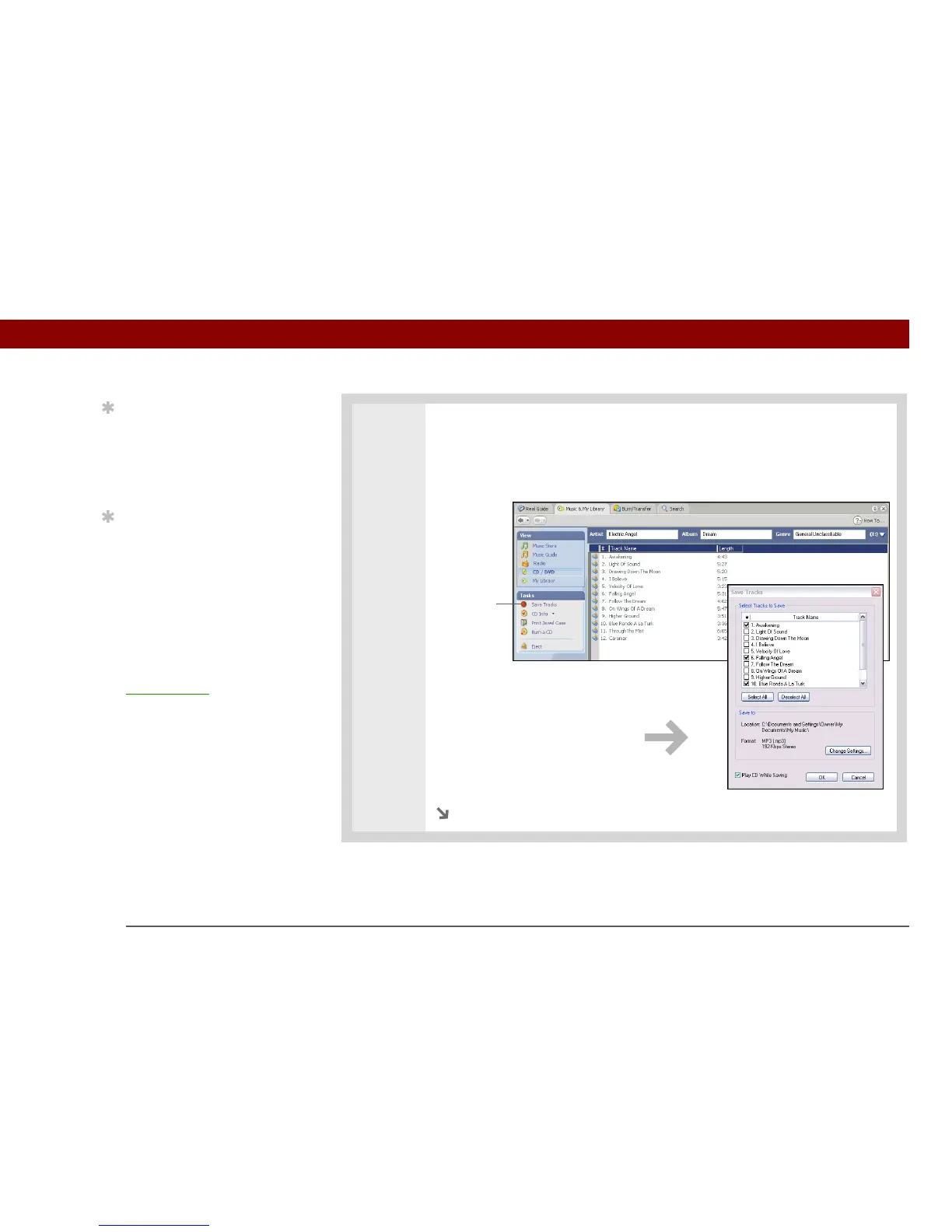
2 Select the songs you want to add to your library:
a. Click Save Tracks.
b. Follow the onscreen instructions to select and copy tracks.
Continued
Tip
If you want to select only
a few songs, click
Deselect All and then
check the box next to the
songs you want to select.
Tip
If you want to download
songs from the Real
Music Store (U.S. only;
additional fees may
apply), you need to
download and install a
special version of
RealPlayer that is
compatible with Real
Music Store files. Go to
www.real.com
for
information.
Save Tracks



 To Next Page