Tungsten™ E2 Handheld 281
CHAPTER 15 Sending and Receiving Email Messages
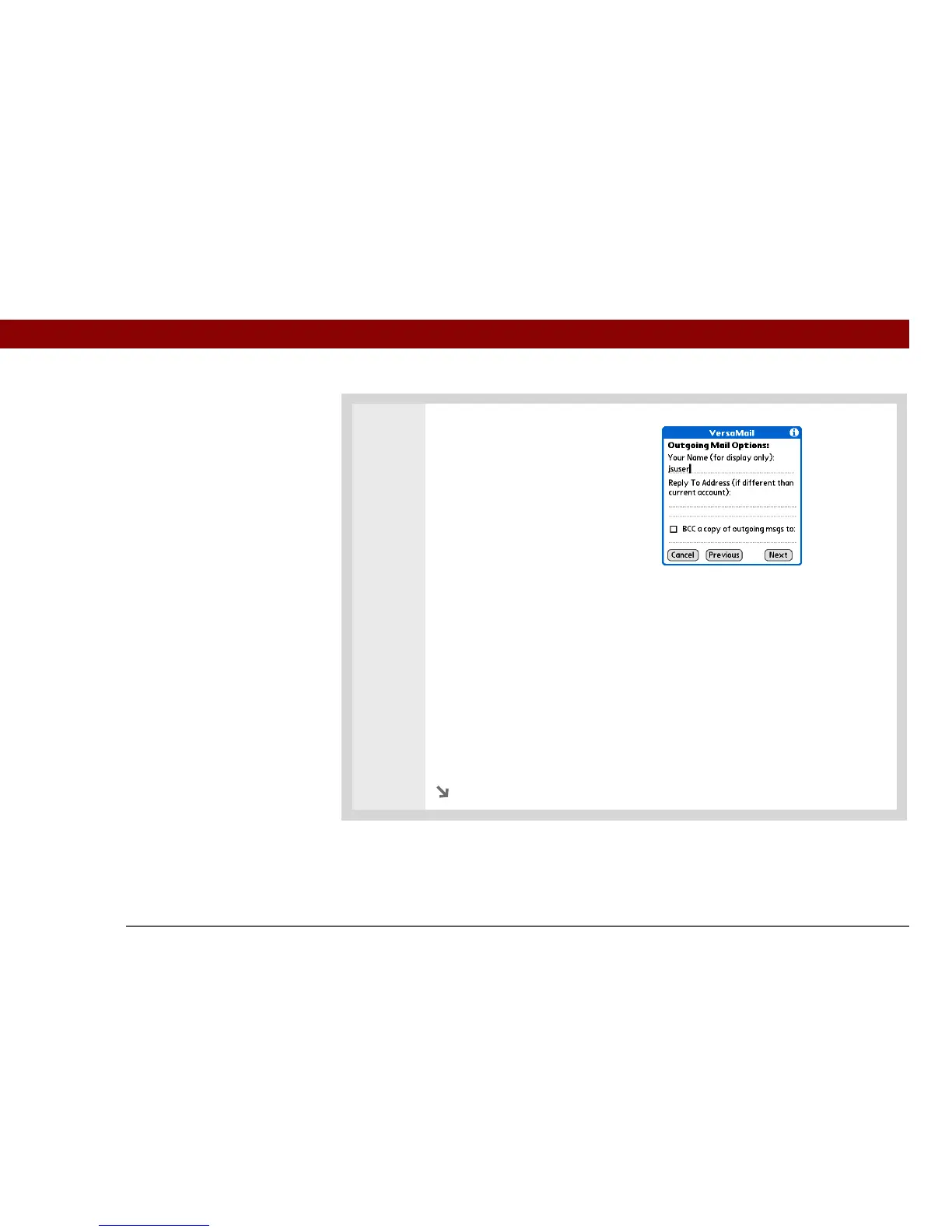
2 Set outgoing mail options:
a. Select any of the following:
Display Name Enter the name you
want to appear on your outgoing
messages, such as “Joe Smith.”
Reply To Address Enter the email
address that you want recipients to
see and reply to on your email
messages, only if this is different from the email address from which you are
sending the message. For example, if you are sending a message from
me@yahoo.com but you want recipients to reply to me@earthlink.net, enter the
reply-to address here. Reply To Address makes it look as though the email came
from the address you entered.
BCC Check the BCC box to send a blind copy of any email message you send
to another email address. The blind copy email address is not seen by the other
recipients of the message. For example, if you want a copy of all messages you
send from your handheld to be sent to your corporate email account, enter that
email address.
b. Select Next.
Continued



 To Next Page