Tungsten™ E2 Handheld 289
CHAPTER 15 Sending and Receiving Email Messages
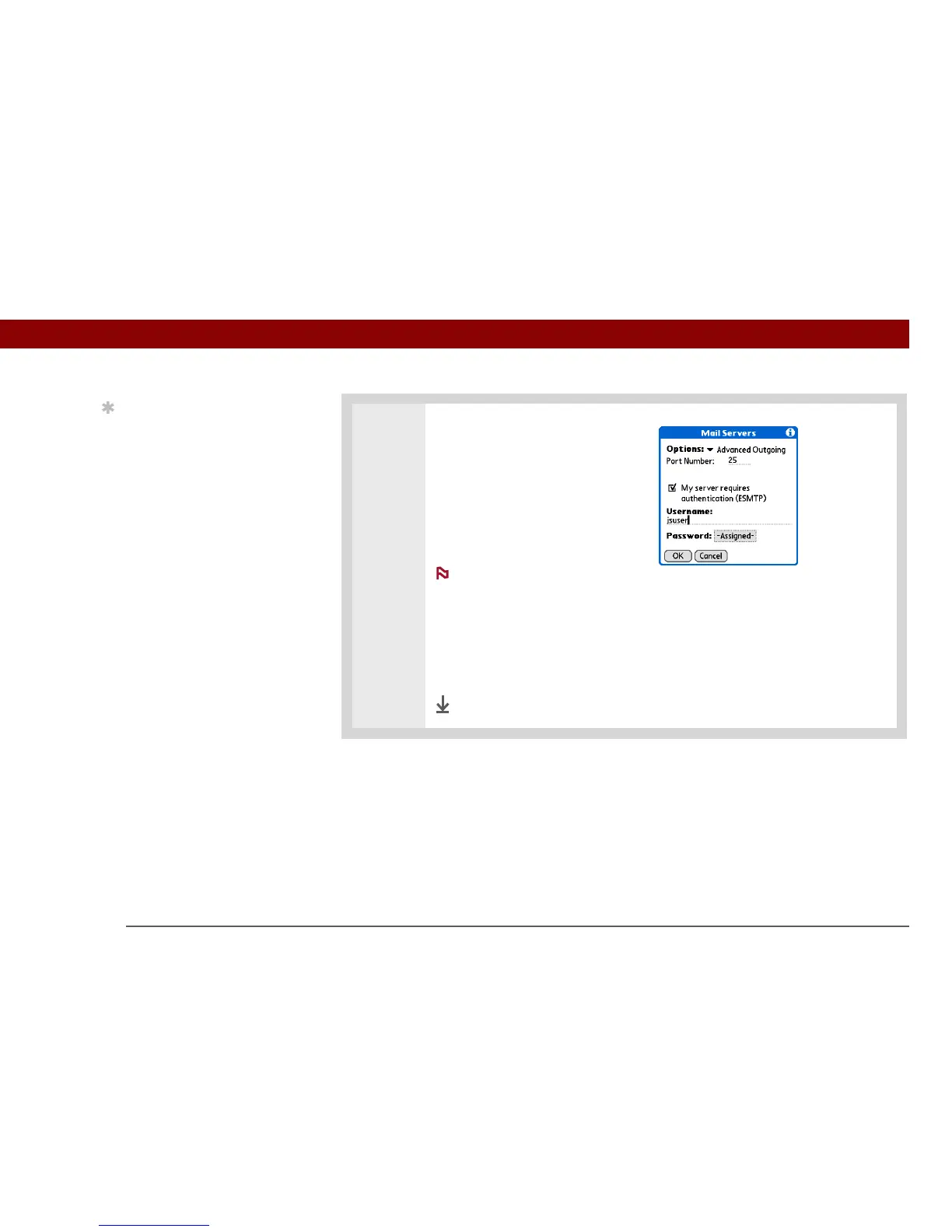
2 Add ESMTP:
a. On the Mail Servers screen
(see step 1), select Details.
b. Select the Options pick list, and
then select Advanced Outgoing.
c. Check the box.
Check with your system
administrator before selecting this option. If you select this option, username
and password fields appear. These fields are already filled in based on the
account information you entered. In most cases, the information displayed is
correct; however, occasionally your authentication username and/or password
is different from your account username or password.
d. Select OK.
Done
Tip
If you need to enter new
authentication
information, enter your
username, tap the
Password box, enter a
password, and then
select OK. Check with
your email service
provider for
authentication username
and password
information.
NOTE



 To Next Page