Tungsten™ E2 Handheld 322
CHAPTER 15 Sending and Receiving Email Messages
2
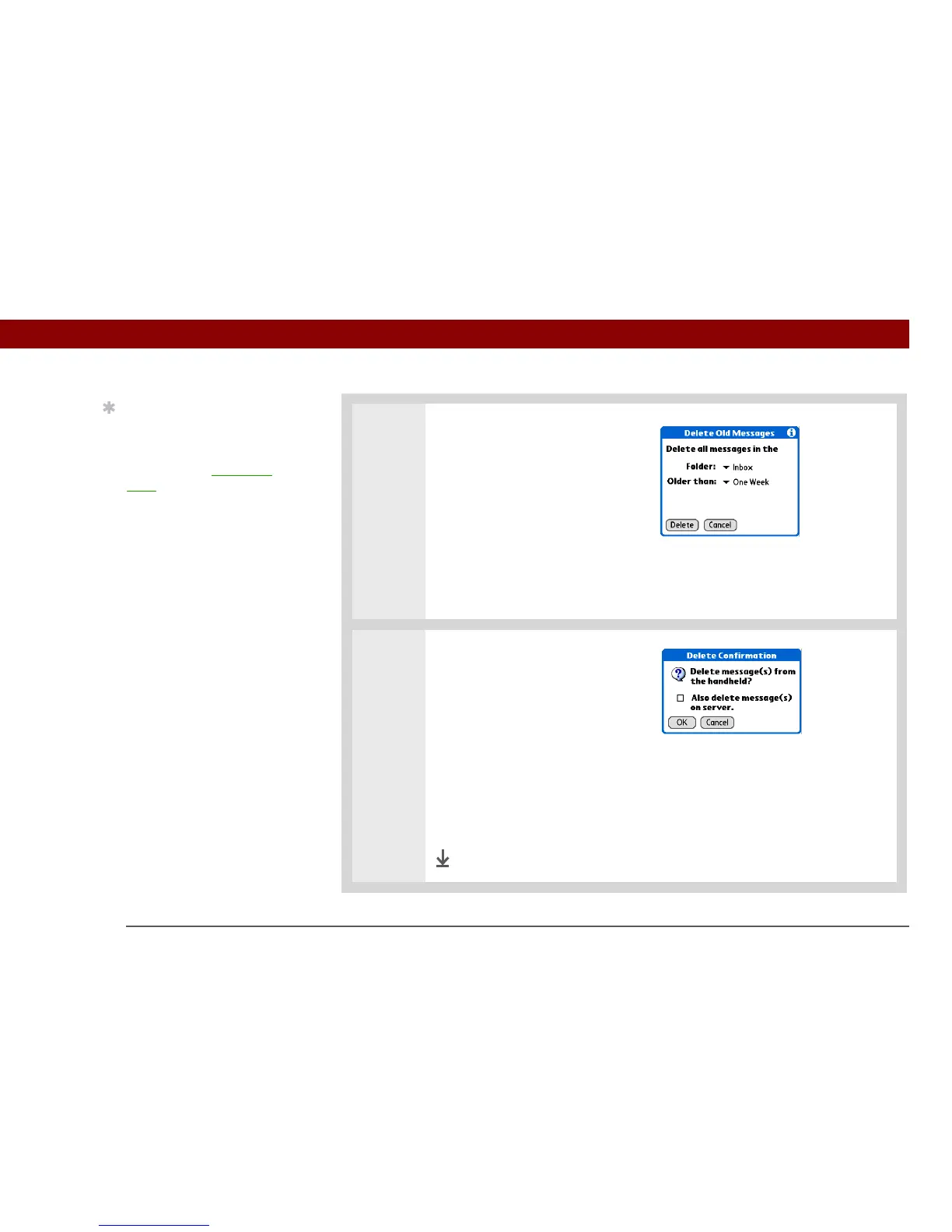
Choose settings for deleting old
messages:
a. Select the Folder pick list, and
then select the folder that
contains the messages you
want to delete.
b. Select the Older than pick list,
and then select One Week,
One Month, or Choose Date. If
you select Choose Date, select
a date from the calendar.
3 Delete messages:
a. Select Delete.
b. Select Also delete message(s)
on server if you want to delete
the messages from the server
now.
If you delete a message on the server, you cannot retrieve it
and view it again later.
c. Select OK.
Done
Tip
Messages you delete
from a folder move to the
Trash folder and remain
there until you empty the
trash.
IMPORTANT
[
! ]



 To Next Page