Tungsten™ E2 Handheld 417
CHAPTER 17 Browsing the Web
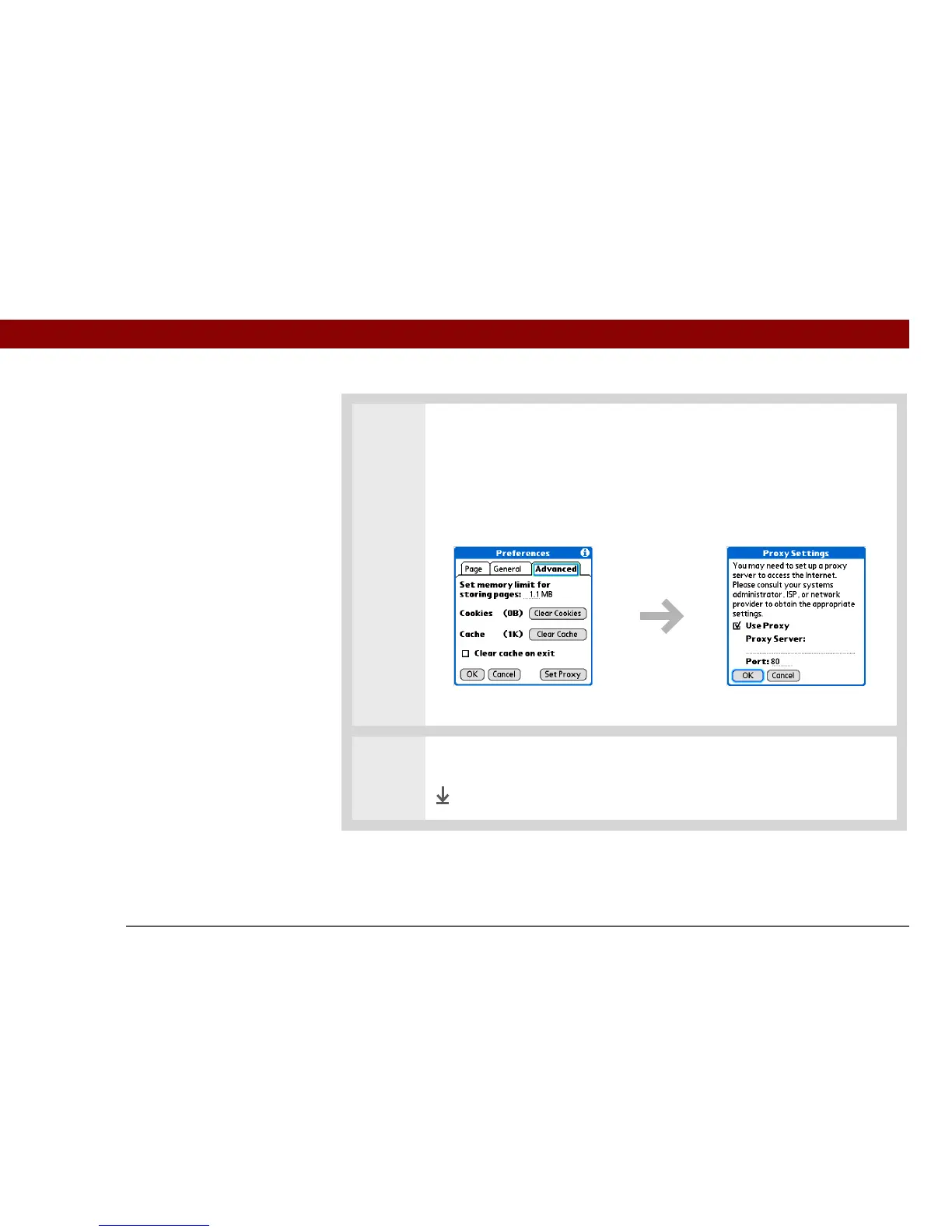
3 Set your proxy server preferences:
a. Select Set Proxy.
b. Check or uncheck the Use Proxy box to use or not use a proxy server.
c. If you want to use a proxy server, select the Use Proxy box and enter the
appropriate server address and port number.
d. Select OK.
4 Select OK.
Done



 To Next Page