15-3
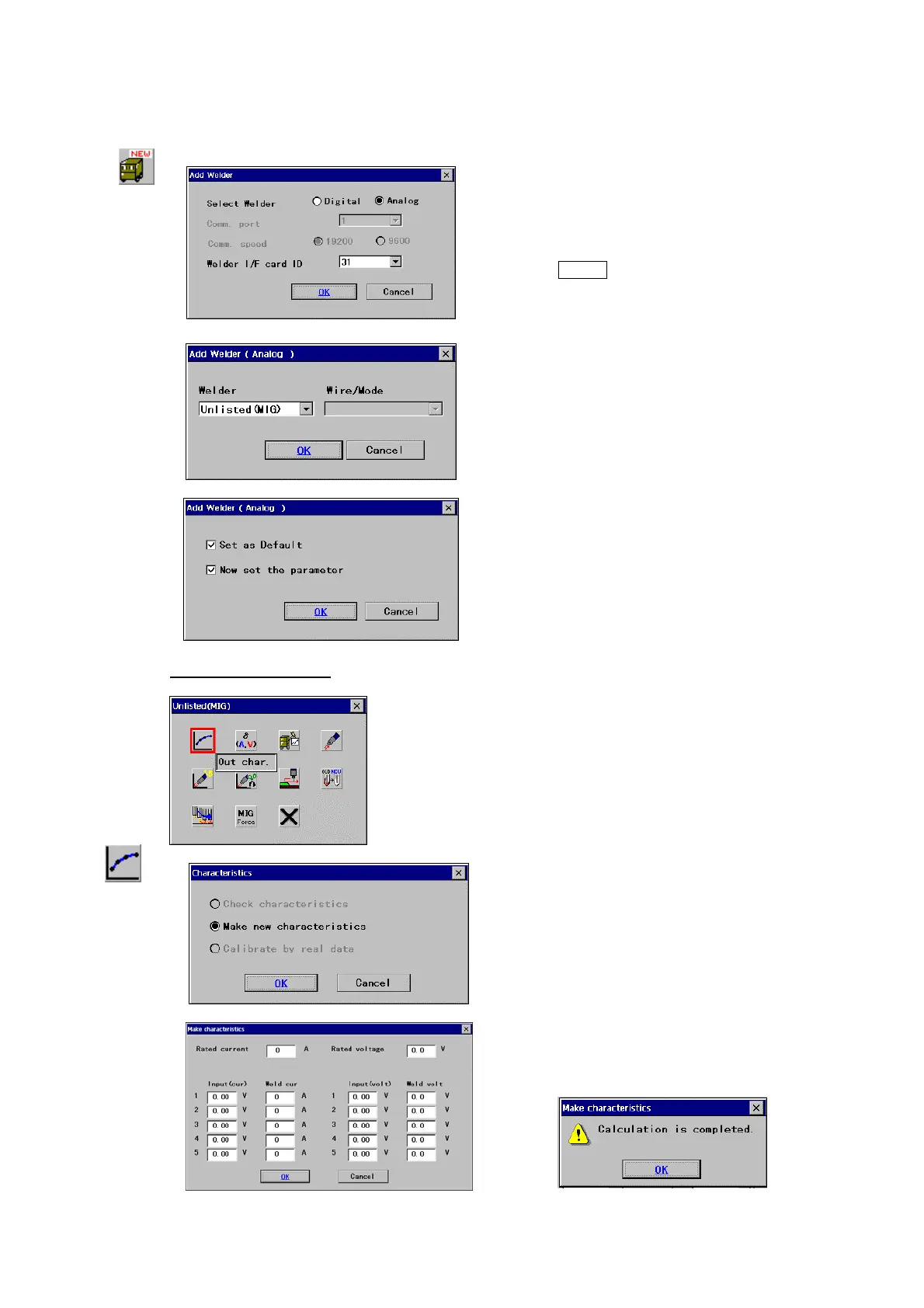
◎ Procedures to add a welder
[Select Welder]
Specify communication type of the
welder.
· Select Analog.
[Welder I/F card ID] Specify ID number of the welder I/F
card.
[Welder]
Specify type of applied welder (i.e. “Unlisted
(MIG)” for MIG welder or “Unlisted (TIG)” for TIG
welder.)
* Check the check box next to the “
Now set the
parameter
”.
Example: Unlisted (MIG)
* Parameters vary with selected welder type.
Out Char
Î
As the initial setting, the only “Make new
characteristics
” is effective.
Click the
OK button
Set all parameters in the dialog box,
and then click the
OK button.
Then a message to confirm the completion of calculation
appears.
Click the
OK button to end the settings.








 To Next Page