9-6
Status output Description
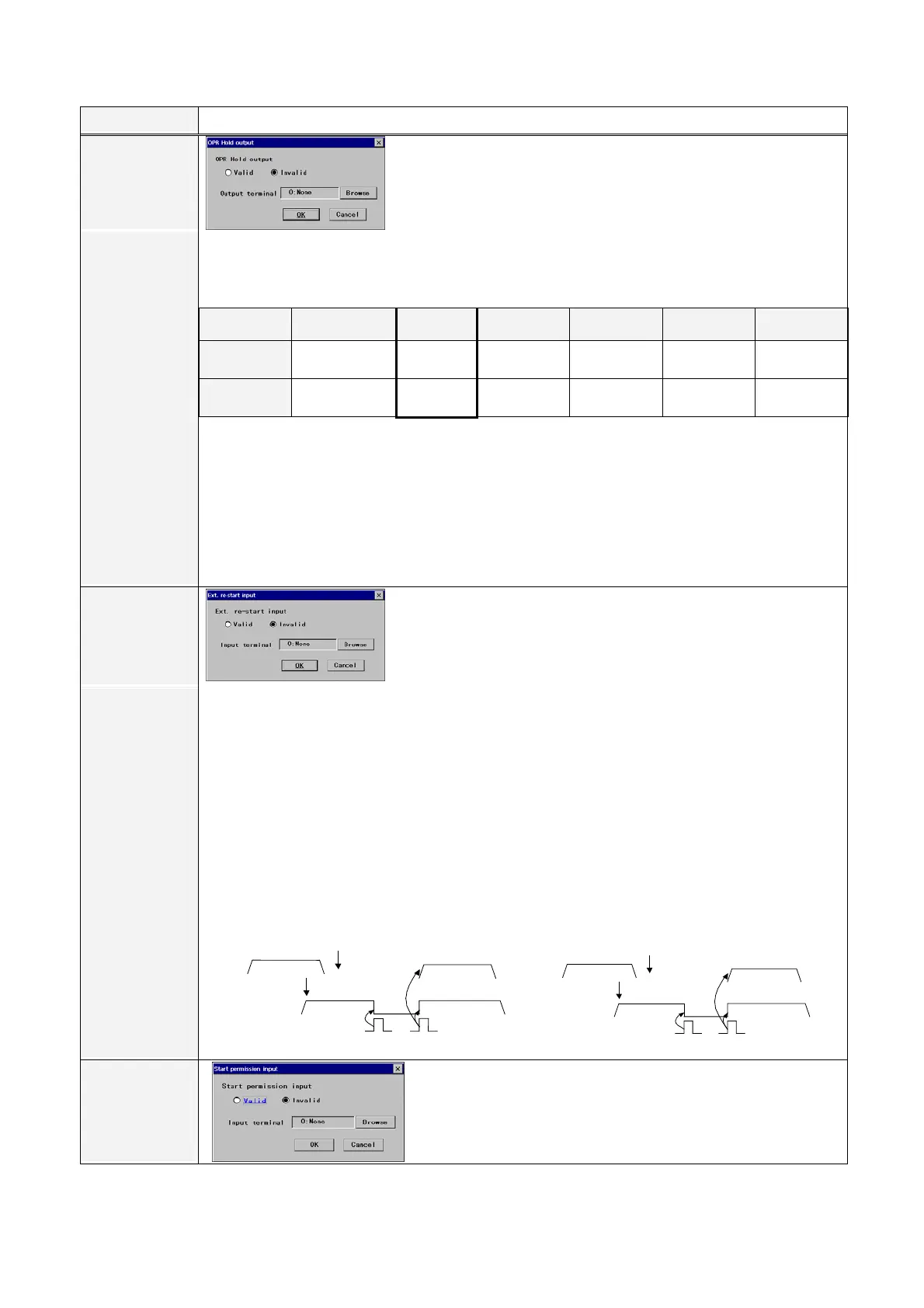
OPR Hold
output
[Valid/Invalid] Specifies the validity of the function.
[Output terminal] Specifies the output terminal name to be allocated to
the user output terminal.
It outputs when the robot goes in a hold state (including error stop) while running a program.
• It is different from “Hold status output” as this output does not turn on at File open.
• The “OPR Hold output” is turned OFF if the file is closed in the hold state.
• The “OPR Hold output” is turned OFF if the mode select switch is switched to Teach mode in the
hold state.
• If the mode select switch is switched to Teach and then back to Auto mode, the “OPR Hold output”
remains OFF state when
- the program in the hold state is closed (including re-opening of the program.)
- the cursor is not located on the program in the hold state.
Auto mode
All files closed
File open In operation
In hold
(error stop)
After
re-started
End of
operation
OPR Hold
output
OFF OFF OFF ON OFF OFF
Hold status
output
OFF ON OFF ON OFF OFF
External re-start
input
[Valid/Invalid] Specifies the validity of the function.
[Input terminal] Specifies the input terminal name to be allocated to the
user input terminal.
• It is an input that limits the re-start input after the robot goes in the hold state effective only from a
specified external re-start input.
• When this “Ext. re-start input” is set effective, the “Start input” of the Status input cannot be used at
re-start.
• This setting is effective only in Auto start. The setting is ignored in manual start.
• Re-start won’t be executed when the “Stop input” is ON.
• Re-start won’t be executed during override in TEACH mode.
• Re-start won’t be executed if the file in hold state is closed.
• If a parallel processing program exists, a reserved program may be re-started by this input.
(See the following figure for details.)
P
r
o
g
A
P r o g B
PA
R
A
CA
L
L
Hold
Re-start
E
N
D
P
r
o
g
C
Reserve
P
r
o
g
C
(Example1)
Numberselectmethod
P
r
o
g
A
P
r
o
g
B
P
A
R
A
CA
L
L
Hold
Re-start
E
N
D
P
r
o
g
A
Autoopen
P
r
o
g
A
(Example2)
Mastermethod
Start
permission
input
Start permission input
[Valid]: Manual and auto program start are effective only when
receiving a signal to the designated input terminal.
Intermittent signal to the input terminal generates an error.








 To Next Page