BRAKES
M6040, M7040, WSM
5-S10
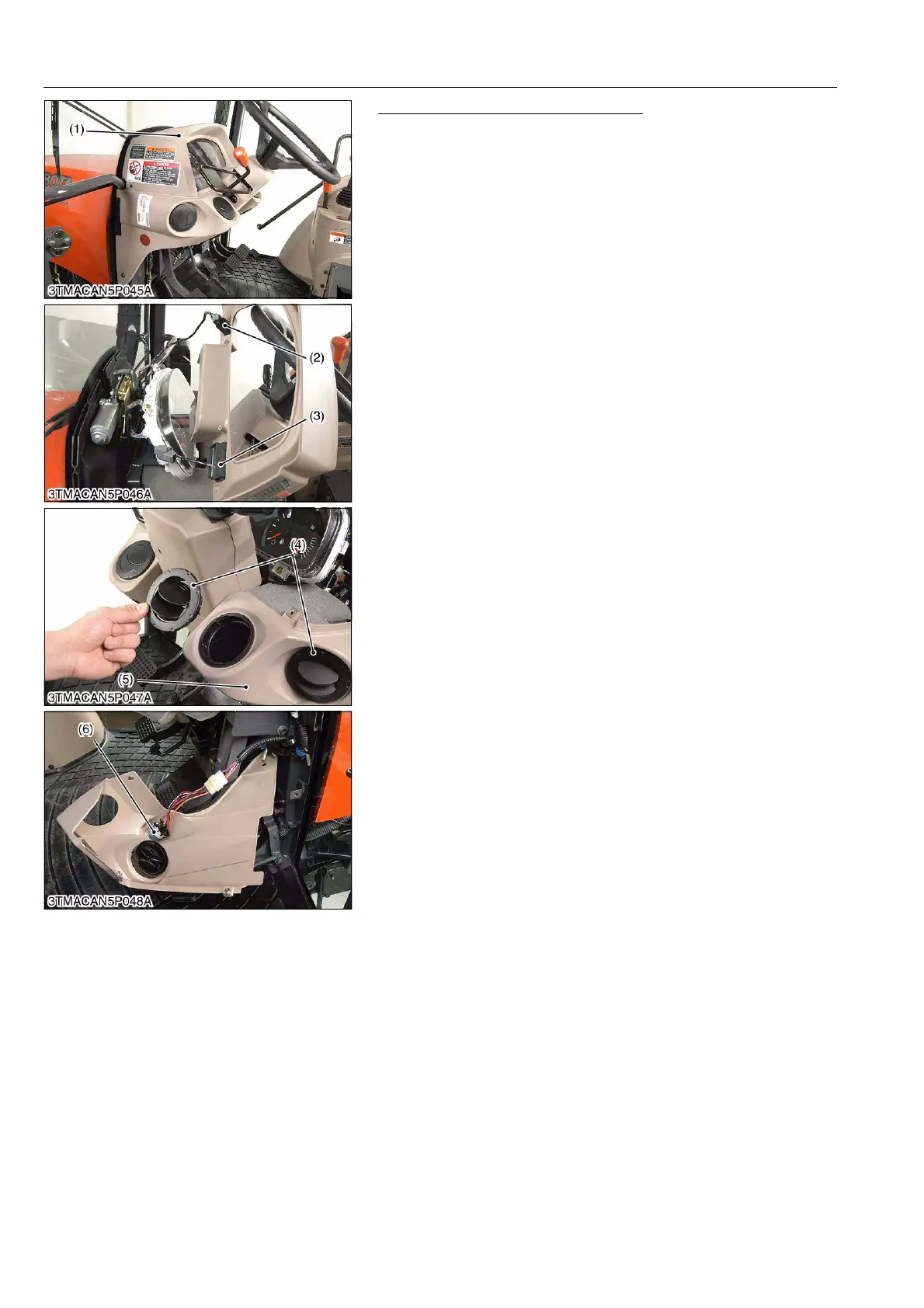
Panel Cover and Panel Under Cover
1. Remove the panel cover (1) and disconnect the connectors
from hazard switch (2) and display mode switch (3).
2. Remove the air outlet (4) then remove the panel under cover
R.H. (5).
3. Disconnect the connector from main key switch (6).
9Y1210143BRS0015US0
(1) Panel Cover
(2) Hazard Switch
(3) Display Mode Switch
(4) Air Outlet
(5) Panel Under Cover R.H.
(6) Main Key Switch



 To Next Page