9-15
Upper case and mounts
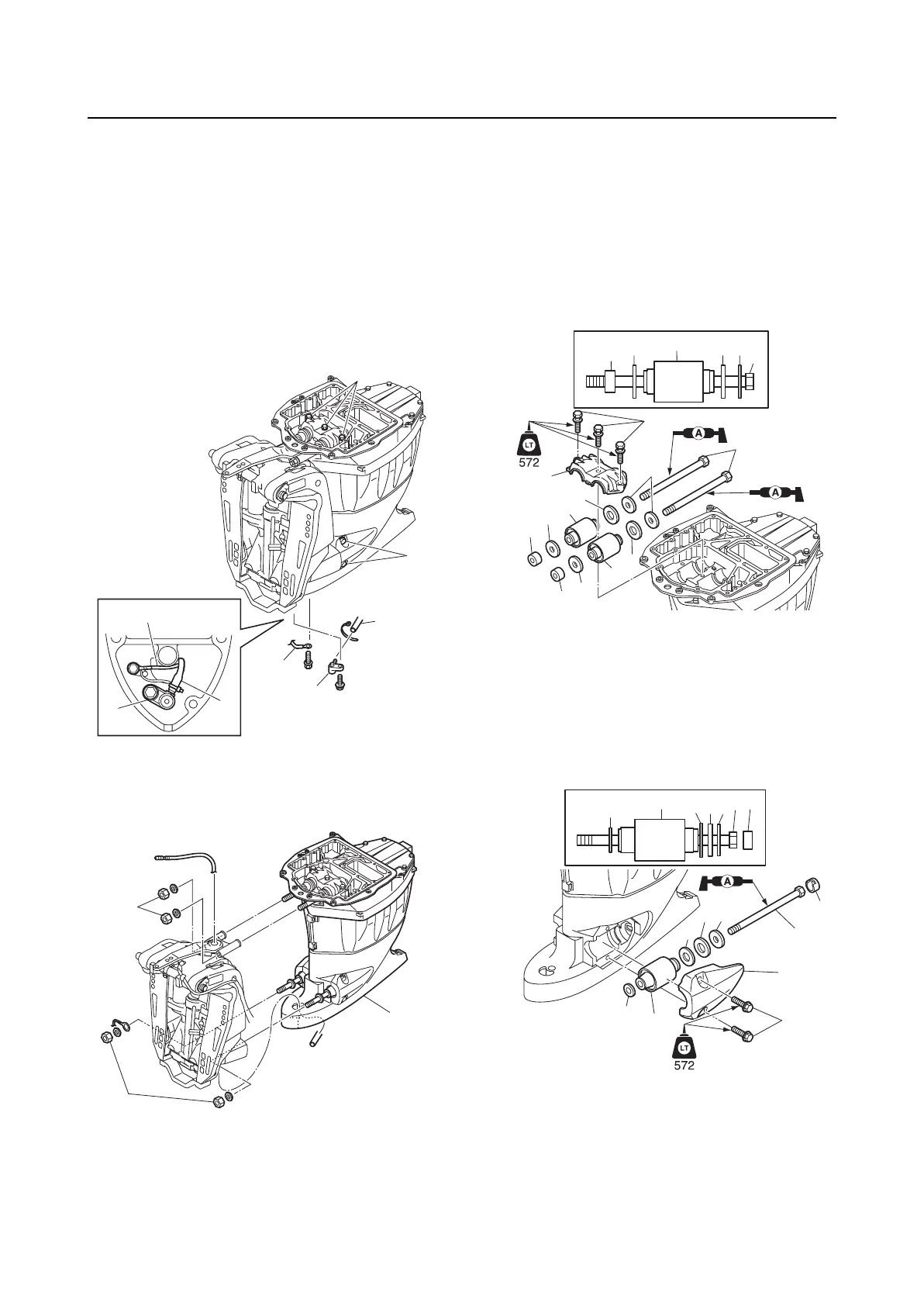
Removing the upper case
1. Drain the remaining engine oil.
2. Disconnect the ground lead “1”.
3. Remove the adapter “2”, and then dis-
connect the speedometer hose “3”.
4. Loosen the upper mount bracket bolts “4”
and lower mount cover bolts (PORT and
STBD) “5”.
5. Remove the upper mounting nuts “1” and
lower mounting nuts “2”, and then
remove the upper case assembly “3”.
Installing the upper case
1. Install the washers “1” and “2”, upper
mounts “3”, washer “4”, and collar “5” to
the upper mount bolts “6”.
2. Install the upper mounts “3” and upper
mount bracket “7”, and then tighten the
upper mount bracket bolts “8” tempo-
rarily.
3. Install the caps “1”, washers “2”, “3”, and
“4”, lower mounts “5”, and washers “6” to
the lower mount bolts “7”.
4. Install the lower mounts “5” and lower
mount covers “8”, and then tighten the
lower mount cover bolts “9” temporarily.
5. Install the upper and lower mounting
bolts into the bracket assembly “1” simul-
taneously.
1
1
3
2
3
2
4
5
1
2
3
3
5
4 2 1
6
3
2
1
5
4
3
5
4
2
6
7
8
5
6
5
6
4
3
2
7
2
3
4
1
7
1
8
9


 To Next Page