10
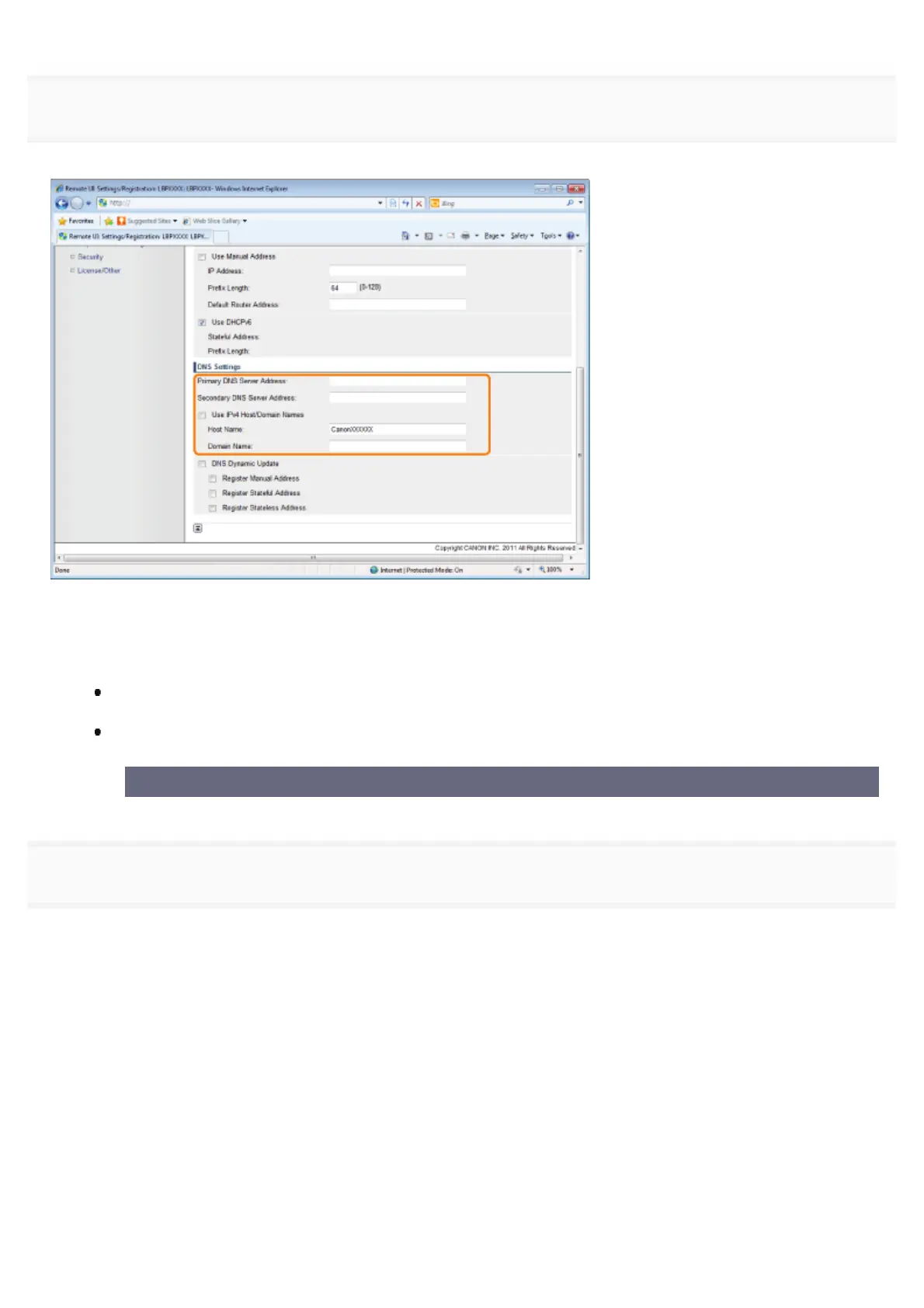
If you want to use the DNS server, specify the following settings.
If you do not want to use the DNS server, proceed to Step 11.
You can specify the following [DNS Settings].
(1) Enter the IP address of the primary DNS server in [Primary DNS Server Address].
(2) Enter the IP address of the secondary DNS server in [Secondary DNS Server Address].
(3) Set [Host Name] and [Domain Name].
Select the [Use IPv4 Host/Domain Names] check box to use the same host name and domain name as IPv4.
After the printer is restarted, the host name and domain name set by IPv4 are set automatically.
When using a host name and domain name that are different from IPv4, enter [Host Name] and [Domain
Name]. You can enter up to 47 alphanumeric characters.
Example of [Domain Name] entry: "example.com"
11
If you want to use DNS Dynamic Update, specify the following settings.
If you do not want to use the DNS server, proceed to Step 12.
㻠㻡㻥㻌㻛㻌㻥㻣㻜



 To Next Page