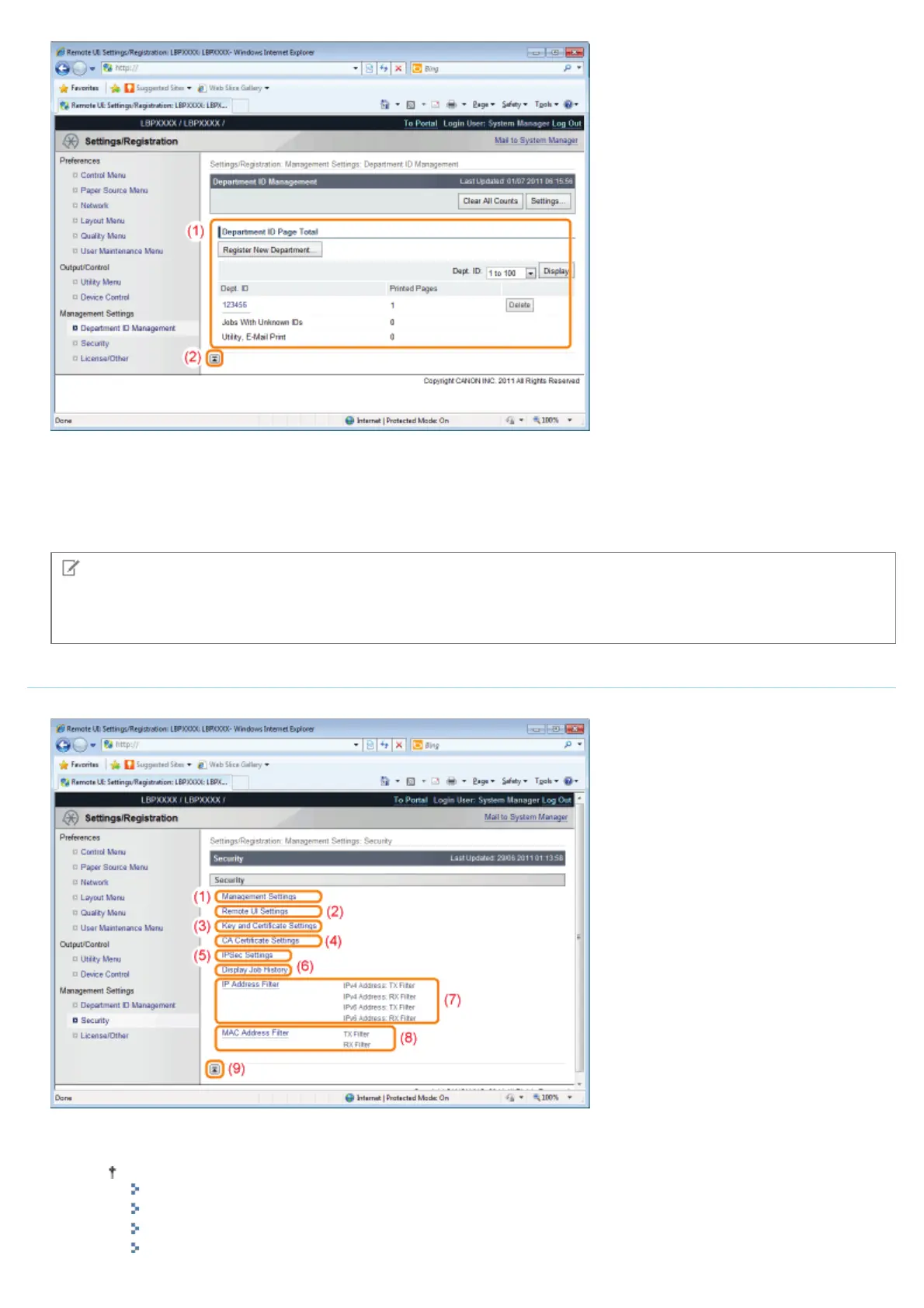
(1) [Department ID Page Total]
It displays the number of pages printed by each department.
(2) [Back to Page Top]
It moves the scroll box up to the top of the page.
NOTE
Changing the settings
You can only change settings when you are logged on in system manager mode.
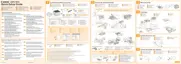
[Security] Page
It displays printer information and security settings.
(1) [Management Settings]
It displays general information about the printer.
How to change settings
"Setting the Administrator Password"
"Specifying the Device Name or Administrator Information"
"Setting Restrictions for Print Jobs"
㻡㻠㻢㻌㻛㻌㻥㻣㻜


 To Next Page