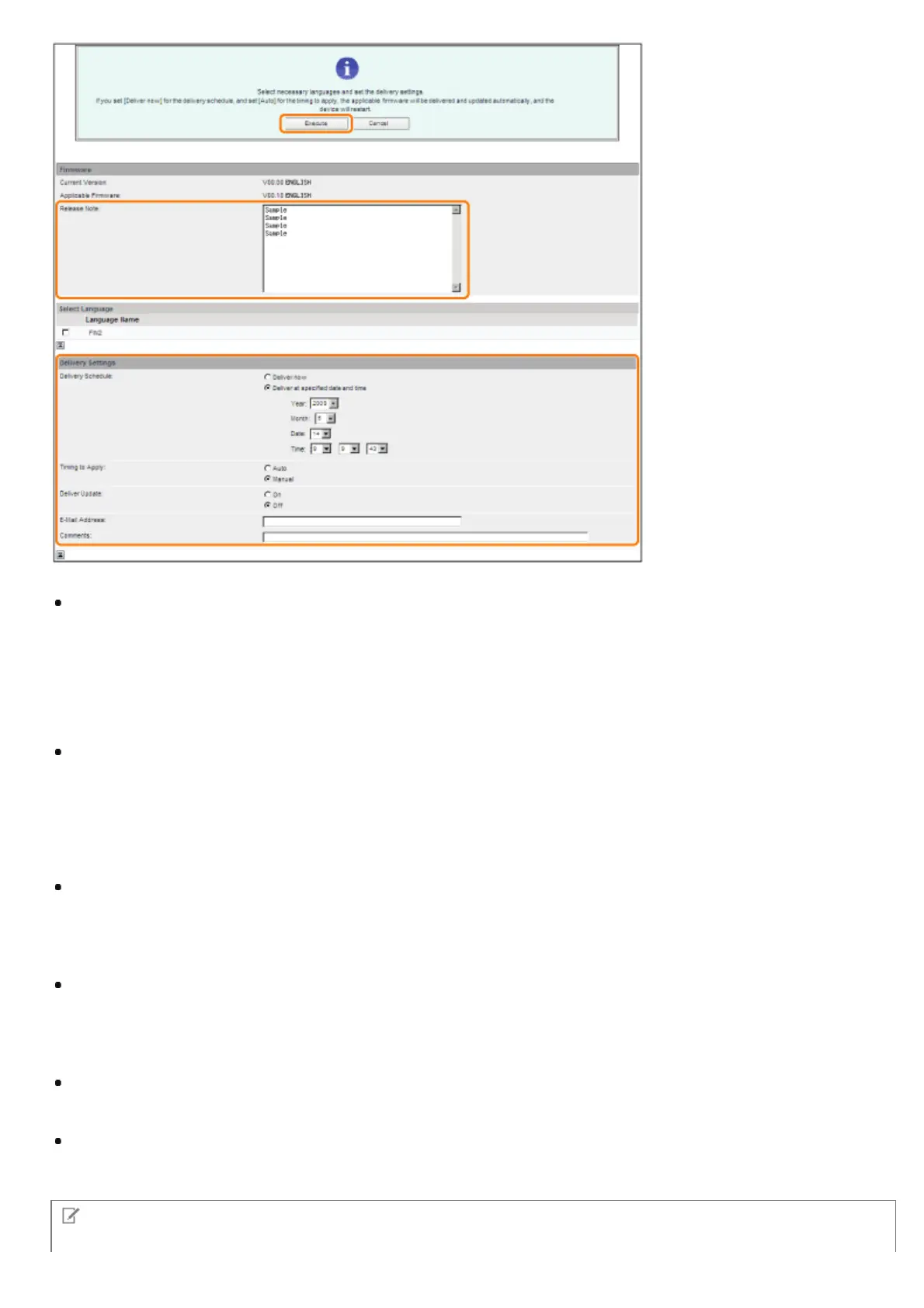
Details of each item are shown below.
Firmware:
Current Version: Displays the version of the current firmware.
Applicable Firmware: Displays the new firmware that is applicable with the printer.
Release Note: If the new firmware has a release note, that information is displayed.
Delivery Settings:
Delivery Schedule: Click "Deliver now" or " Deliver at specified date and time."
You can specify a date/time up to 30 days later for delivery schedule.
[Deliver now]: Downloads the firmware after the delivery setting is specified.
[Deliver at specified date and
time]:
Select the date/time (year, month, date, and time) to download the firmware from the
drop-down list.
Timing to Apply: Click [Auto] or [Manual].
[Auto]: The firmware is automatically applied after the download of the firmware is completed.
[Manual]: Only downloads the firmware. To apply the downloaded firmware, set from [Apply Firmware].
Deliver Update: Click [On] or [Off].
[On]: Downloads only the difference between the current firmware and the new firmware.
[Off]: Downloads the new firmware entirely.
E-Mail Address: Enter the e-mail address of the administrator. You can receive e-mails regarding the update status that
is sent from the delivery server.
You can enter up to 64 characters for the e-mail address (excluding "(," ")," "<," ">," ",," ";," ":," "”," and "\").
Comments: Enter the comment that will automatically be added to the e-mail. If the model name is entered, you can
identify which device status the e-mail is about.
You can enter up to 128 characters in Comment.
NOTE
㻢㻠㻠㻌㻛㻌㻥㻣㻜



 To Next Page