Section 4: Tutorial
Euphonix CS3000/2000 Operation Manual 4 - 37
Grp
ON
AFL
PFL
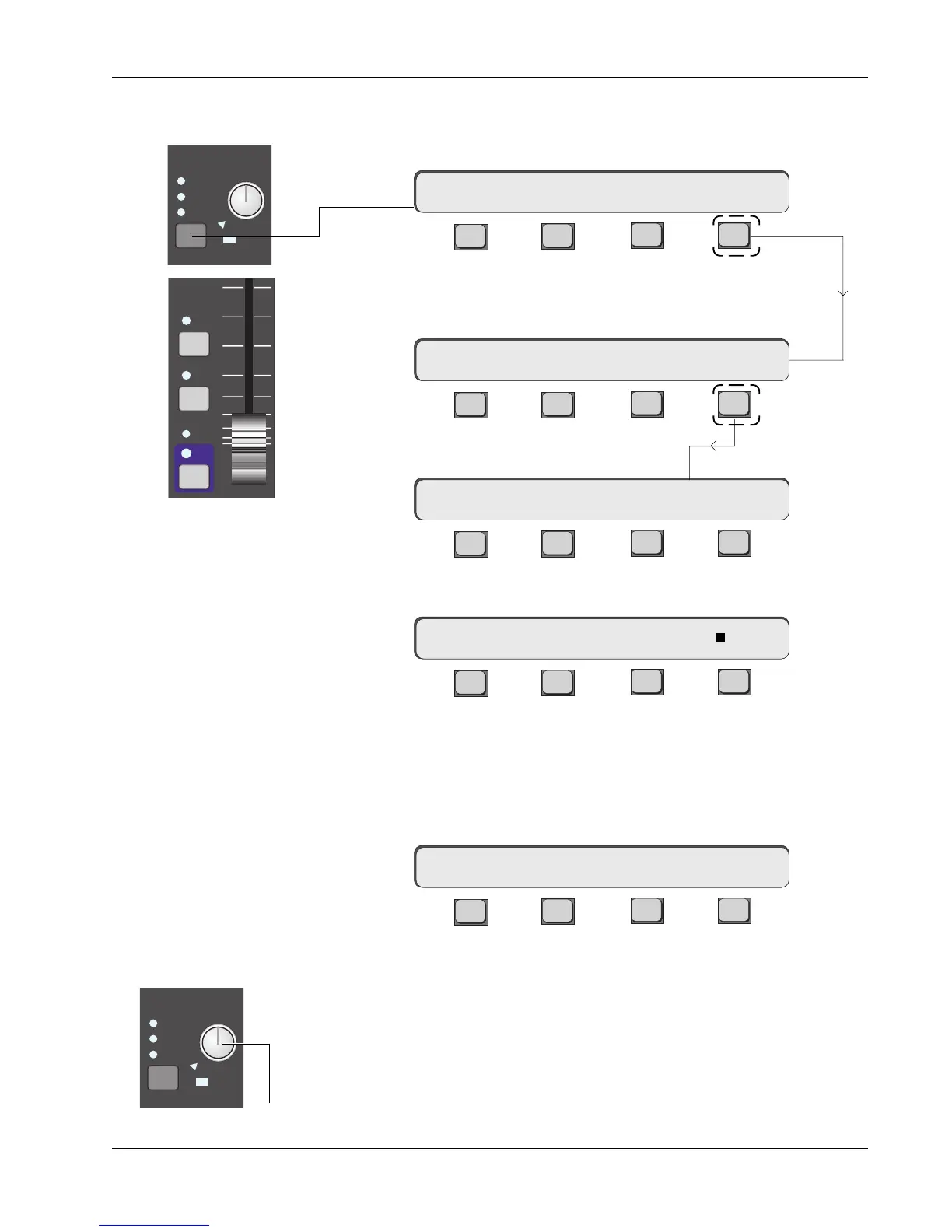
Each fader block is affected by these solo modes. The functions of these keys
are configured in the SOLO menus. Access these menus by pressing the
[SOLO] block key in the Master Module.
F3F1 F2 F4
[F2] allows faders to be Safed (isolated from the Kill Solo mode).
[F3] clears any selected AFL or PFL buttons on the console.
[F4] goes to a configuration submenu for setting different solo options:
F3F1 F2 F4
Press [F4] to access the Monitor Assign menu:
F3F1 F2 F4
To allow the AFL/PFL signal to feed Mon C, press [F4]:
F3F1 F2 F4
The square next to “C” indicates that Mon C has been selected. An indicator
also appears in the SOLO block on the Master Module to show the selection.
Pressing [F4] again would toggle this selection off. Solo can be assigned to
any or all of the three monitor outputs. The ability to isolate a monitor from
Solo is useful if you are using one of the monitors for a headphone feed.
F3F1 F2 F4
The AFL, or Normal mode is set from this menu. [F2] toggles operation be-
tween Normal (AFL) or Kill Solo mode. In AFL mode, when a fader AFL button
is pressed, a stereo After Fader Listen signal is sent via the AFL bus to the
Solo Level control, then to the monitor outputs that were selected in the Solo
Assign menu. The AFL signal is taken after the fader and pan control so the
stereo placement reflects placement in the mix. The solo signal replaces the
normal monitor signal. The main stereo buses are NOT interrupted. The Solo
Level knob (not the MON knob) controls the signal’s level.
SOLO AFL and PFL
mSO-> SAFE CLR Cnfg
Solo Menu
mSO-> A B C
mSO-> NORMAL ALL ASGN
mSO-> NORMAL ALL ASGN
AFL Mode
mSO-> A B C
SOLO
A
B
C
Active
Kill
SOLO
A
B
C
Active
Kill
Controls AFL/PFL Level



 To Next Page