Section 2: Getting Started
Euphonix CS3000/2000 Operation Manual 2 - 9
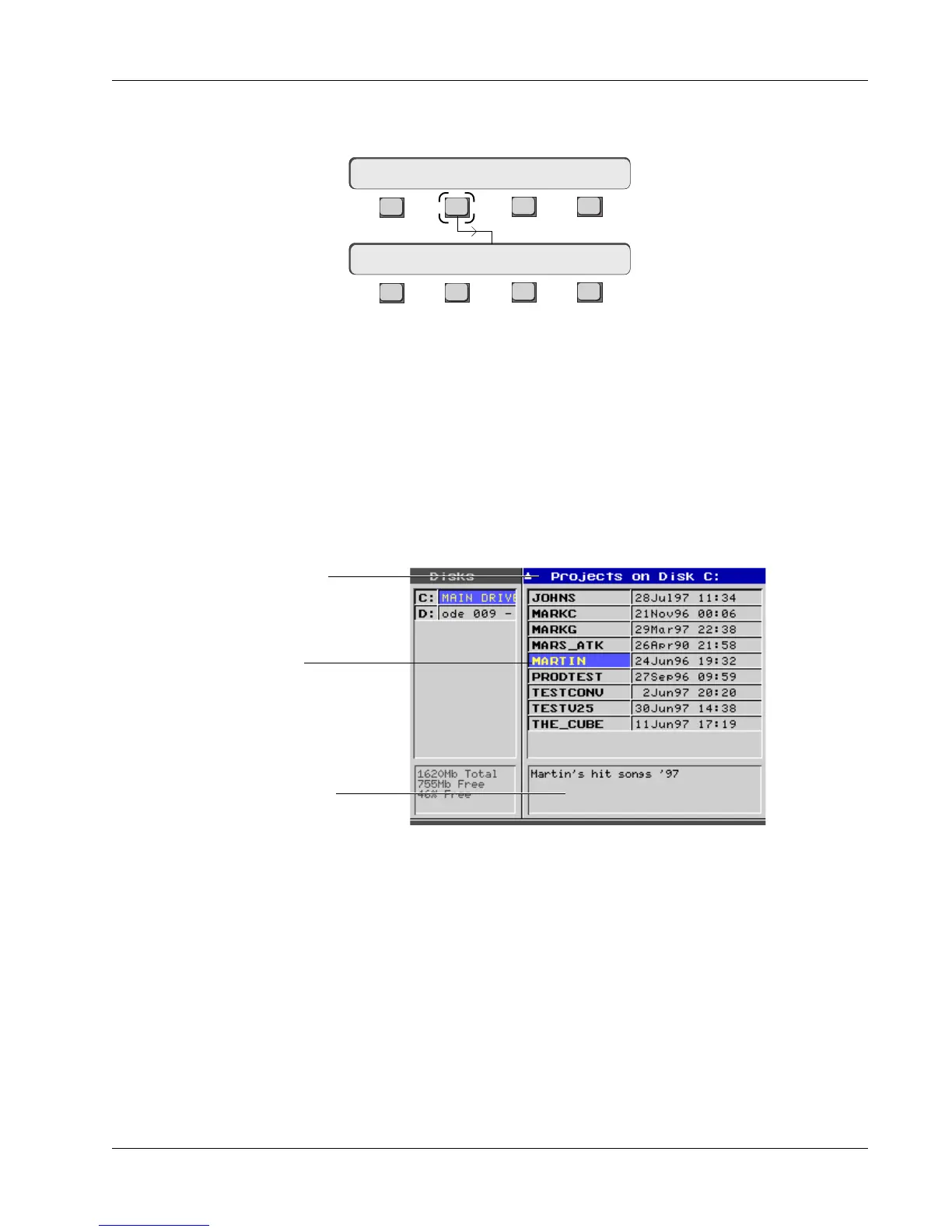
Go to the File menu. If you are in the Drive menu at the top of the last page,
simply [Esc]ape back up to the File menu. Press [F2] (Project):
You can enter a project’s Comments field by pressing the [Tab] key on the
QWERTY keyboard. You can type in up to 4 lines of remarks in the Comments
field. Pressing [Tab] again gets you back to the Project list. You can return to
the Comments field at any time to update your comments.
Project Comments
Date and time project was created
Comments field for the project
The Project Bar is highlighted in
blue showing that the window
is currently active
Currently selected project
F3F1 F2 F4
F3F1 F2 F4
Project Menu
File Menu
Disk: Project Title Mix
New? ReNm? Del? Copy?
Press [F1] to create a new project. You will be prompted to name your new
project. The project name could be the record, film or TV series, or could
represent an individual operator’s user space. The project name can be up to
eight characters in length. Upon naming the project, the current date and time
is automatically assigned to the project. Notice that the title list is empty since
you have not yet named a title. (See Naming a Title later in the section)
The window will look something like this:
New Project



 To Next Page