Section 9: Dynamics
Euphonix CS3000/2000 Operation Manual 9 - 23
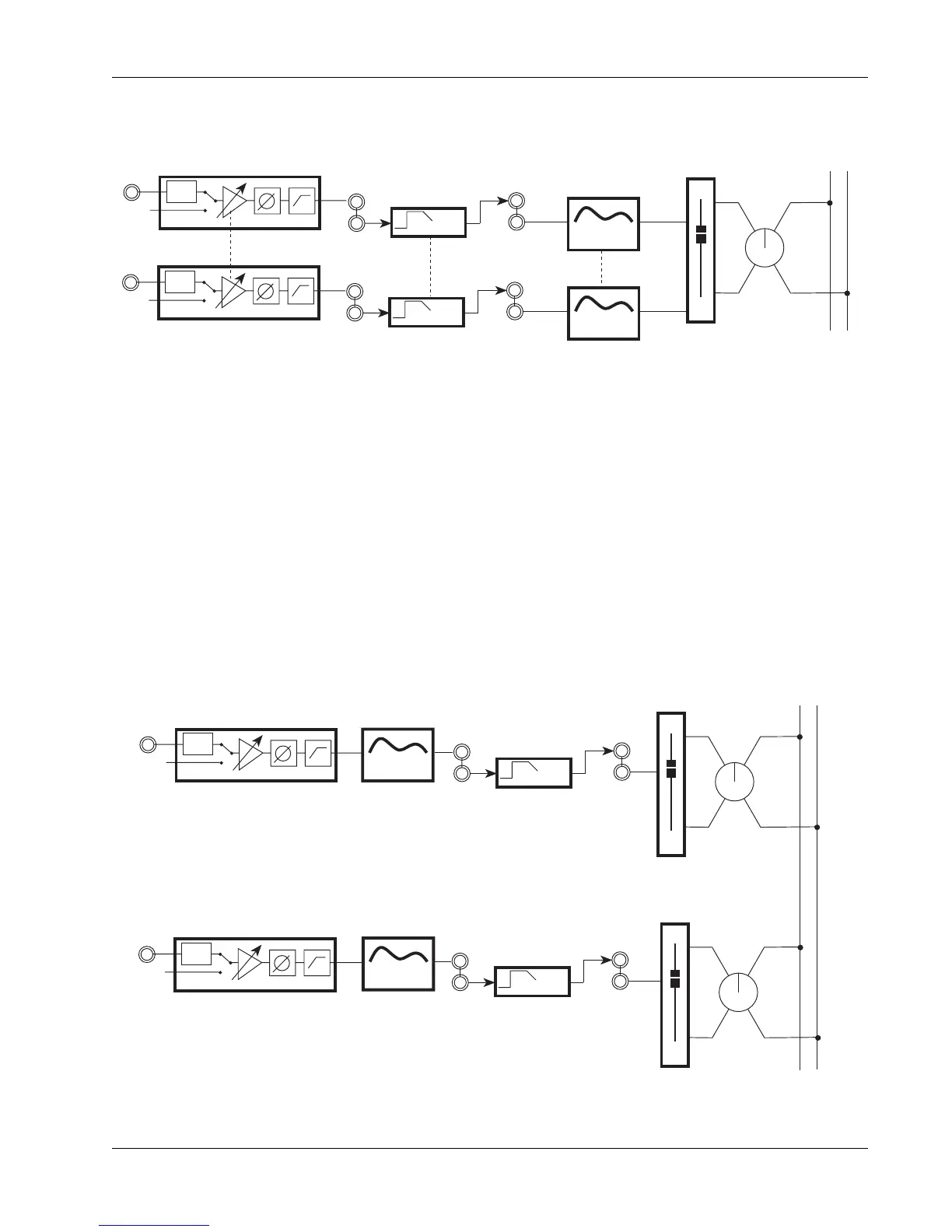
To place the dynamics before the EQ, assign EQ•Dyn(1) to L1 and EQ•Dyn(2)
to L2 and the EQ is moved after the dynamics processors:
Note that the dynamics are not linked until you hit the ST* key, explained
earlier in “Linking Dynamics Processors”.
For maximum headroom performance, Euphonix recommends that the
dynamics processors be placed pre-EQ, especially if you are using a
significant amount of EQ boost.
If there are two dynamics per channel they can also be assigned one per fader
to give each fader an EQ and a dynamics processor. The EQ can be switched
before or after the dynamics as just described:
Dynamics on both Upper
& Lower Faders
PWR
LF
PWR
STEREO 1 BUS
L R
M1
M2
BAL
4 Band EQ
4 Band EQ
Stereo Links
EQ2
EQ1
DYN
OUT2
L2
DYN
OUT1
L1
DYN 1
DYN 2
Dynamics inserted pre-EQ
PWR
LF
PWR
M1
M2
BAL
4 Band EQ
4 Band EQ
EQ2
EQ1
DYN
OUT2
L2
DYN
OUT1
L1
DYN 1
DYN 2
UF
STEREO 1 BUS
L R
BAL
UPPER FADER
LOWER FADER
Dynamics inserted one per fader (post-EQ)



 To Next Page