Section 4: Tutorial
4 - 28 Euphonix CS3000/2000 Operation Manual
4 Band EQ
PWR
Multitrack Buses
Channel 1
Upper Fader
Channel 1
Lower Fader
DIR1
UF
Multitrack Monitor Signal Path
Mic Source Signal Path
∑
Bus
Summing
Amp
Direct Out 1
Multitrack
Machine
L4
Line Input 4
BUS
OUT3
Line Output 3
L3
LF
STEREO 1 BUS
L R
4 Band EQ
Line Input 3
Effects
Device
M1
PAN
PAN
12
Stereo Inputs to
Multitrack
PWR
UF
PWR
M1
M2
BAL
4 Band EQ
4 Band EQ
Stereo Links
EQ2
EQ1
Multitrack Buses
odd
even
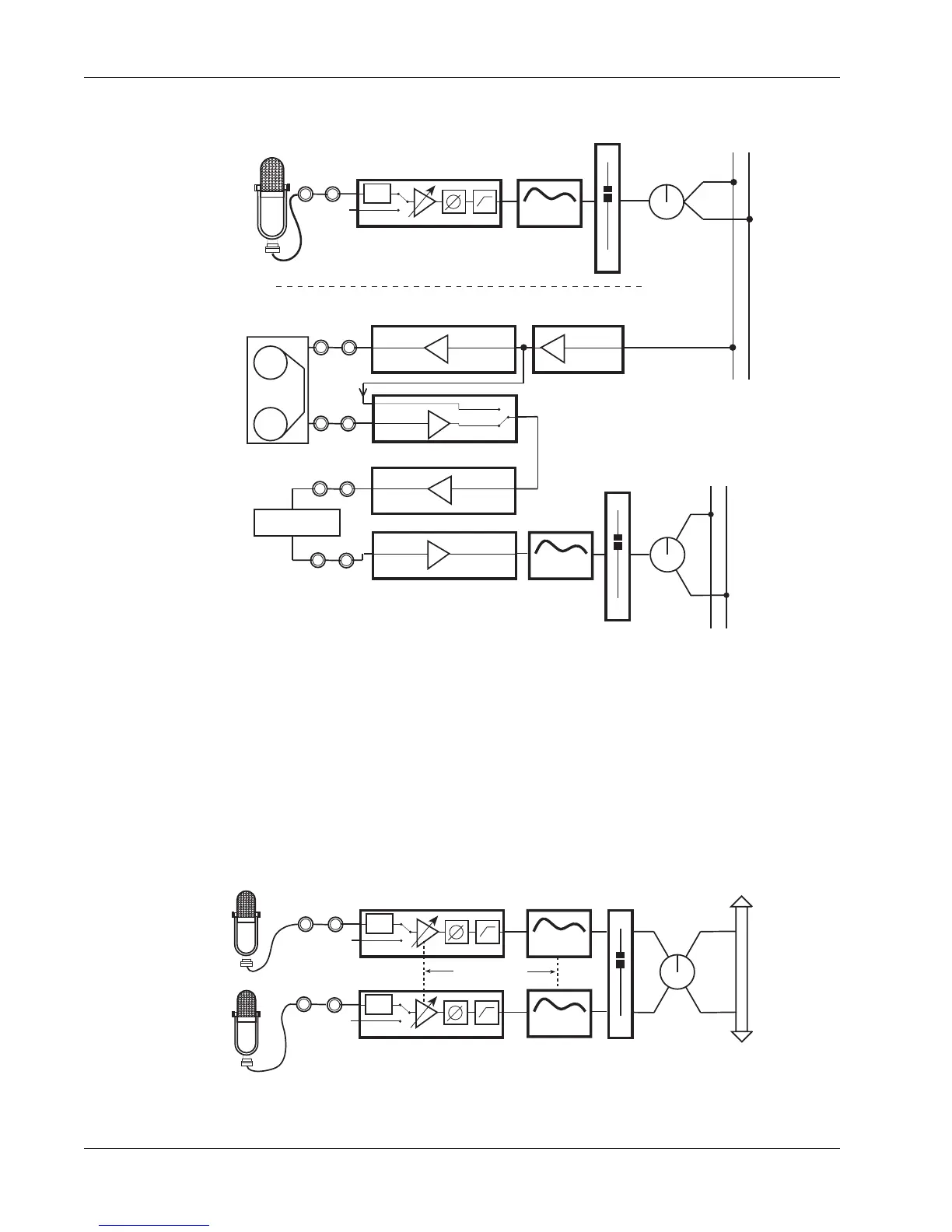
The signal path now looks like this:
A stereo microphone, or a pair of microphones, can be routed to the multitrack
buses using only one fader. To route a stereo mic to tape, source channel 1’s
upper fader from both M1 & M2. Next, select fader mode 7: Stereo. Now link
M1 & M2 together by pressing either of the M1/M2 block keys, and pressing
the [*ST] key. You can also insert a stereo EQ on these inputs and link them by
selecting the source of EQ1 & EQ2 to be M1 & M2 respectively. Now route the
upper fader to a pair of multitrack buses.
The signal path will look like this:
This concludes Exercise 4.



 To Next Page