Section 3: SnapShot Recall
Euphonix CS3000/2000 Operation Manual 3 - 5
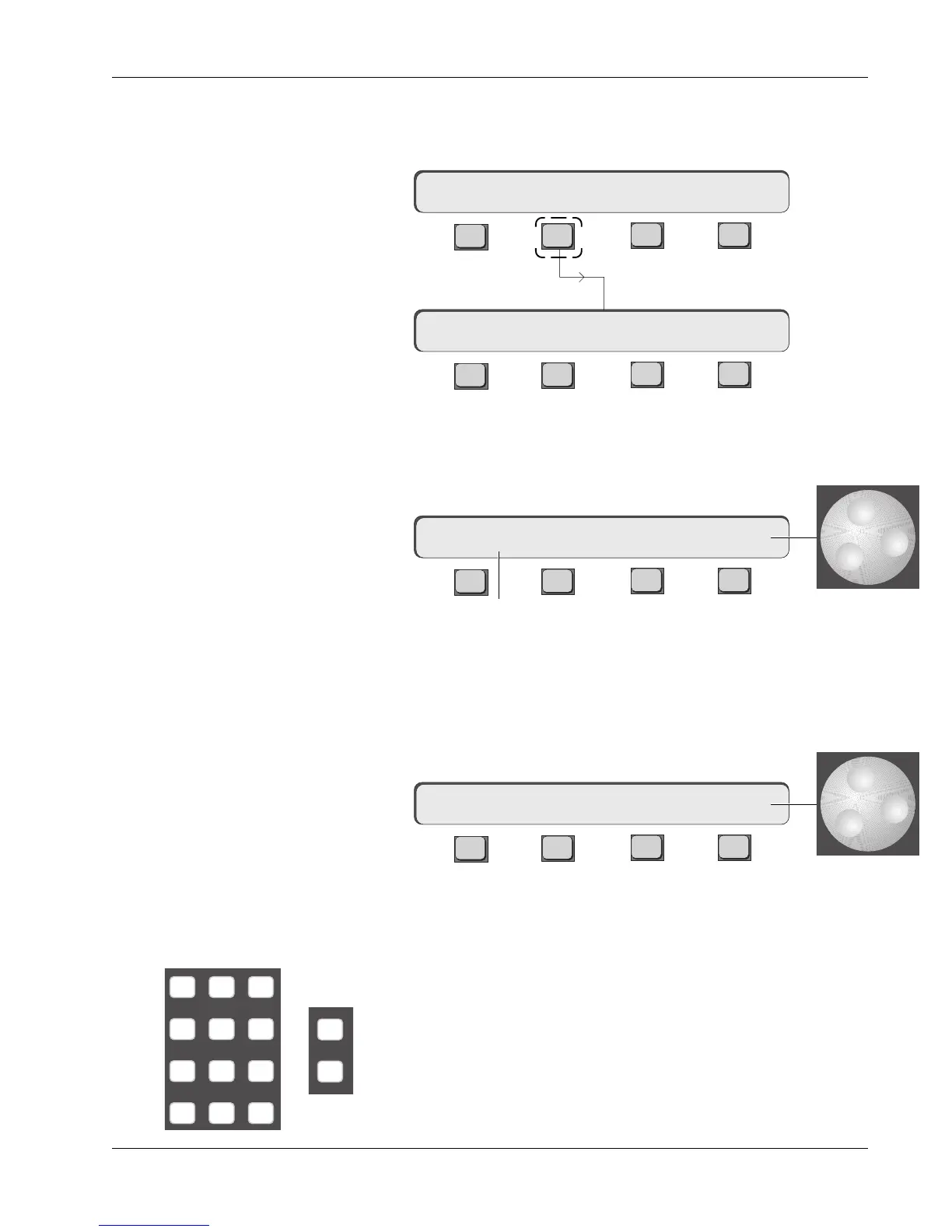
To get to the SnapShot Recall menu from the Master Control Panel, simply
press [F2] (Snap) in the Main menu of the SmartDisplay. You are now in
SnapShot mode.
F3F1 F2 F4
F3F1 F2 F4
Turn the SpinKnob and you will see the number on the far right end of the
SmartDisplay change. You can spin to any number from 1 to 50. These repre-
sent the 50 SnapShot Recall memories in the current title. Pressing [F4] will
instantly recall the selected SnapShot.
F3F1 F2 F4
The number in the left of the display is the most recently recalled SnapShot.
Move the SpinKnob until 11 shows in the right side of the SmartDisplay, then
press [F4]. SnapShot 11 will recall and the desk will instantly reset to what-
ever is stored there (note that you lose current console settings if they are not
saved). Also, the number to the left will update to show that 11 is now the
current SnapShot.
F3F1 F2 F4
You can also go to a particular SnapShot memory location by entering the
number on the keypad. To select SnapShot 27, press the [2] key, then the [7]
and then the [Enter] key. This is the same as using the SpinKnob to get to a
number. When you press [F4] the desk resets to SnapShot 27.
The [+]/[–] keys next to the SpinKnob will reset the console to the next
SnapShot up (+) or down ( – ) from the current number shown in the
display above F4. The only difference with these keys is that each time
you press the key, the SnapShot memory resets the console without
having to press F4. This is invaluable for sequential SnapShot recall in
live performance work.
**SS=1 a RCL 1
**SS=11 a RCL 11
SnapShot Mode
Numeric keypad,
[+]/[–] keys
Setup Snap Auto Grps
SpinKnob
**SS=1 a RCL 1
-
DIR
+
Bus
789
456
123
0 Enter Del



 To Next Page