Section 4: Tutorial
4 - 66 Euphonix CS3000/2000 Operation Manual
Capture Cues
“On The Fly”
Here is a quick overview of the functions available from the Cue List menu:
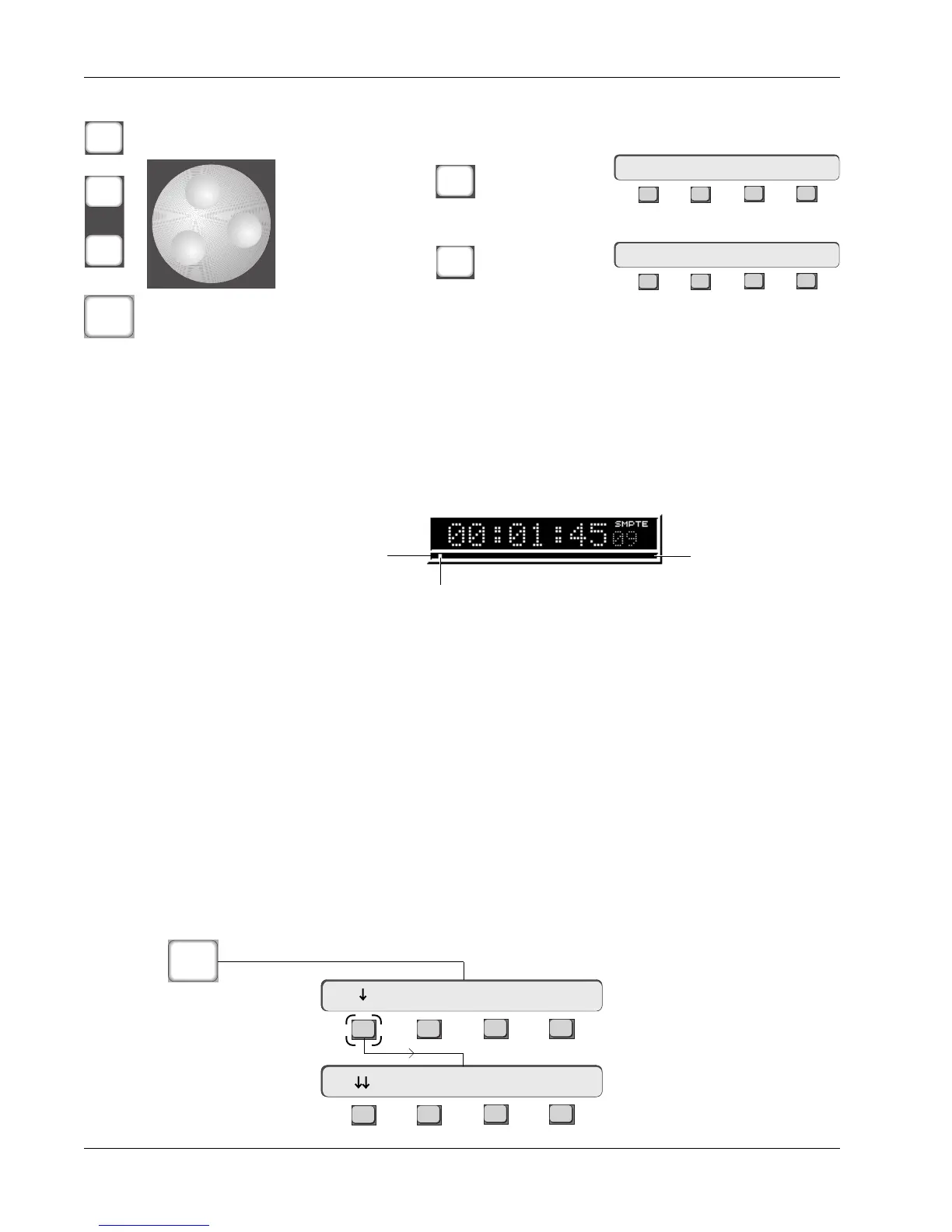
From the Cue menu press [F3] (Head) to locate to the title Head. The VTM will
instantly locate to the Head, and the Timecode window will display the title
Head time you entered (in this case, 00:01:00). Press the Play key and you will
see the timecode incrementing in the timecode window. Notice that the
Current Time cursor under the timecode window moves from left to right
through the relative length of the title (designated by the title Head and Tail
times).
While still in the Cue List menu and timecode advancing, press the [Enter] key
on the DSC Numeric keypad to instantaneously capture the timecode value
into the Cue list. The cue will automatically be assigned a number, in this case
a #1, since it is the first cue.
While still in Play, press the [Enter] key on the Numeric keypad again. Another
cue will be captured, this time designated cue #2. Capture a few more cues by
pressing [Enter] and view them in the Cue list. You can capture cue points on
the fly in this manner throughout your mixes, building a comprehensive Cue
list very quickly. Each cue point is automatically numbered.
Now that you have a number of cues in your list, try locating to the different
cues. Locating to cues can be done at any time while mixing. [Esc] to the top-
level SmartDisplay menu. You can get straight to the Cue List menu from any
menu by pressing the DSC [Loc] key once followed by [F1] (down arrow):
Create cue at current timecode location
Select next/
previous cue in
the Cue list
Locate to selected cue timecode value
Enter
-
DIR
+
Bus
Loc
Delete (Clear)
ALL cues
Clr
F3F1 F2 F4
Delete All ? Yes [No]
Delete
selected cue
Del
F3F1 F2 F4
Delete Cue ? Yes [No]
Title Tail
Title Head
Current Time Cursor
Recall A Cue (Locating)
F3F1 F2 F4
F3F1 F2 F4
Locate Menu
Cue List Menu
Loc
00:00:00.00 Mark Cue
Cycle Head Edit



 To Next Page