Section 6: Moving Faders
Euphonix CS3000/2000 Operation Manual 6 - 3
SECTION 6 : MOVING FADERS
A
ny channel’s fader, mute, solo, and punch are accessible from the DSC’s
two
assignable
moving faders. These faders are automatically as-
signed to the currently selected fader block. The left moving fader block
controls a channel’s upper fader block and the right moving fader block con-
trols a channel’s lower fader block.
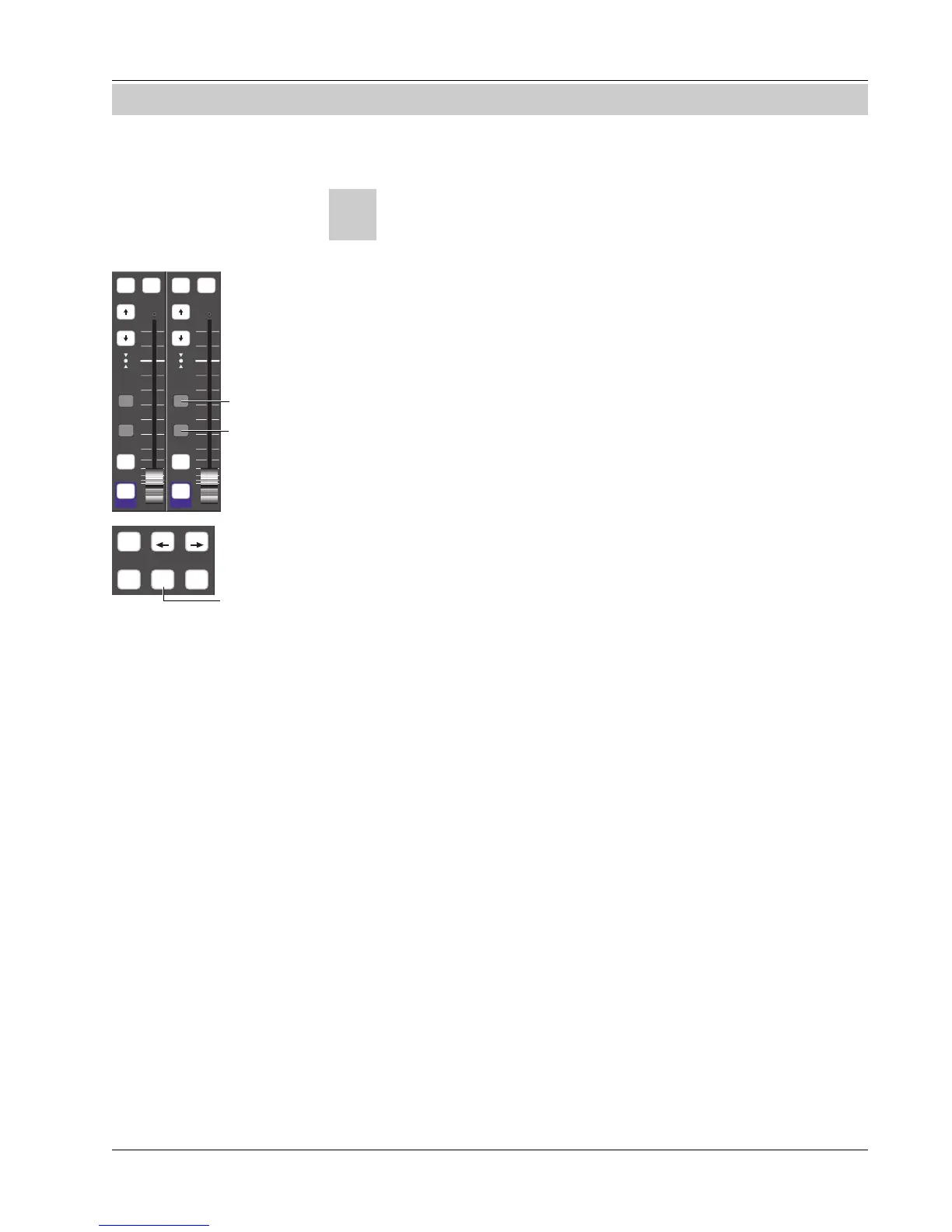
There are two ways to punch in on a DSC moving fader. The first is by pressing
the top dark gray “punch” key next to the moving fader. The second way is by
using the “Move Record” mode. With the [Move Rec] key lit, touching a
moving fader knob will punch that fader in. Let go and the fader punches out
automatically. Or, with Move Rec ON, touch punch-in the fader. Keeping your
finger on the fader and toggle the [Move Rec] light off. Now the fader will
remain punched in even when you let go of the fader. Punch-out manually.
DSC Moving faders work in ABSolute mode only
. Using a moving fader to
punch in while in Trim will deselect Trim mode. The mute is punched in using
the lower “punch” key.
It is recommended that if you intend to use the DSC moving fader to write a
move, you punch in from the moving fader block and not the I/O fader block
key, especially when in Trim mode. If you punch in from the I/O then control
the moving fader to write the move, the result is undetermined.
Euphonix CS3000 & 2000 series consoles are designed to accept Euphonix
Moving Fader automation hardware and software. Each optional moving fader
I/O controller module provides four premium quality, touch-sensitive, motor-
ized faders in the lower fader positions as well as four premium quality, non-
motorized faders in the upper positions.
Traditionally, moving faders provide the following advantages when used in
automated audio consoles:
• Immediate visual feedback of exact channel level settings
• Instant touch control, a quicker, more intuitive way of writing and updat-
ing channel level automation “on the fly”
Visually, the differences between standard faders and moving faders installed
in a CS3000/2000, are subtle. The most obvious difference is the fader cap
itself, the former being dark gray in color while the latter are silver, touch-
sensitive metal caps which allow the fader to respond to the touch of the
engineer.
Moving Faders
(DSC)
Safe Safe
i
dt
i
dt
i
dt
i
dt
Solo Solo
GrpGrp
On On
Manual
Fader Punch
Manual
Mute Punch
Moving Faders
(Channel)
Moving Faders vs
Standard Faders:
ATO W in W out
MBR Move
Rec
Glide
Activates
Move Record



 To Next Page