Section 7: Automation
7 - 28 Euphonix CS3000/2000 Operation Manual
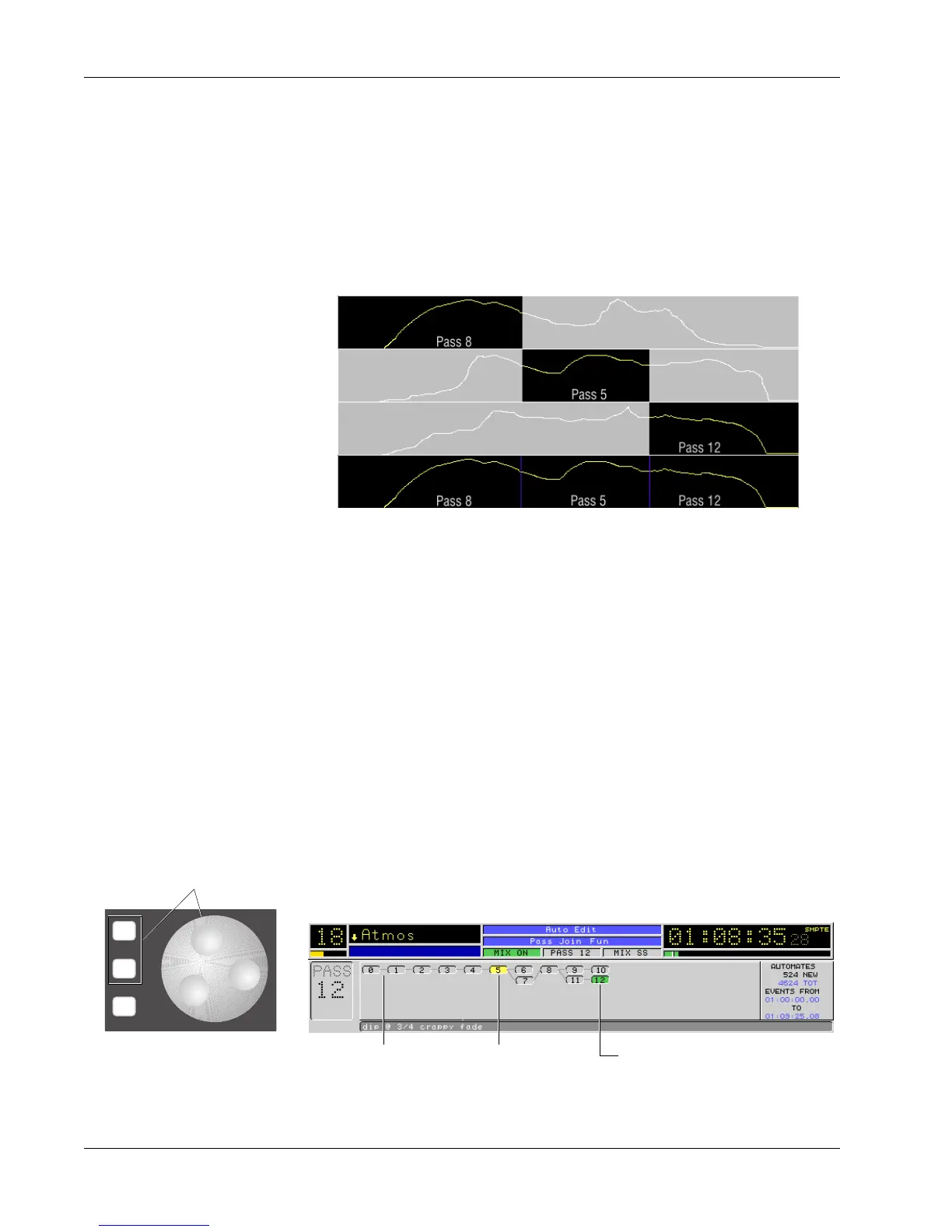
Pass 8 with good fade in:
Pass 5 with good scene change:
Pass 12 with good fade out:
Result of pass join:
Moves yellow cursor in
Pass Tree
*
ST
-
DIR
+
Bus
Pass Control window
Pass Tree yellow ”TO” Pass green current or ”FROM” pass
Pass Join provides the ability to merge segments of selected passes to form a
custom pass. Each segment maintains its original time placement.
You like the beginning of pass 8 but pass 5 is better for the scene change and
pass 12 has the fade you like. You build the join list on the fly or off-line,
defining the pass numbers and times of the transition. Your list will show that
the mix will start with pass 8. At the scene change, you switched to pass 5.
At the fade you switch to pass 12. The Join can involve every automated
object on the desk or just a single one.
Pass Join
Example
Exercise 2
The above diagram graphically shows a join operation for a single fader. Once
the Join operation is complete, you can play the mix with the new “joined”
pass. If you don’t like it , you can go back into your list and edit the “FROM”
and “TO” pass numbers, or change transition time by editing each transition’s
“AT” timecode number and then re-execute.
For this exercise you will need a mix with several passes. Fader moves work
best to demonstrate the Join function. Assuming a mix is loaded and Mix On is
lit, press the [Pass Ctrl] key above the SmartDisplay.
In the top level Pass Control menu, observe the pass tree in the screen display.
Notice that when you turn the SpinKnob or press the [+]/[–] keys, the green
“current pass” indicator holds its position while the yellow cursor moves
around the pass tree. This yellow pass will become the “TO” event in the Join
list when the [Enter] key is pressed.



 To Next Page