Section 4: Tutorial
4 - 10 Euphonix CS3000/2000 Operation Manual
SIDE NOTE:
Let’s return to the channel and adjust the input levels to assure a reasonable
gain structure. To do this we need to look in more detail at the Universal
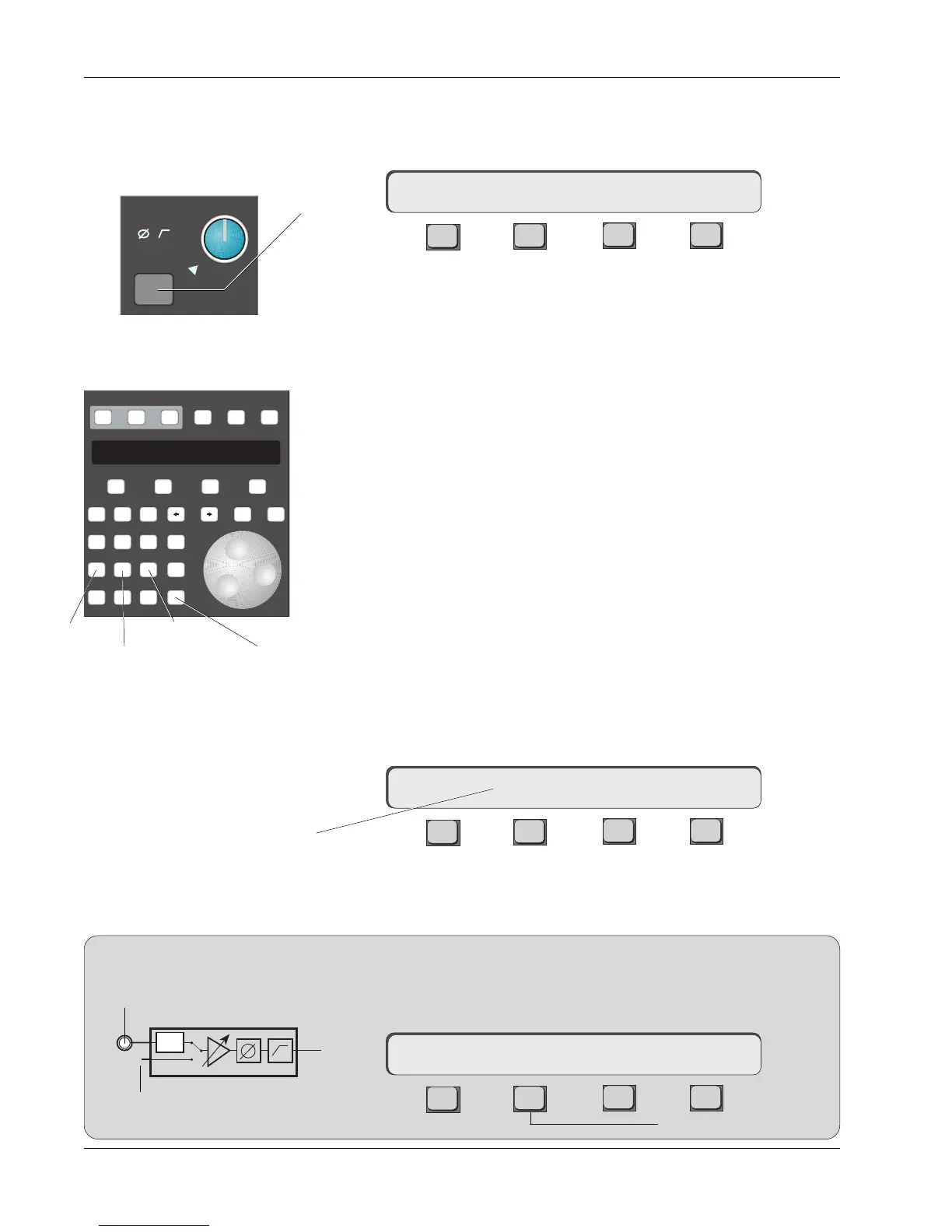
Inputs (M1 & M2). Press M1’s block key to access its control parameters.
F3F1 F2 F4
Notice that the actual gain level is shown in dB, and that the level in the
display changes along with the signal level of the left channel as you rotate
the gain pot. The input amps can toggle between 3 gain ranges by pressing
keys 1, 2, or 3 on the numeric keypad or by pressing the DSC [+]/[–] keys. The
ranges are:
1/Low 0.0dB to +24.0dB (lights PAD LED in M1 or M2 block)
2/Med +20.0dB to +44.0dB (PAD LED off)
3/High +40.0dB to +64.0dB (PAD LED off)
Set the gain now by turning the M1 gain pot until the null indicator goes out,
and then adjust the level while watching the meters (about +12dB for a CD
player). If the gain is set too high, the clipping indicator will light in the
respective input block. Clip Indicator threshold adjustment is covered later in
this section.
When using the two U.I.A.s as a stereo source (as we are), it may be prefer-
able to lock the two gain controls together to form a single stereo input gain
control. To do this, press the M1 or M2 block key. Press the [*ST] key on the
Master Control Panel. This will lock the two controls, disable the M1 level
control, and allow the M2 level control to be the master. You should see an
asterisk (*) in the SmartDisplay above F2 and the null indicator on the M1
control becomes permanently lit, indicating that the M1 control is disabled.
F3F1 F2 F4
They can be unlinked simply by pressing the [*ST] button again when in M1 or
M2 input menus. The * indication in the display goes away to show that the
input blocks are now separately controlled.
The M2 input can monitor the channel’s bus signal. Press M2’s block attention
key, then press [F2] below the SmartDisplay. If the multitrack return is
normalled into M2 then [F2] acts as a bus/tape switch.
F3F1 F2 F4
Universal Input
Amplifiers (UIAs)
M1 & M2
16M1–> low/ 0.0dB Cnfg
16M1–> *low/ 4.0dB Cnfg
Stereo link asterisk above F2
U.I.A. Menu
M1
ovld
Pwr
Pad
Setup Snap System Grps
Mix
On
Pass
Rec
Pass
Ctrl
Grps Mtrs
F1 F2 F3 F4
789
456
123
0 Enter Del
*
ST
-
DIR
+
Bus
Clr Esc
low gain
med gain
high gain
Stereo Link
Bus/Tape switching
16M2–> Bus/ 4.0dB Cnfg
Acts as bus/tape switch
PWR
From Bus Summing Amp
Multitrack Return
M2



 To Next Page