Section 7: Automation
7 - 36 Euphonix CS3000/2000 Operation Manual
CHAN Parameter
Channel/MIDI Preset
Number
F3F1 F2 F4
MIDI SS[10] to [10]
789
456
123
0 Enter Del
*
ST
-
DIR
+
Bus
or
[Enter]
F3F1 F2 F4
Change SS[10] to [10]
789
456
123
0 Enter Del
*
ST
-
DIR
+
Bus
or
[Enter]
F3F1 F2 F4
Change … [G*] to [G*]
or
[Enter]
789
456
123
0 Enter Del
*
ST
-
DIR
+
Bus
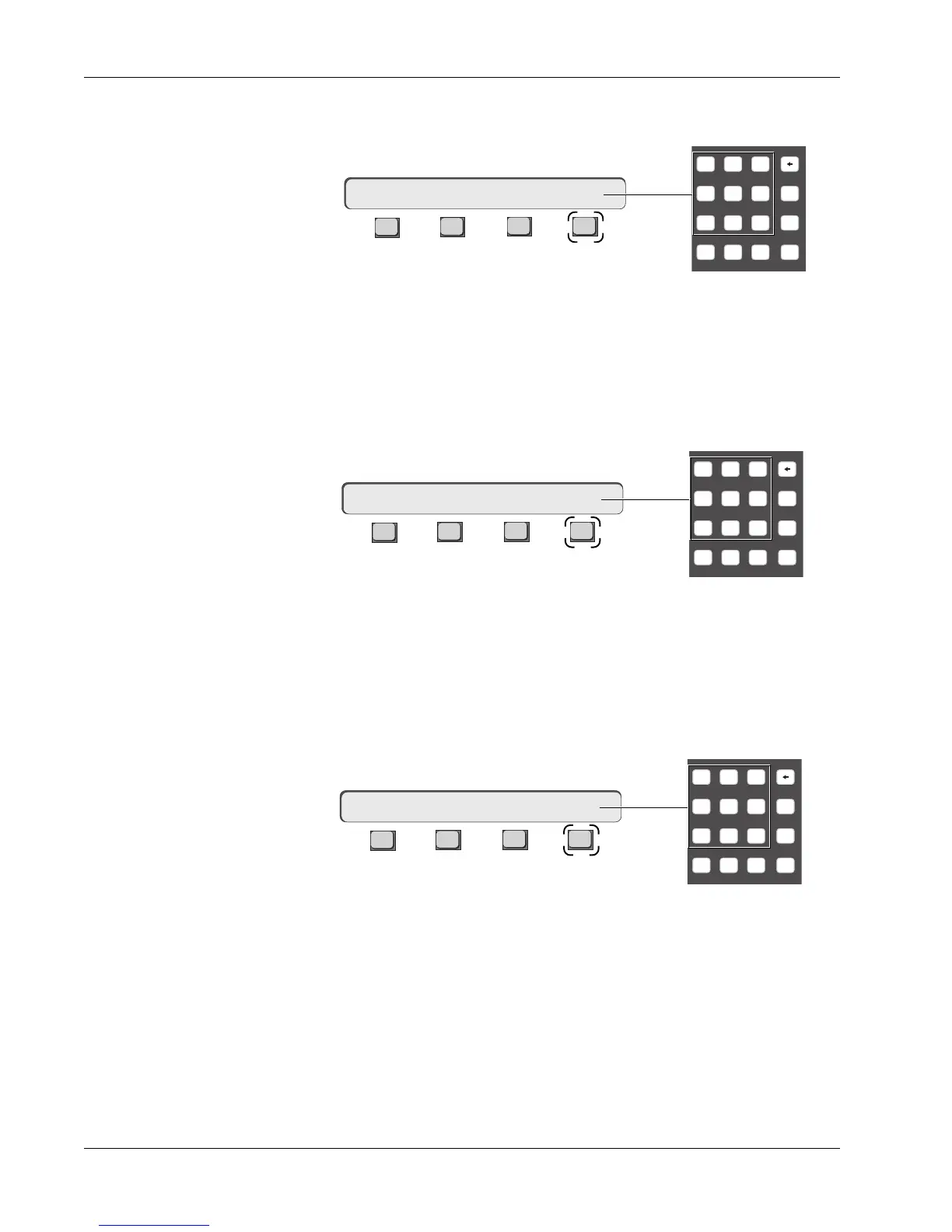
After selecting an event, press [F1] to edit that events channel number. Notice
that the selected CHAN parameter is highlighted in red on the snapshot event
list and the SmartDisplay reads:
When you first record Automated SnapShots, G* appears in the CHAN column
indicating that they are global. Use the SpinKnob, the [+]/[-] keys, or the
Numeric keypad to change the channel number, then press either [F4] or
[Enter].
After selecting an event, press [F2] to edit that event’s channel or MIDI Preset
number. Again, observe the parameter highlighted in red and the SmartDisplay
menu:
Use the SpinKnob, the [+]/[–] keys or the Numeric keypad to change the
channel SnapShot number then press either [F4] or [Enter]. If you enter 00, a --
appears in the column and no channel SnapShot will be recalled at this event
time.
From this menu press [F1] to shift the selection mode to MIDI SS:
Use the SpinKnob, the [+]/[–] keys, or the Numeric keypad to change the MIDI
SnapShot number, then press either [F4] or [Enter]. If you enter 00, a --
appears in the column and no MIDI SnapShot will be recalled at this event
time.



 To Next Page