Section 3: SnapShot Recall
Euphonix CS3000/2000 Operation Manual 3 - 11
Normally if the power fails while you are working on a computer-based
console, you might lose changes made since you last saved your settings.
However, the Euphonix has a built-in automatic backup system which stores
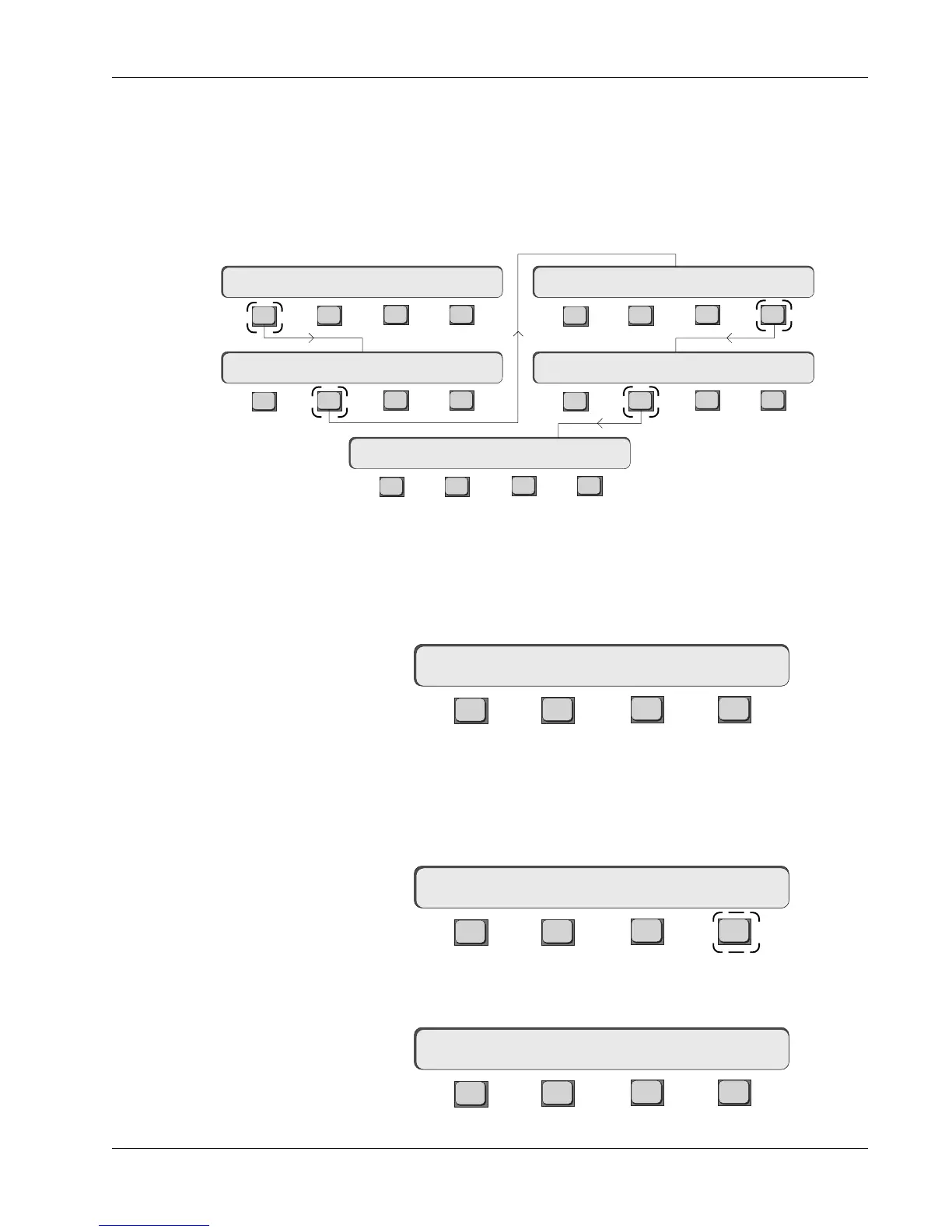
the entire console to battery-backed RAM on a regular basis. You can set the
frequency of this auto-backup procedure from the Console Backup menu. If you
ever need to recall the backup SnapShot it is also done via this menu. From
the Main menu, press [F1] (Setup), [F2] (Cnsl), [F4] (Backup) and then [F2] (Int):
Auto-Backup
This is the time between auto-backups. The time interval can be changed by
keying in a new number using the numeric keypad, or by stepping up and down
with the DSC [+]/[–] keys. The range is 1 to 99 minutes.
Press [Esc] once to get to the Backup menu.
F3F1 F2 F4
If your studio experiences a power failure, or if you do something catastrophic,
like recalling a SnapShot when you meant to store it (see page 3-4), you can
recall the last auto-backup.
From the Backup menu, press [F3] (Rcl) to enter the Recall Auto-Backup menu:
F3F1 F2 F4
Pressing [F4] will now restore the last backup SnapShot. Press [Esc] once to
get to the Backup menu:
F3F1 F2 F4
[F4] is for future use and is not active in current software revisions.
Backup: Int Rcl
F3F1 F2 F4
F3F1 F2 F4
F3F1 F2 F4
F3F1 F2 F4
F3F1 F2 F4
Mstr Cnsl Meter MFdr
Macs Cnfg Diag Backup
Console Menu
Main Menu
Backup: Int Rcl
backup interval : 5 min
Setup Snap System Grps
Setup Menu
Backup Menu
Backup Interval Menu
RCL backup SnapShot ?
Backup: Int Rcl
Recalling the
Backup SnapShot



 To Next Page