Section 8: Grouping System & Fader Linking
Euphonix CS3000/2000 Operation Manual 8 - 11
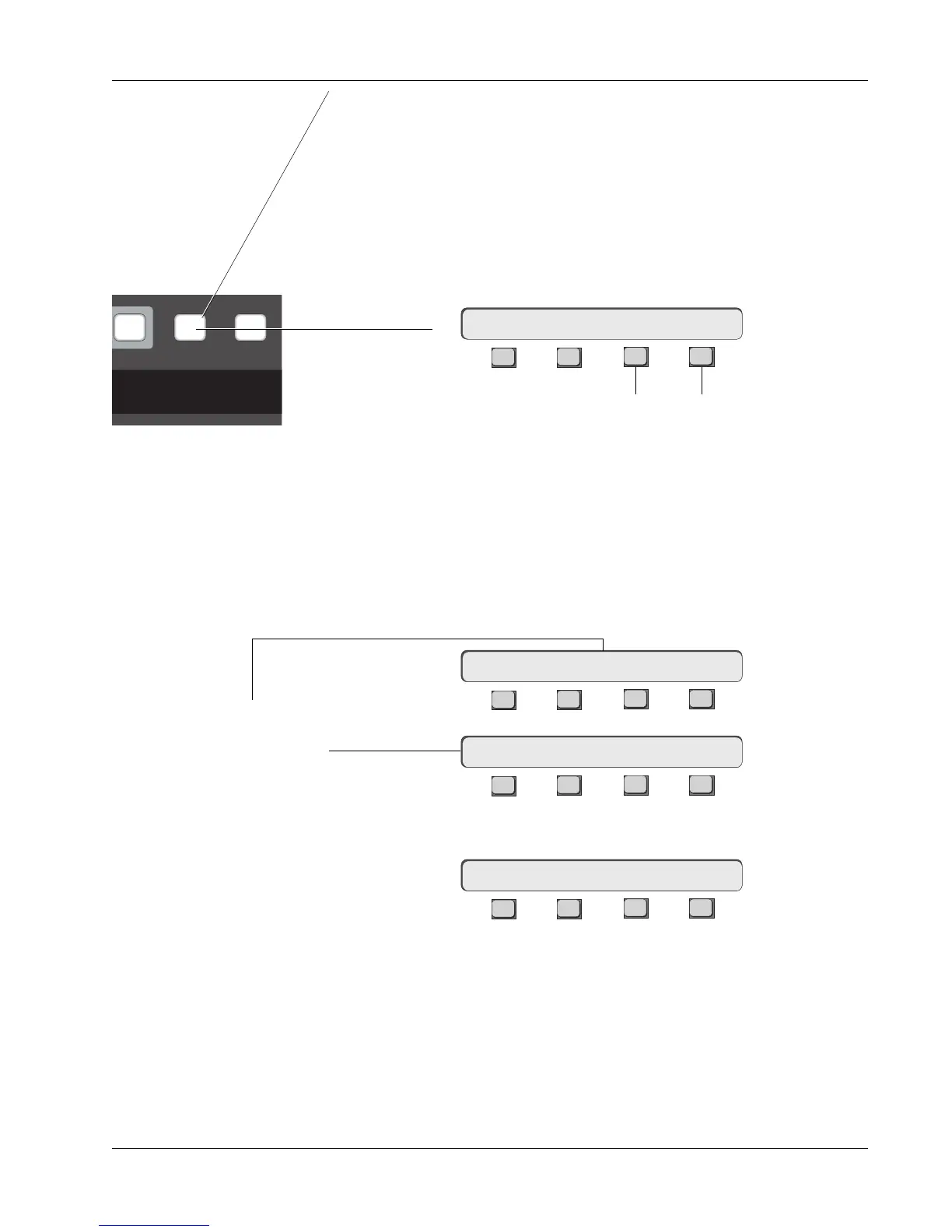
Press the [Grps] Dedicated key on the Master Control Panel to enter a “lim-
ited” Group mode menu, allowing you to access limited grouping functions.
This differs from the Group Select menu in 3 primary ways:
1. Entering Limited Group mode doesn’t interrupt meters from tracking
audio.
2. Group Master options are available from this menu while automation is
running (when [Mix On] is lit).
3. It allows two basic group operations. You can turn groups on or off and
toggle MSTR/IND modes. Groups cannot be edited from this menu.
F3F1 F2 F4
This menu is a quick and convenient way to access basic grouping features
(single-button access) while still being able to monitor audio levels on the
meters.
It is possible to delete individual groups as well as all groups.
Press [F4] (Grps) from the Main menu. Select the master of the group to be
deleted. Press the [Clr] key above the SpinKnob and confirm by pressing [F3].
F3F1 F2 F4
F3F1 F2 F4
Press the [Clr] key:
F3F1 F2 F4
Pressing [F3] will delete the group; [F4] or [Esc] aborts this and leaves the
group intact. If the group master fader was not at 0.00dB, the level of the
slaves will jump back to their original levels, as will the master fader’s under-
lying DCA audio level if it is a slave in the group.
Fast Access to
Group Control
Group Mode: ON MSTR
Deleting Groups
Delete an Individual
Group
Sure? Yes [No]
Group Select: ON MSTR
Slave Select: MSTR
nap System G
Pass
Ctrl
Grps Mtrs
DSC Master
Control Panel
Toggles Master/
Independent modes
Toggle group
system ON & OFF
Select group by
pressing a master
fader’s block key



 To Next Page