Section 4: Tutorial
Euphonix CS3000/2000 Operation Manual 4 - 19
In this exercise we will construct a post-EQ stereo insert point inserted into
the signal path. First we will send M1 & M2 to Out1 & Out2 respectively. Outs
1 & 2 appear at the patchbay and are now effectively the insert sends. The
fader’s source will be Line Inputs 1 & 2 which are now effectively the insert
returns. This is shown in the signal flow diagrams on the next page.
Press channel 16’s lower fader block key. Now deselect M1 and M2 as the
fader source and select L1 and L2 instead. The fader is now being fed from
Line Inputs 1 & 2.
The CD source, still coming in on channel 16’s M1 & M2 inputs (from Exercise
1), is no longer routed anywhere. We will send it to Outs 1 & 2.
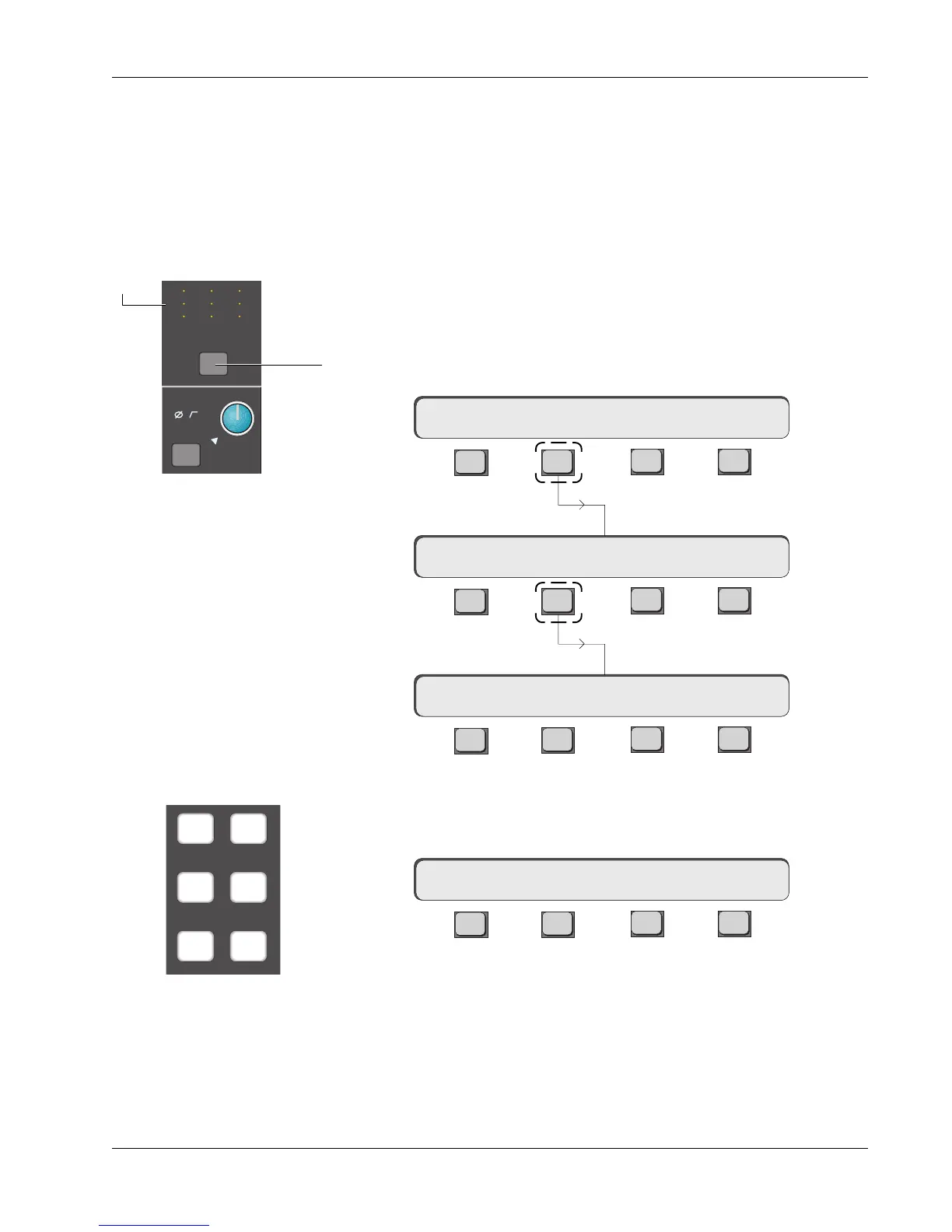
Press the channel block attention key at the top of channel 16.
F3F1 F2 F4
F3F1 F2 F4
F3F1 F2 F4
Select [M1] using the DSC Dedicated Keys. M1 is now routed to Output 1. This
is indicated in the SmartDisplay and in the Out1 display at the head of the
channel.
F3F1 F2 F4
Press [Esc] once to return to the Output menu and then F3 to select the Source
menu for Output 2. Select [M2] as the source for Output 2.
16CH–> OUTs METER Route
16CH–> OUT1 ?
Exercise 2
Stereo Inserts
into Audio Path
16CH–> OUT1 OUT2 OUT3
Press [F2] to select
the Output menu:
Press [F2] to select the Source menu for Output 1:
16CH–> OUT1 M1
M1 M2
L1 L2
L3 L4
Dedicated Source
Assign keys
M
L
L
M
L
L
M
L
L
M1
Out 1 Out 2 Out 3
12
12
34
12
12
34
12
12
34
ovld
Pwr
Pad
Source indicators illuminate
as Out 1, 2, & 3 sources are
selected.



 To Next Page