Section 1: Introduction
Euphonix CS3000/2000 Operation Manual 1 - 17
Equalizers
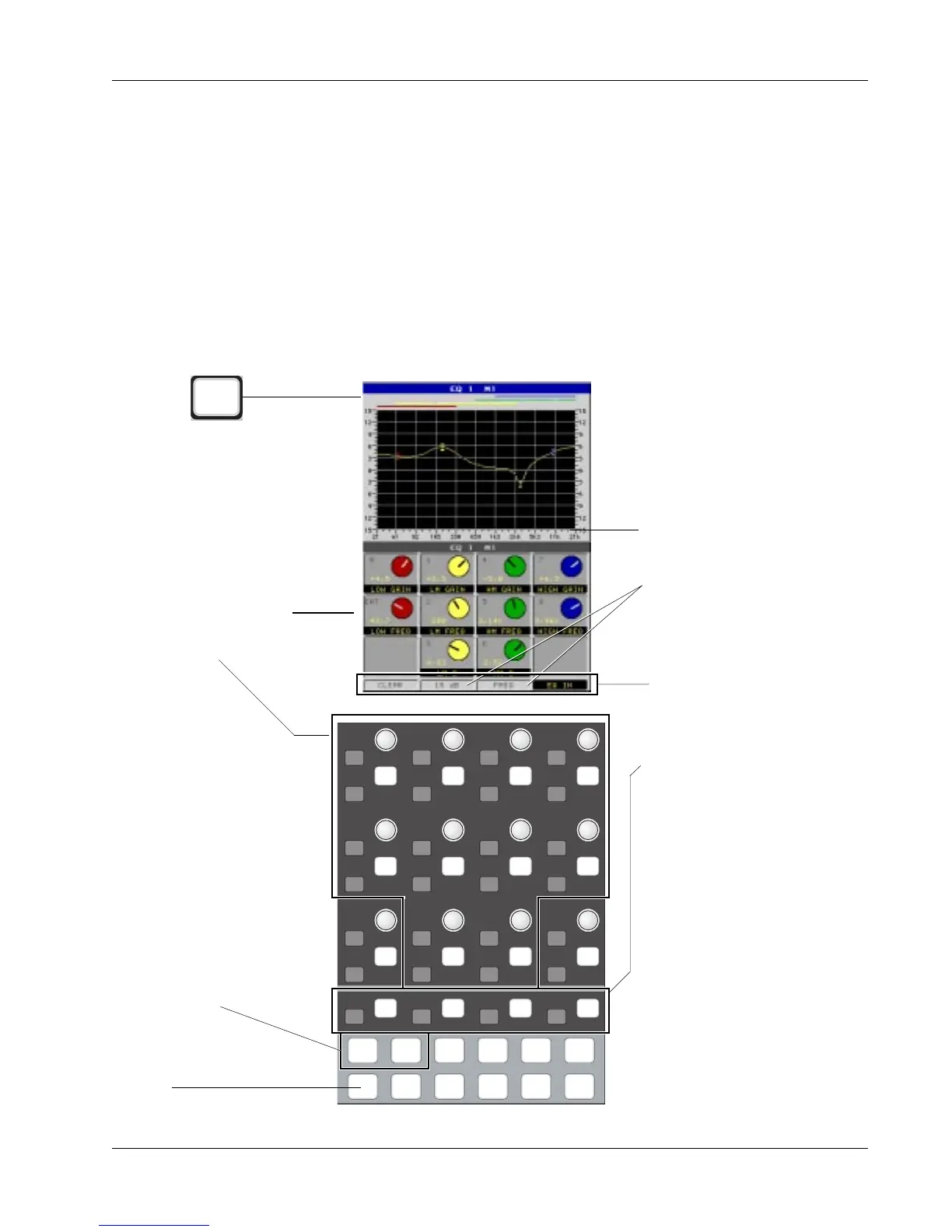
With the EQ mode selected from the DSC, pressing an EQ attention key
located in the lower fader block (or a DSC Channel Selection key) will cause
the EQ user interface to appear on the screen display. This includes the EQ
curve and the EQ controls and switches which are mapped down to the
Assignable Rotary Controls and Function keys. Adjusting a hardware knob
turns the virtual knob on the screen in real time, so you can see the exact
parameter value as well as see the effects of any changes on the displayed
curve, also in real time.
Just below the Assignable Rotary Controls are 4 Function keys. Their functions
are shown at the bottom of the screen. Pressing clear will zero the EQ, setting
all gains to 0 and all frequencies to their default positions. Scale range can be
switched from the default 15 dB scale to the 30 dB full scale. Scale mode can
be switched from a display in Fre-
quency (Hz) to the same values in
Notes (as shown by 1/3rd octave
marks). The Function key on the far
right switches the entire EQ in or out
of the signal path.
i
d t
i
d t
i
d t
i
d t
i
d t
i
d t
i
d t
i
d t
i
d t
i
d t
i
d t
i
d t
i
d t
i
d t
i
d t
i
d t
i
d t
i
d t
i
d t
i
d t
i
d t
i
d t
i
d t
i
d t
i
d t
i
d t
i
d t
i
d t
DynEQ
Pg 1 Pg 2 Pg 3 Pg 4
Aux Pan
Assign
Bus
Master
Chan
List
Knobs are mapped as
seen on screen display.
For EQ, active knobs are
outlined here.
Clear, scale Calibration, scale
Mode, and EQ In/Out switches
controlled by the 4 lower
Function keys. On some screens
these keys are unused.
Scale Calibration and scale
Mode can be toggled. 15 dB or
30 dB, Frequency or Note
display.
In the EQ screen,
Pg 1 accesses EQ1 and Pg 2
accesses EQ2
EQ key accesses the EQ
screen
From the DSC
EQ



 To Next Page