Section 4: Tutorial
4 - 50 Euphonix CS3000/2000 Operation Manual
While we are in the Master menu it is worth looking at a couple of the other
available options. Return to the Master menu by [Esc]aping back to the top-
level menu and pressing [F1] (Setup) and then [F1] (Mstr):
F3F1 F2 F4
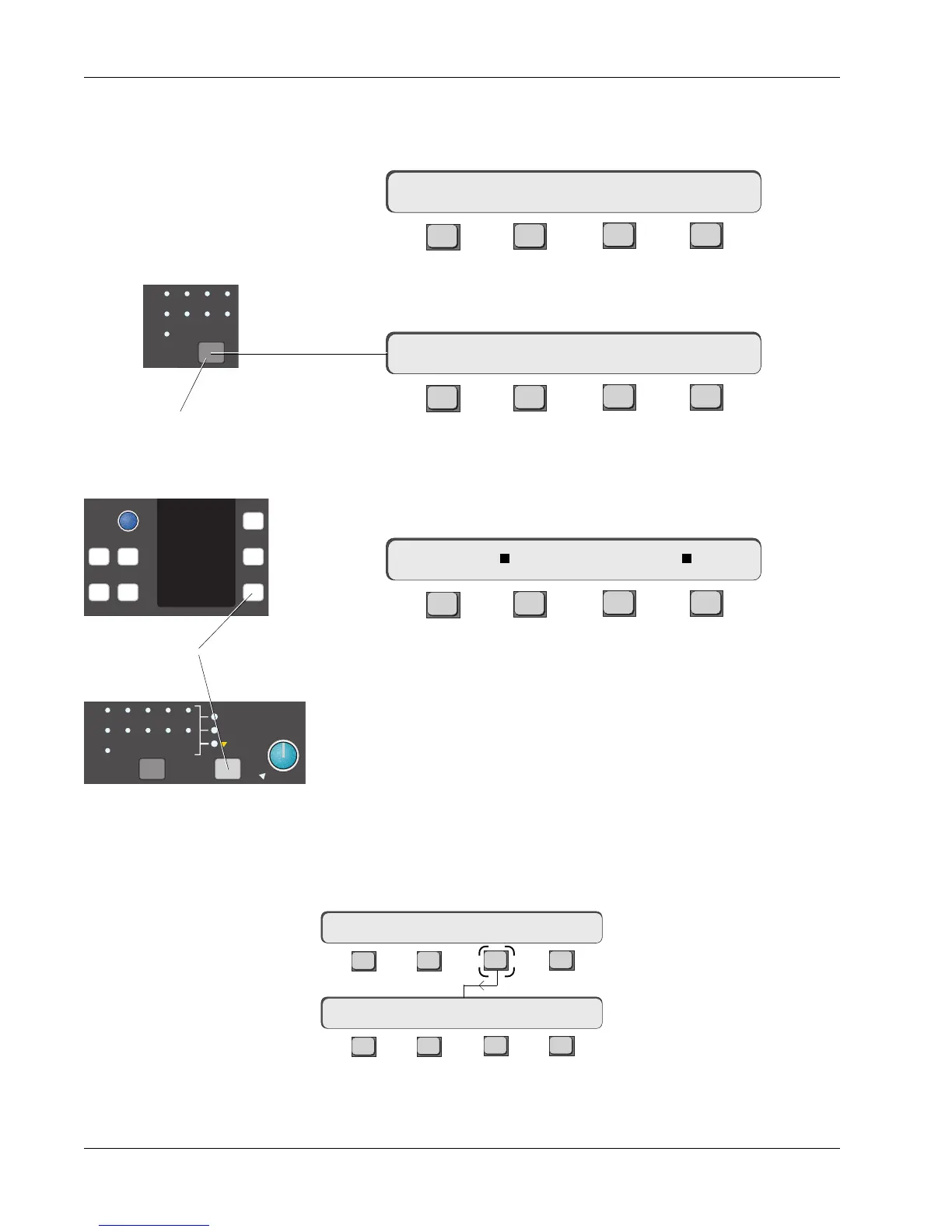
We have already looked at the EXT menus so let’s examine the Talkback
options. Press [F1] or the Talkback/Osc block key:
F3F1 F2 F4
The menus allow up to three sources (Talkback mic, Oscillator, and a patched
mono external input) to be routed to the aux, multitrack, and main output
buses. The mic is keyed when either of the talkback ON keys is pressed. Press
[F2] to select which sources are to feed the buses:
F3F1 F2 F4
F2, F3, & F4 toggle the three sources on and off in any combination. For
example, F2 & F4 could give you talkback with a slate tone. Remember that
the SnapShot Recall system will store these settings with each snapshot.
Selected sources are indicated with a square in the SmartDisplay, as shown
above, and by lit LEDs in the talkback block.
The PATCH input allows any source to replace or add to the other two
sources such as a pink noise generator. It can be found on the lower row,
jack 92, of the Master patchbay (page 5-12). The talkback mic plugs into the
XLR input under the Mix Controller and is selected by pressing [F4].
From the Talkback menu, press [F4] (OSC):
TB EXT1 EXT2 …
Talkback
Oscillator
mTB–> SRC OSC ASGN
mTB–> OSC PATCH MIC
A1
A2
A3
A4
A5
A6
ST1
ST2
BUS
Talkback/Oscillator
block attention key
1
2
4
6
8
ComMic
Talk
TB MIC
A1
A2
A3
A4
A5
A6
A7
A8
ST1
ST2
BUS
Oscillator
Patch
Talkback Mic
On keys
F3F1 F2 F4
F3F1 F2 F4
Oscillator Menu
Talkback Menu
mTB–> SRC OSC ASGN
mTB–> OSC FREQ LEVEL



 To Next Page