Section 4: Tutorial
Euphonix CS3000/2000 Operation Manual 4 - 49
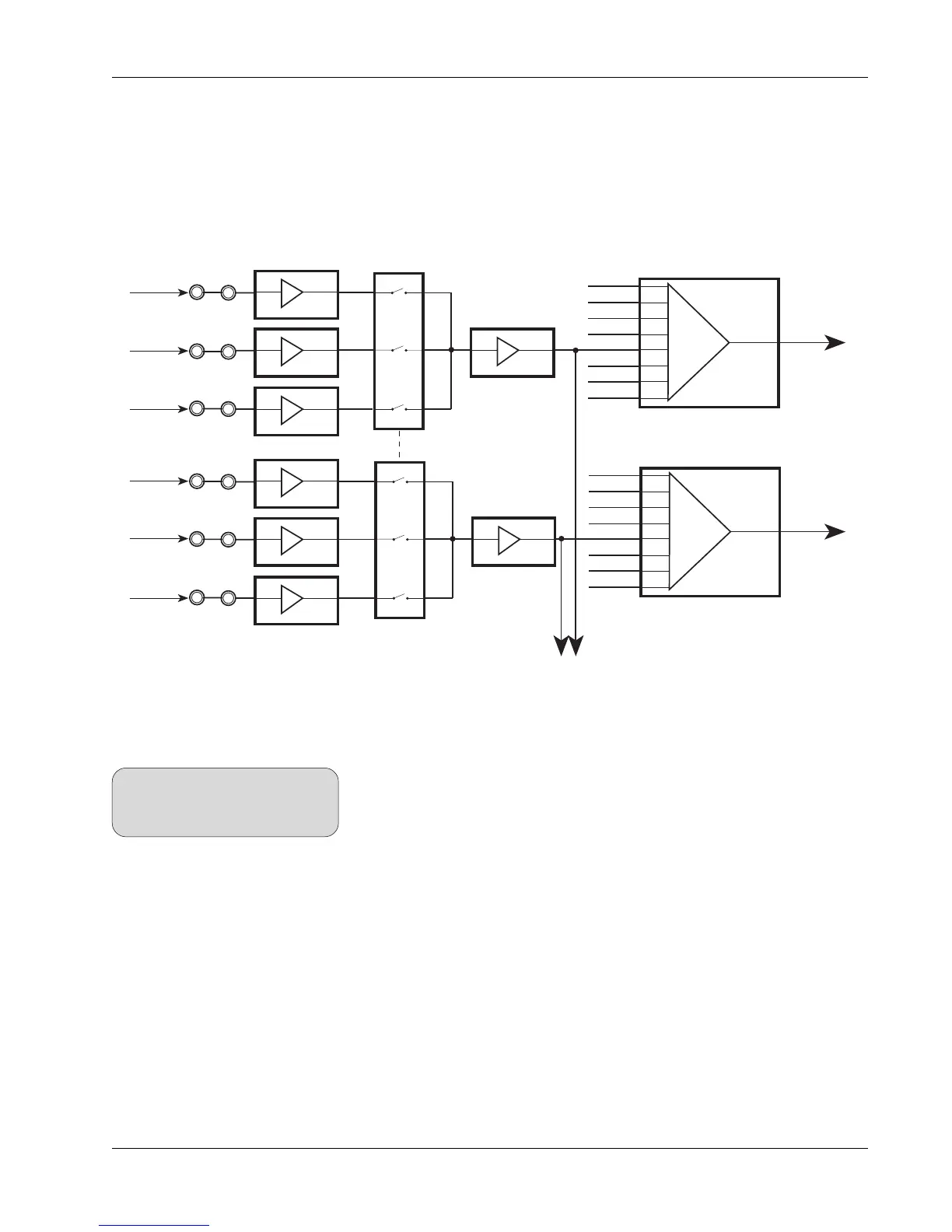
By selecting all three together a 1:1 mix of music, dialog, and effects can be
monitored if EXT1 is selected. If there are more than three stripes, say for
example an additional stripe for audience reaction, these feeds can be
patched into EXT2 A, B, & C. If both EXT1 and EXT2 are selected to a monitor,
then up to 6 stereo stripes may be auditioned together. The signal flow looks
like this:
Buffer
Amp
Buffer
Amp
Buffer
Amp
∑
SUM
AMP
∑
SUM
AMP
A1
A3
A5
A7
EXT1L
EXT2 L
ST1L
ST2L
Monitor A
Set Selection
External Input
Selection
EXT1L(A)
EXT1L(B)
EXT1L(C)
A
B
C
Left
∑
SUM
AMP
∑
SUM
AMP
A2
A4
A6
A8
EXT1R
EXT2 R
ST1R
ST2R
A
B
C
Right
Buffer
Amp
Buffer
Amp
Buffer
Amp
EXT1R(A)
EXT1R(B)
EXT1R(C)
Stereo Feed
to
Monitor A
Level
Control
EXT1 Selector
feed to
B & C Monitors
One of two
External Input
Selectors
Left
Right
Tape
Returns
1
3
5
2
4
6
Third-party switching devices can be
integrated with the Euphonix system
to provide true PEC/direct switching.
SIDE NOTE:



 To Next Page