Section 1: Introduction
Euphonix CS3000/2000 Operation Manual 1 - 13
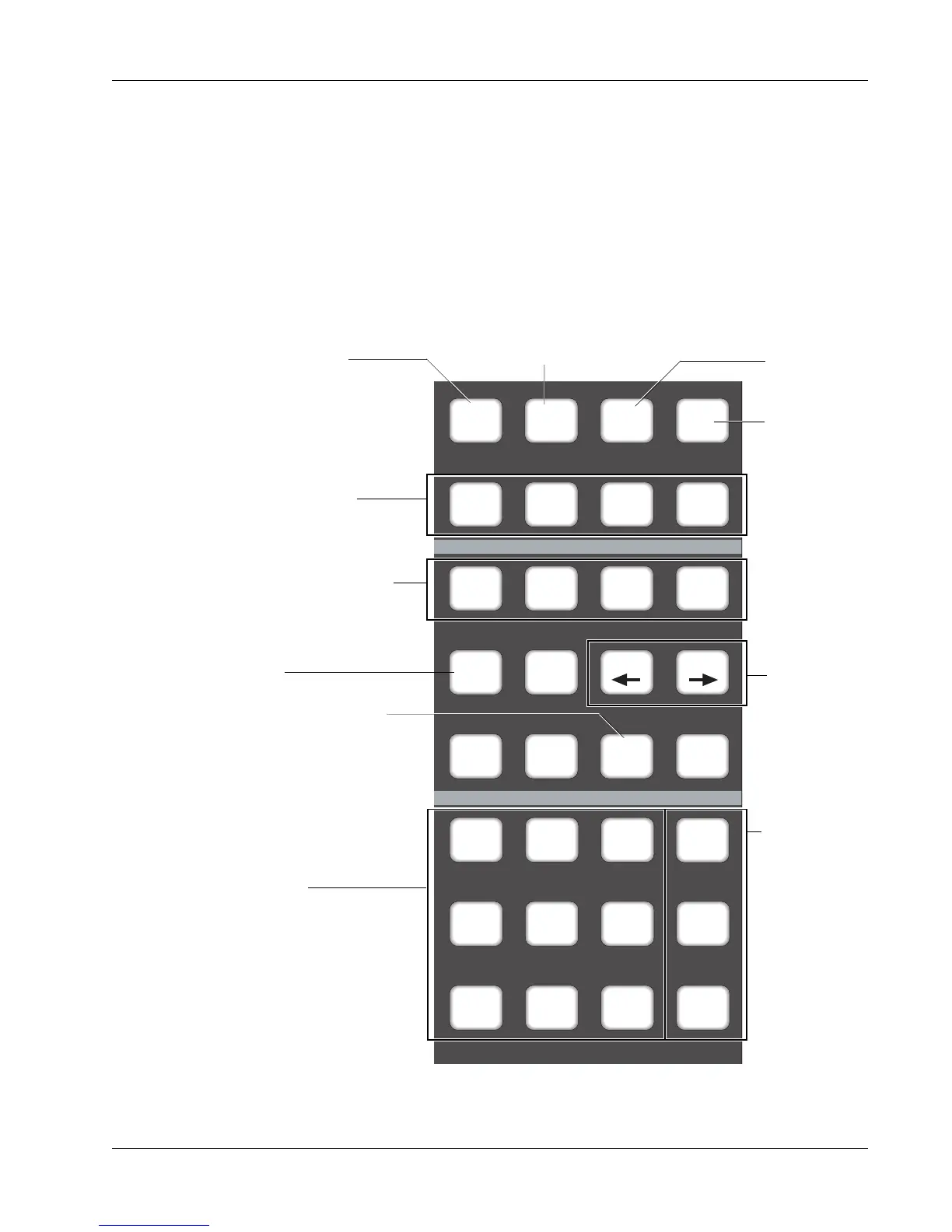
Dedicated Keys
The Routing keys in the lower left section are used to route signals through
the individual channels to various console buses. The All aux, All upper, and
All lower keys allow quick configuration of Punch and Template modes.
Others allow immediate access to automation modes such as Trim and Abso-
lute without the need to go through menus in the SmartDisplay. These modes
are covered in detail in the Automation section.
Attn Pnch Tplt Auto
SS
Set Iso Dyn Safe
Fader
A
Pan
B
On
CD
Trim ATO W in W out
Abs
Offset
MBR Move
Rec
Glide
M1 M2 DIR All
aux
L1 L2 ST1 All
upper
L3 L4 ST2 All
lower
Routing Keys.
M1, M2, L1, L2, L3, L4 allow
fast source selection.
ST1, ST2, and DIR allow fast
access when assigning faders
to their sources.
Keys used to select Fader/
Pan/Mute and Aux ABCD
controls in the Punch and
Template menus.
Selects Trim Punch mode
directly
Fast, direct access
to Template modes.
When lit, touch punch-in
from Assignable Moving
Fader is activated.
These keys are
for configuring
groups of
controls. They
operate only in
Template and
Punch menus.
Select Punch
Extension modes
directly.
Access Auto
SnapShot
menu
Selects
Template
menu
Selects Punch mode
during automation &
selects Punch menu
Selects Block Key
Attention mode



 To Next Page