Section 7: Automation
Euphonix CS3000/2000 Operation Manual 7 - 17
Trim Write-in, -out and -thru writes the trimmed level to or from the punch-out
point, or throughout the entire mix.
Remember to turn off these modes immediately after finishing the
moves to avoid erasing other moves unintentionally.
The following
section describes an automated way to do this.
The Punch menu allows you to accomplish three useful automation tasks:
1. Establish an automation “Punch Group” to allow a collection of objects
to be punched in with a single DSC keystroke.
2. Disable Write In, Write Out and Write Through at the end of each
automation pass via a menu preference.
3. Allow the punch out “Filter” to follow the Object select keys via a
menu preference.
Make sure that the DSC [Mix On] key is lit and press the DSC [Pnch] key:
F3F1 F2 F4
[F1
] (Touch) and [
F2] (Rel) provide a quick access path to options concerning
how moving faders operate. These correspond to the identical settings in the
Moving Fader menu (See Moving Faders section ) and changes in either menu
are reflected in the other.
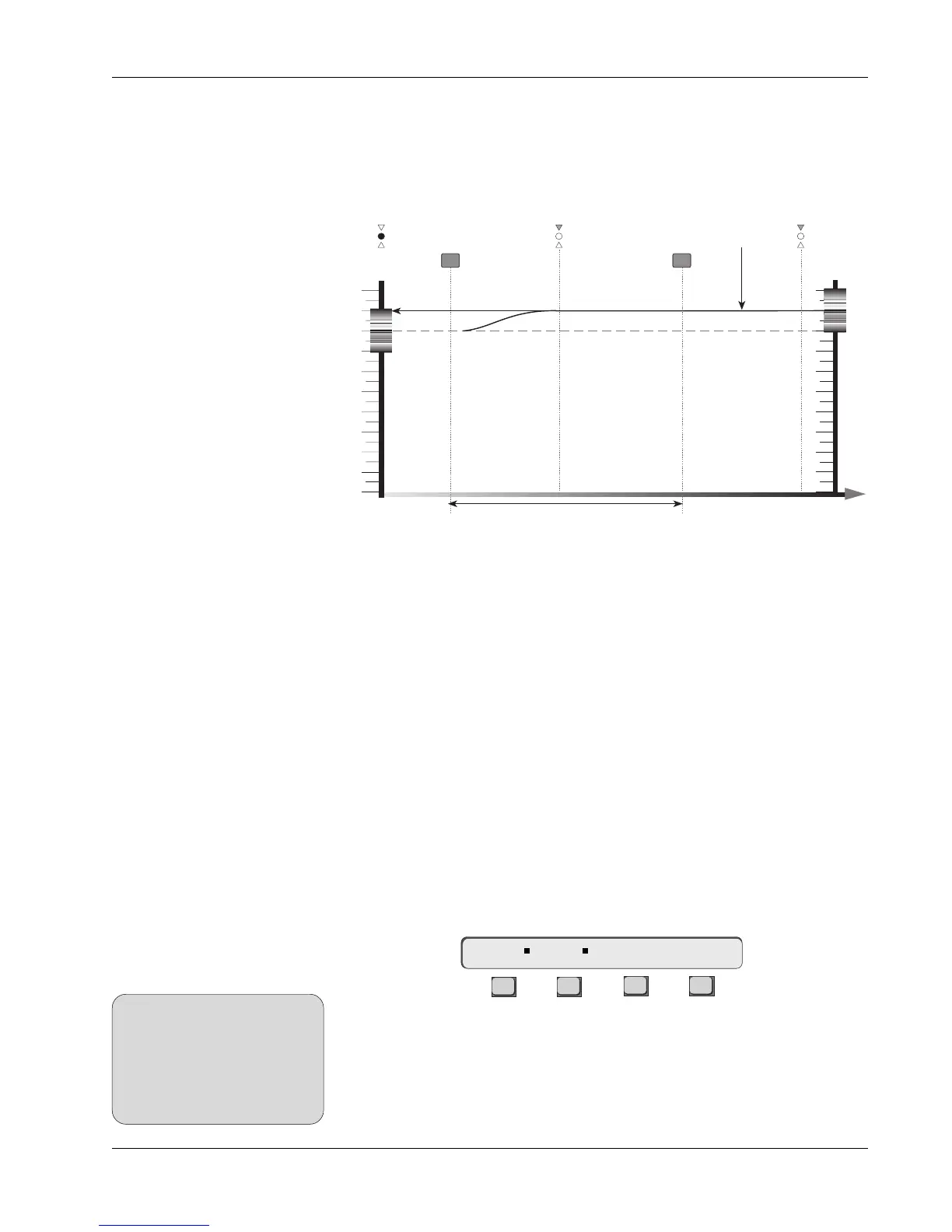
WThr is used when you wish to write a single position entirely through the
mix. In this mode it is possible to erase all other moves so use it with care. If
this happens it is possible to undo to the previous pass but do be careful.
Punch in the fader and find the correct level then punch out. The level at
punch-out will be written all the way through the mix as a single static level.
Time
10
9
8
7
6
5
4
3
2
1
0
Block Key
Fader Null
10
9
8
7
6
5
4
3
2
1
0
Fader is Writing to Mix.
WThr Extends level
all the way through
the mix
Punch In Punch Out
ABS WThr Mode
IMPORTANT!
Punch Menu
You can check the status of the
Touch and Release settings
without a title loaded by
accessing the Moving Faders
menu. See the section on Moving
Faders for more details.
SIDE NOTE:
Trim WIn, WOut, WThr
Punch Menu
Touch Rel Tplt Setup



 To Next Page