Section 4: Tutorial
Euphonix CS3000/2000 Operation Manual 4 - 67
-
DIR
+
Bus
Change timecode
a frame at a time
Nudge
timecode
Using the SpinKnob or DSC [+]/[–] keys, scroll through the Cue list to select
available cue. Pressing the [Loc] key again will locate the MMC device or
VTM to the selected cue point. When controlling an MMC tape transport, you
will see the timecode in the screen display incrementing or decrementing as it
is locating. You will also see the cursor in the Cue list moving as the device is
locating.
The system always remembers the last cue to which it located. No matter
what SmartDisplay menu you are in, simply press the Loc key twice to relocate
to the last cue; the first press enters the Cue menu and the second press
locates you to the selected cue. To locate to a different cue press Loc once,
select the appropriate cue (SpinKnob or [+]/[–]), and then press Loc again.
By using the [>|]/[|<] (Next Cue/Last Cue) keys, you can easily increment or
decrement through the Cue list. Observe as you move through your Cue list
that the indicator under the Timecode display moves through the cue area,
displaying its relative position between Head and Tail.
As mentioned, there are two cues accessible from the list that aren’t actually
on the list. These are the title Head and Tail. With the first cue in the list
highlighted, pressing the [|<] (Last Cue) key will locate to Head. With the last
cue in the list highlighted, pressing the [>|] (Next Cue) key will locate to Tail.
Once the cues are in the Cue list, their timecode values can be trimmed, their
names can be changed or cues can be added or deleted.
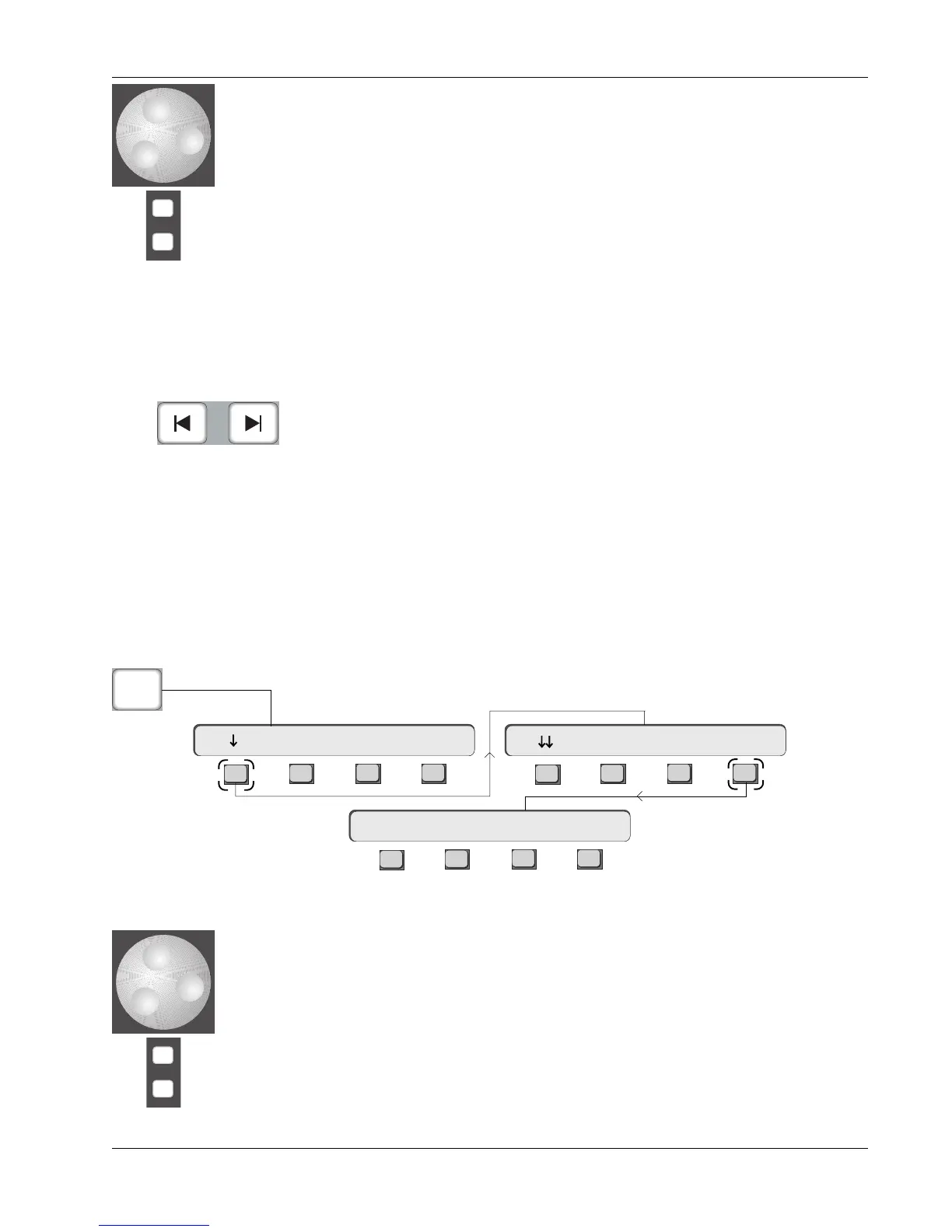
From the Locate menu, press [F1] (down arrow), [F4] (Edit) to access the Cue
List Edit menu:
Next Cue/Last Cue
Editing the Cue List
Editing Cue Times
There are four (4) ways to trim a locate cue point:
1. Use the SpinKnob to increment or decrement the entire timecode address
a frame at a time.
2. Directly enter the entire timecode address using the DSC Numeric keypad
and then pressing [Enter] twice.
3. Pressing the DSC [+]/[–] keys, entering a relative offset trim using the
DSC Numeric keys to be added/subtracted from the current timecode
value and then pressing [Enter].
4. Press [F4] (Now) to capture the current status bar timecode window value
to the selected cue point.
-
DIR
+
Bus
Scroll through
Cue list
Move up/down
through Cue list
one cue at a time
F3F1 F2 F4
F3F1 F2 F4
F3F1 F2 F4
Cue List Edit Menu
Loc
Edit: 00:01:28.08 Now
00:00:00.00 Mark Cue Cycle Head Edit



 To Next Page