Section 8: Grouping System & Fader Linking
Euphonix CS3000/2000 Operation Manual 8 - 3
6
3
3
6
12
33
6
3
3
6
12
33
00
0
6
12
18
24
30
36
42
48
60
0
6
12
18
24
30
36
42
48
60
Selected
master ch.
is shown
with 4
amber
LEDs.
UF LF
24
SECTION 8a : GROUPING SYSTEM
G
rouping of any channel fader to any other channel fader is possible on
the CS3000/2000. A 104-fader console can have up to 104 group
masters. This is one of the many powerful features on the console.
In this exercise, we will create a group to demonstrate how the grouping
system operates.
To create new groups, Mix (automation) must be turned OFF. Having the
console in AUTONull mode also simplifies the operation. (see SnapShot Recall
for more information)
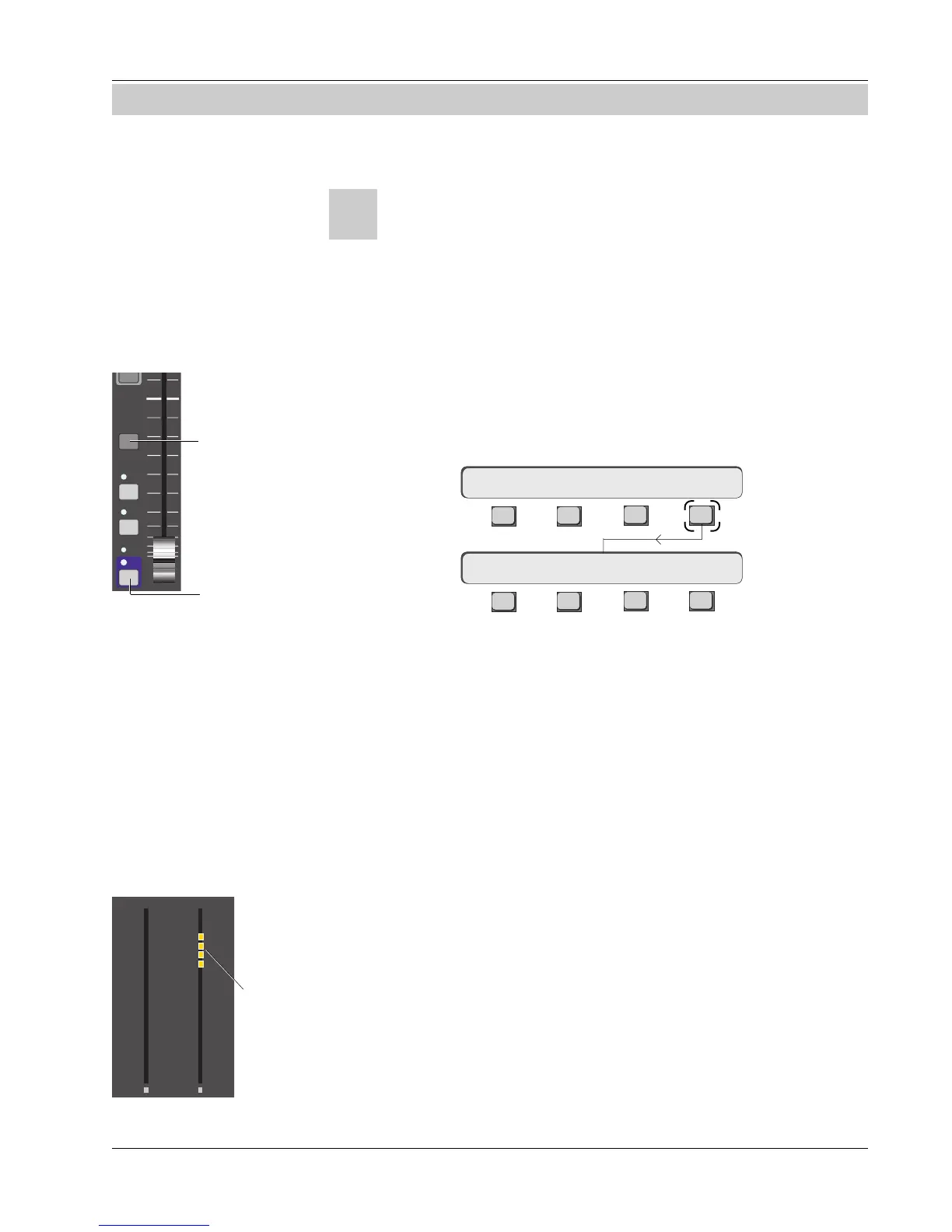
From the top-level system menu, press [F4] to access the Group Select menu:
F3F1 F2 F4
F3F1 F2 F4
Pressing [F3] turns the grouping system ON. There are a number of indicators
which show at a glance that groups are on. The Grps key lights above the
SmartDisplay, an orange block that reads “GRPS MSTR” turns on in the screen
display Status Bar and amber M LEDs, just above the fader ON LEDs, light on
existing master faders.
Let’s say for example that you have two tracks of backing vocals and you want
to create a master fader for this group. The master could be one of the backing
vocal faders or a completely different fader. We will set up a group using
lower faders 22 & 23 as slaves and lower fader 24 as the group master.
From the Group Select menu, select lower fader 24 as the group master by
pressing its fader block attention key.
When a fader is selected as a group master, its DCA (Digitally Controlled
Attenuator) is automatically nulled at 0.00dB. This assures that the master will
have full-range control over the slaves in the group. If the physical position of
the master fader does not match the DCA, its null light will illuminate. When
you are out of the Group menus you can null the master fader and regain
control of it.
You will see that the amber M indicator lights at the bottom of the master
fader block. When you are in the Group Select SmartDisplay menus, the
channel meters switch into a mode where they show master and slave status.
Exercise 1
Turning the Grouping
System On
Select Group Master
BUS
Grp
ON
AFL
PFL
DIR
ST1
ST2
Press block
attention key to
select master
and slaves
Amber indicator
lights when
fader is selected
as a master
Creating A Group
Group Select menu
Group Select: OFF MSTR
Setup Snap System Grps
Overview
Group Fader
Null



 To Next Page