Section 4: Tutorial
Euphonix CS3000/2000 Operation Manual 4 - 17
• Actual EQ parameter values are shown in the SmartDisplay as well as on
the screen display.
• Pressing the DSC [Del]ete key clears the selected band to its default
values.
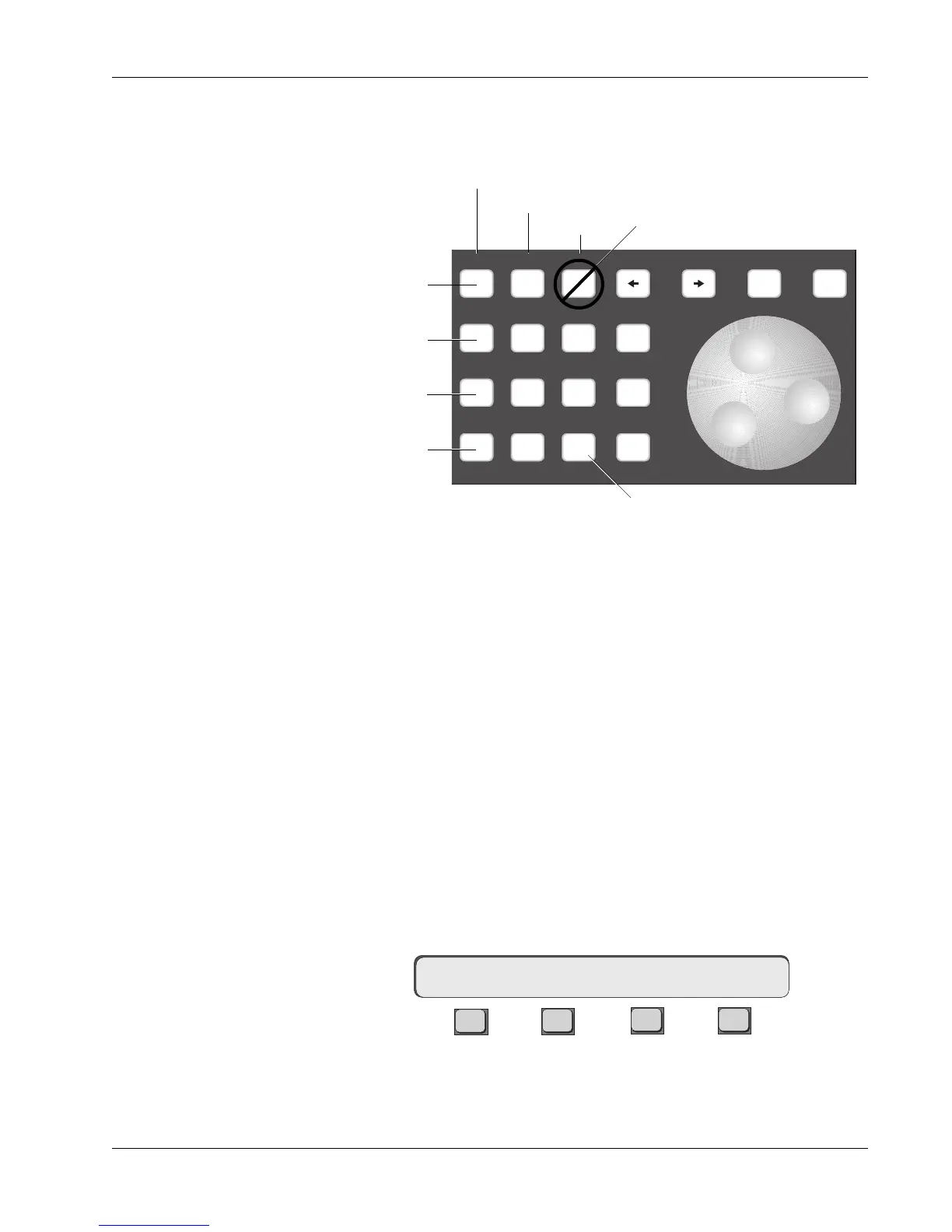
• To add low boost, press the [0] key and turn the SpinKnob clockwise,
watching the screen display to see the curve as it adjusts. You can also
nudge the values up and down using the [+] & [–] keys.
• To adjust the high-mid gain, press the [4] key and turn the SpinKnob.
• To adjust the high-mid center frequency, press the [5] key and turn the
SpinKnob.
• To adjust the high-mid Q, press the [6] key and turn the SpinKnob.
• Since there is no Q control for the high and low bands, the 9 key has no
effect.
EQ parameters can be copied from one EQ to another. Once you’ve adjusted an
EQ to your liking, press [F1] in that EQ’s SmartDisplay menu. You will see
question marks above F1 asking where to copy the EQ values. Press any EQ
attention key and the whole EQ curve will be copied into that EQ.
F3F1 F2 F4
The SmartDisplay is showing you that the Gains, the Frequencies and the Qs
will be copied across.
Adjusting the EQ
Using Keypad
Copying EQ values
????<–16EQ1 Gs/Fs/Qs
The EQ can be adjusted using the numeric keypad and the SpinKnob on the
DSC Master Control Panel. The 12 keys that make up the numeric keypad
select the parameter that the SpinKnob adjusts:
789
456
123
0 Enter Del
*
ST
-
DIR
+
Bus
Clr Esc
Q
Frequency/Note
Attenuation/Gain
Key not used
High
High Mid
Lower Mid
Low
Recalls default value for
selected parameter



 To Next Page