Section 4: Tutorial
4 - 48 Euphonix CS3000/2000 Operation Manual
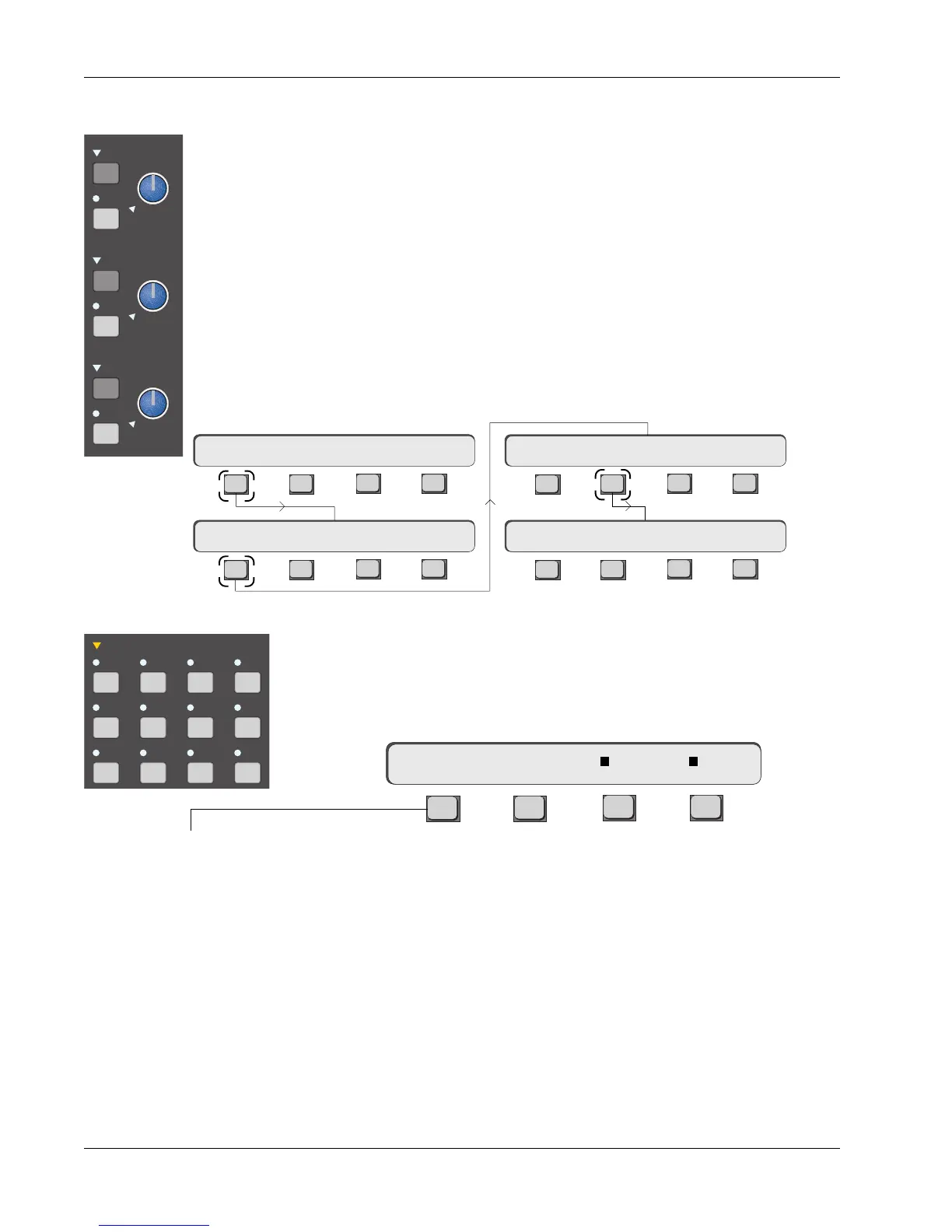
F2, F3 and F4 can each be toggled to select any combination of the three
sources to the EXT1 input. A square next to the input letter indicates that the
source has been selected. The SmartDisplay below shows that inputs B & C
are feeding EXT1.
F3F1 F2 F4
Routing for EXT2 is achieved in a similar manner. To get to the EXT2 menu,
press [F1] (mX1->), or [Esc]ape and then [F3] (EXT2).
This facility is very useful for post work as two sets of three stereo stems can
be simultaneously monitored as a 1:1 mix (i.e., feed off-tape stereo music into
EXT1A, effects to EXT1B and dialog into EXT1C).
DIM
SET
C monitor
DIM
SET
B monitor
DIM
SET
A monitor
Earlier we described the way sources can be routed to the 3 monitor outputs,
A, B, & C. Brief mention was made of the two external inputs to the monitor
matrix, EXT1 & EXT2.
Just to recap, each of the three (3) monitor outputs, A, B, & C can be fed by
any or all of the following sources: Aux 1-8, EXT1, EXT2, ST1, & ST2. These
are selected by first pressing the Monitor Set button in one of the monitor
blocks and then by selecting the appropriate source keys in the Monitor Set
area.
Each of the 2 EXTernal inputs will allow up to 3 stereo sources to be selected
simultaneously. The 3 inputs to EXT1 are labelled on the patch as EXT1A L/R,
B L/R, & C L/R. The 3 inputs to EXT2 are similarly labeled. From the top-level
menu, press [F1] (Setup), [F1] (Mstr) and then [F2] (EXT1) to route these inputs
to EXT1:
External Monitor Inputs
Left Right Stereo Mono
monitor SET
A1•2 A3•4 A5•6 A7•8
Ext 1 Ext 2 ST1 ST2
mX1-> A B C
Toggles between the
EXT1 & EXT2 menus
F3F1 F2 F4
F3F1 F2 F4
F3F1 F2 F4
F3F1 F2 F4
Setup Snap System Grps
Mstr Cnsl Meter MFdr
mX1-> A B C
TB EXT1 EXT2 …



 To Next Page