Section 1: Introduction
1 - 18 Euphonix CS3000/2000 Operation Manual
Dynamics
On systems equipped with dynamics, pressing the [Dyn] key will access the
Dynamics menus and screen. Now either the EQ attention key on the channel
strip or the channel selection keys on the DSC can be used to access the
assigned dynamics channel. If no dynamics are assigned to a particular desk
channel, the screen display will reflect this. Setup and assignment procedures
as well as other available modes are covered in the Dynamics section.
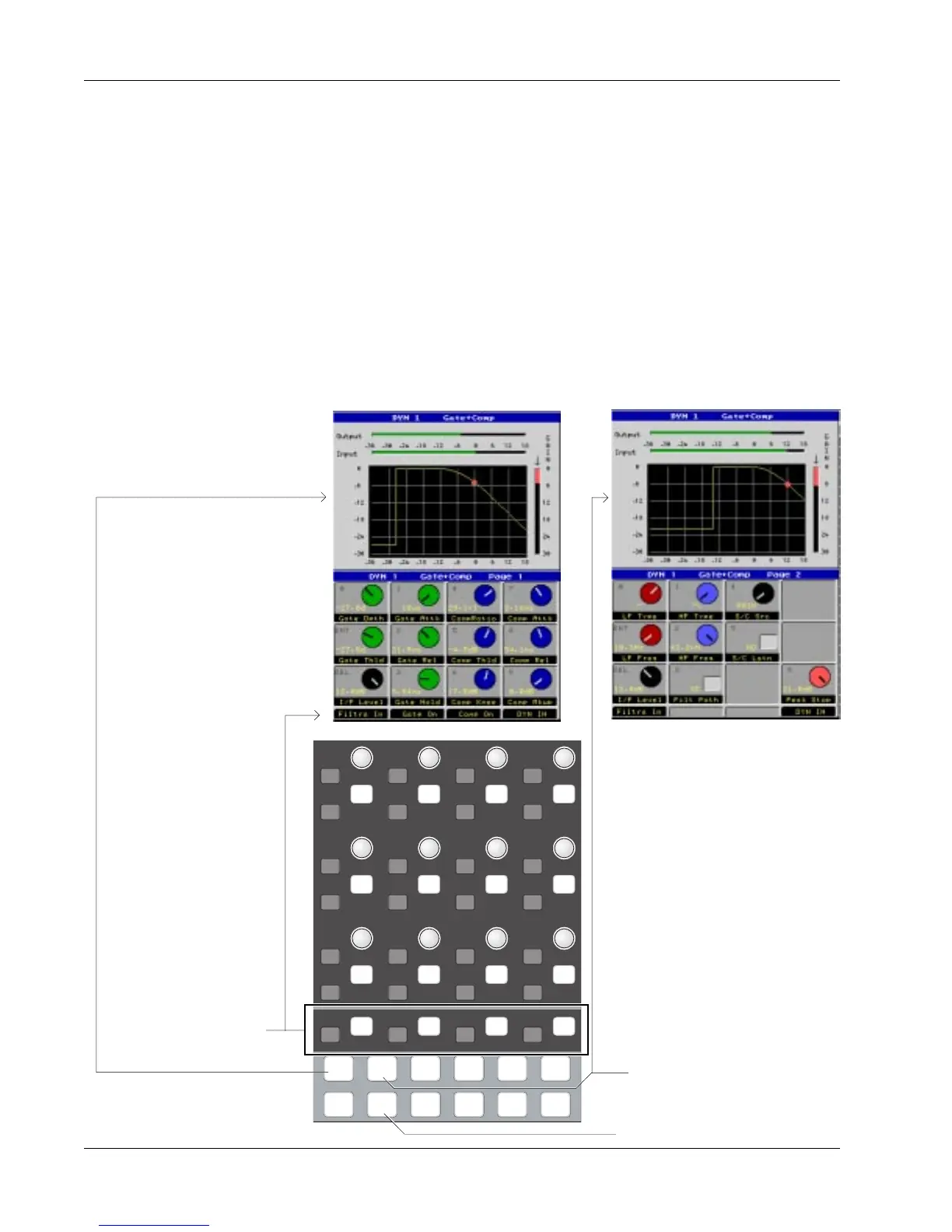
Depending on the Dynamics Preset selected, there may be two pages for
dynamics; using the gate/comp as an example, Page 1 is shown below left and
displays gate and compressor characteristics. Page 2 (below right), selected by
pressing the [Pg 2] key at the bottom of the Assignable Rotary Control section,
allows the filters and switching functions of the processors to be controlled.
i
d t
i
d t
i
d t
i
d t
i
d t
i
d t
i
d t
i
d t
i
d t
i
d t
i
d t
i
d t
i
d t
i
d t
i
d t
i
d t
i
d t
i
d t
i
d t
i
d t
i
d t
i
d t
i
d t
i
d t
i
d t
i
d t
i
d t
i
d t
DynEQ
Pg 1 Pg 2 Pg 3 Pg 4
Aux Pan
Assign
Bus
Master
Chan
List
Page 2 key switches to the
Filters screen; Page 1 back to
the Compress/Gate screen
Selects the Dynamics screen
Special Function keys
are designated at the
bottom of the screen
Page 2 - Filters & Switch FunctionsPage 1 - Gate/Compressor



 To Next Page