Section 9: Dynamics
9 - 18 Euphonix CS3000/2000 Operation Manual
Now de-assign the last pair of processors, in this case processors 55 and 56
(see “Toggling Assignments”).
Assign processor 55 to the Stereo 1 bus by pressing the attention key next to
the ST1 master fader twice. Processor 55 will automatically assign to to
Stereo 1 Left and processor 56 will automatically assign to Stereo 1 Right, and
the two will be stereo linked.
You can easily stereo link two or more dynamics processors (like you can
stereo link a pair of console EQs), enabling common adjustment of more than
one processor from a single set of controls. The linked processors will behave
as a single processor with multiple channels (i.e., the gain reduction will be
the same at all times on all channels in the link group). There are only two
rules to follow. First, the processors must be in the same ES108A unit. Second,
the links can only exist between adjacent processors in that unit. Within one
ES108A, for example, you can link processors 1 & 2, processors 2 & 3, or
processors 1, 2 & 3. Up to 8 processors in a single ES108A unit can be linked.
Once linked, the controls for any processor in the link group will control all
processors in the group.
To stereo link a pair of dynamics processors in a channel (two dynamics must
have been assigned to the channel in software), first go to the Dynamics
Access menu by pressing the DSC [Dyn] key. Then select the lower-numbered
dynamics processor in a pair to be linked by pressing the appropriate
[EQ•Dyn](1) or [EQ•Dyn](2) key. For example, if you have 1 dynamics per
channel and you want to stereo link the processors in console channels 1 & 2,
go to the Dynamics Access menu for channel 1 Dyn 1:
F3F1 F2 F4
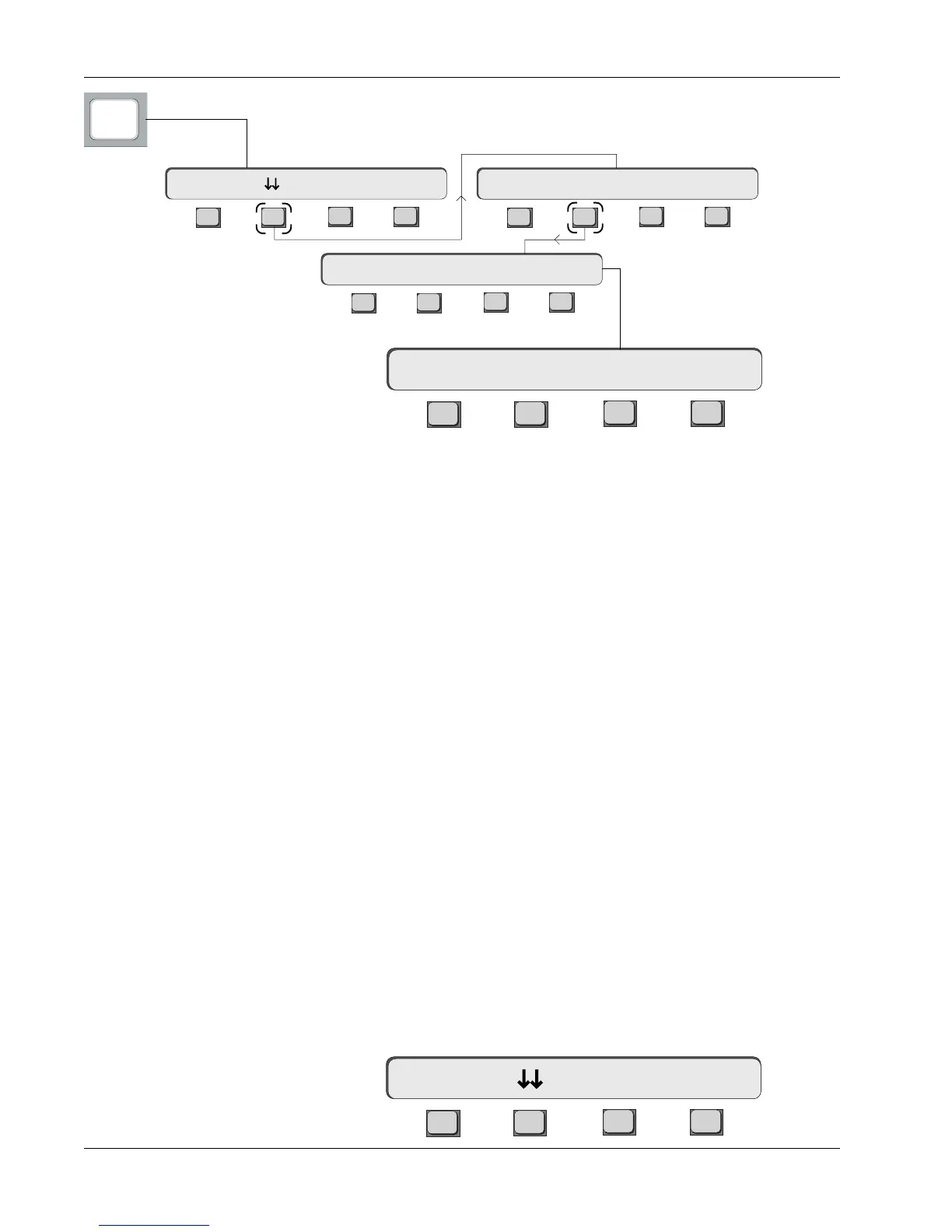
After assigning dynamics one per channel, try the following assignment to the
Stereo 1 bus. From the Dynamics Access menu, press [F2] (down arrows) and
then [F2] (Assign):
Linking Adjacent
Dynamics Processors
Dynamics Access Menu
(Chan 1, Dyn1)
1D1-> Comp On -> >-
Dynamics Assign Menu
momentary display
F3F1 F2 F4
F3F1 F2 F4
F3F1 F2 F4
Dynamics
Access Menu
56 Dyn Chans Present
Preset Assign Calib1D1-> Comp On -> >-
Dyn
F3F1 F2 F4
Clear 1/Ch 2/Ch Patch



 To Next Page