Section 7: Automation
Euphonix CS3000/2000 Operation Manual 7 - 19
Press [F3] (Win/Wout) to configure the Win/Wout feature:
F3F1 F2 F4
With Clear Win/Wout active, WriteIn/WriteOut/WriteThru is automatically
turned off after each automation pass. This can help prevent unintentional
write-over of automation data.
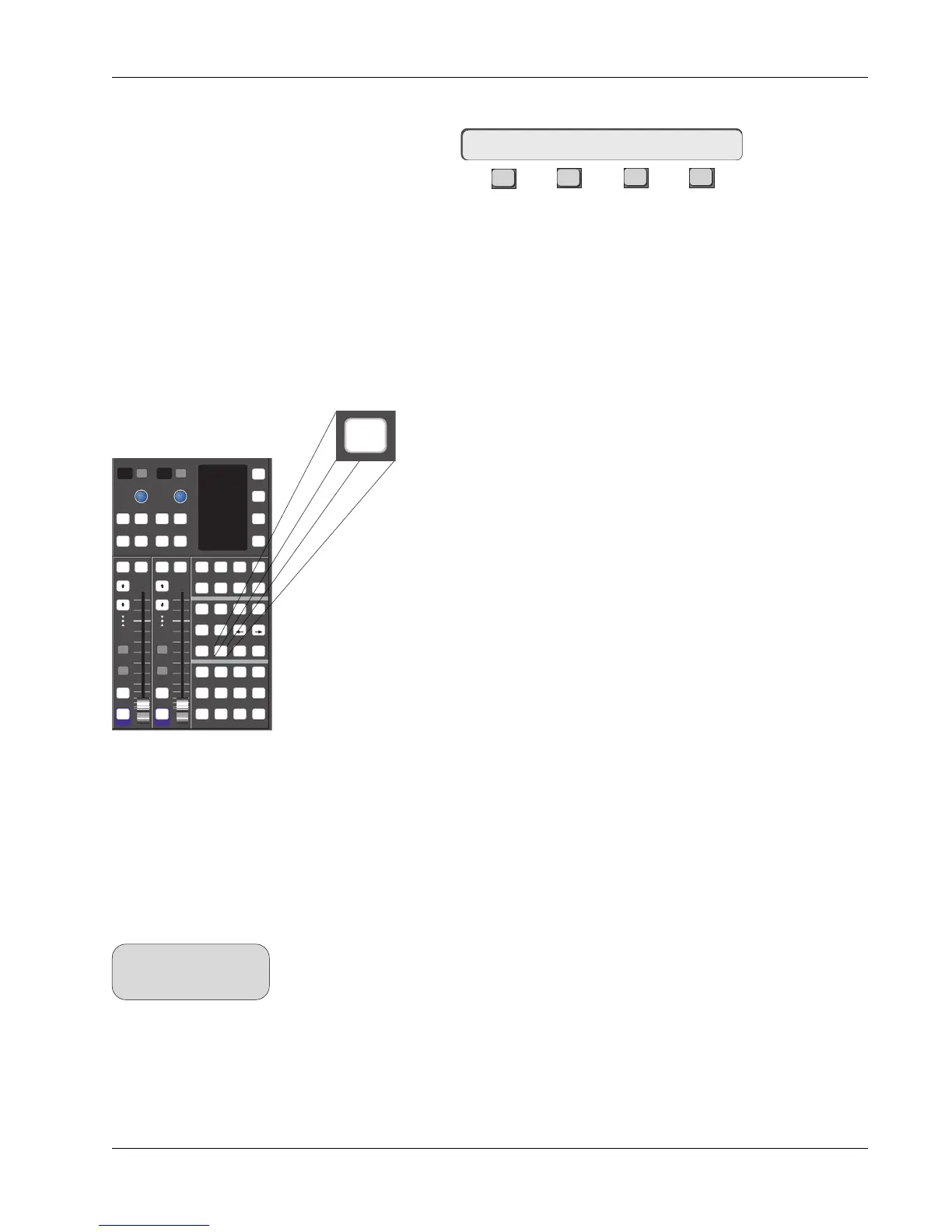
MixView’s Monitor Before Record (MBR) automation feature allows you to
preview automation changes before you commit the altered moves to an
automation pass. This feature is invoked using the DSC [MBR] key.
MBR mode can be applied to both moving and non-motorized fader
systems, and in absolute as well as trim modes. Normally, in order
to automate a fader, you would press the [Mix On] key to activate
the mix system, select the [Fdr] object key, play the time code
source (see Pass Rec light) and press any fader’s punch (attention) key
to immediately begin writing automation data. By first pressing the
[MBR] button, you instruct the console to put any fader into a monitor
“preview” mode when it is first punched-in. This suspends automation control
of that fader, allowing you to have manual control over its level in advance of
writing any automation data. The fader operates manually as if it were in Set
mode even though it is still in Dynamic mode ready to record automation. A
look at the Template screen will confirm its red Dynamic status. Once you have
set your new level, pressing the fader’s punch key a second time, begins
writing automation data.
In this exercise, we will show how to engage and abort MBR mode, both for a
single motorized fader and standard non-motorized fader. Using MBR assumes
that you know how to set up the console, load titles and record automation.
You will also need a valid mix containing previous fader automation data. You
can use one of your existing mixes or create a new mix and write fader moves
prior to performing this exercise. For more information on these subjects, see
the Tutorial and Automation sections of the CS3000/2000 Operation Manual.
Be sure you have a title loaded, the [Mix On] key is active, the [Pnch] key is
illuminated and the [Fader/A] object key on the DSC is selected (illuminated).
Press the [MBR] key and start your time code source or use the console’s VTM
(Virtual Tape Machine). The descriptions which follow cover consoles with and
without Moving Faders.
Clear Win/Wout? [No]
Monitor Before
Record (MBR)
Exercise 1
MBR is not applicable to
ST1 or ST2.
SIDE NOTE:
Safe Safe
1
2
4
6
8
1
2
4
6
8
i
dt
i
dt
i
dt
i
dt
ComMic
Talk
Attn Pnch Tplt Auto
SS
Set Iso Dyn Safe
Fader
A
Pan
B
On
CD
Trim ATO W in W out
Abs
Offset
MBR Move
Rec
Glide
M1 M2 DIR All
aux
L1 L2 ST1 All
upper
L3 L4 ST2 All
lower
Solo Solo
GrpGrp
On On
MBR



 To Next Page