Section 4: Tutorial
4 - 22 Euphonix CS3000/2000 Operation Manual
Clearing/copying may also be performed on objects such as Pan, Faders, etc.
Instead of having to copy cleared channel strips throughout the console to
clear it (zero the controls), a “default” SnapShot has been provided in software
and can be recalled at any time.
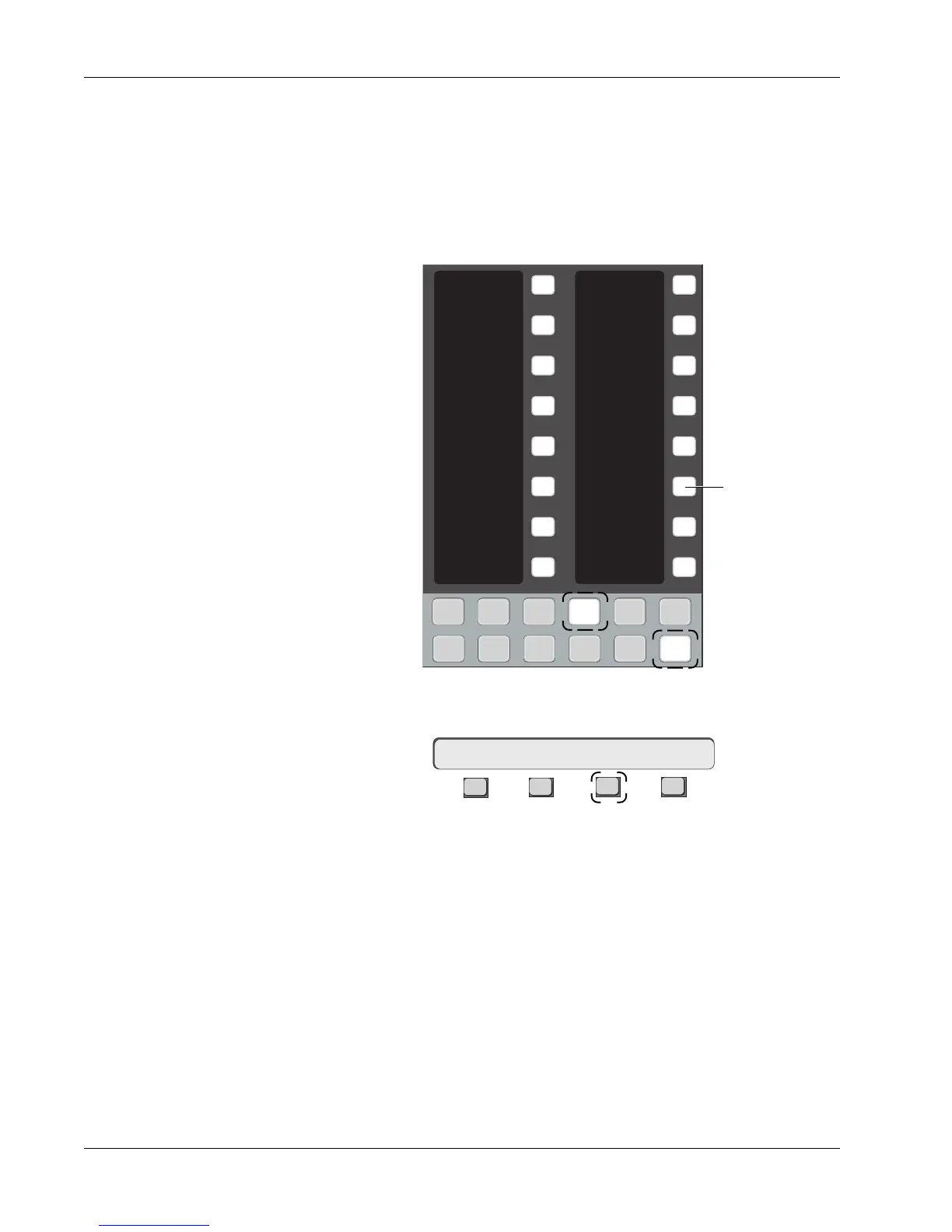
To recall the default SnapShot via the Assignable keys, press the DSC
[SnapShot], [Pg 4] and then [DEFAULT] key:
Recalling the Default
Snapshot
(Zeroing the Console)
Now press the SmartDisplay [F3] (Yes) key to confirm:
F3F1 F2 F4
Remember that when you recall the default Snapshot, you lose the current
settings on the desk. If you don’t want to lose the settings, save them to a
SnapShot location first.
Clear/Copy Objects
Sure ? Yes [No]
1
2
3
4
5
6
7
8
9
10
11
12
13
14
15
16
Faders
Mon
Select
Snap
Shot
Preset Macro
Pg 1 Pg 2 Pg 3 Pg 4
Store
Mon
Cnfg
Studio
Faders
Pg 1 Pg 2 Pg 3 Pg 4
Store
Mon
Select
Snap
Shot
Preset Macro
Mon
Cnfg
Studio
49
50
DEFAULT
PHYSICAL
AUTONULL
Recalls Default
Snapshot



 To Next Page