Section 9: Dynamics
Euphonix CS3000/2000 Operation Manual 9 - 39
Dynamics Factory
Presets (Modes)
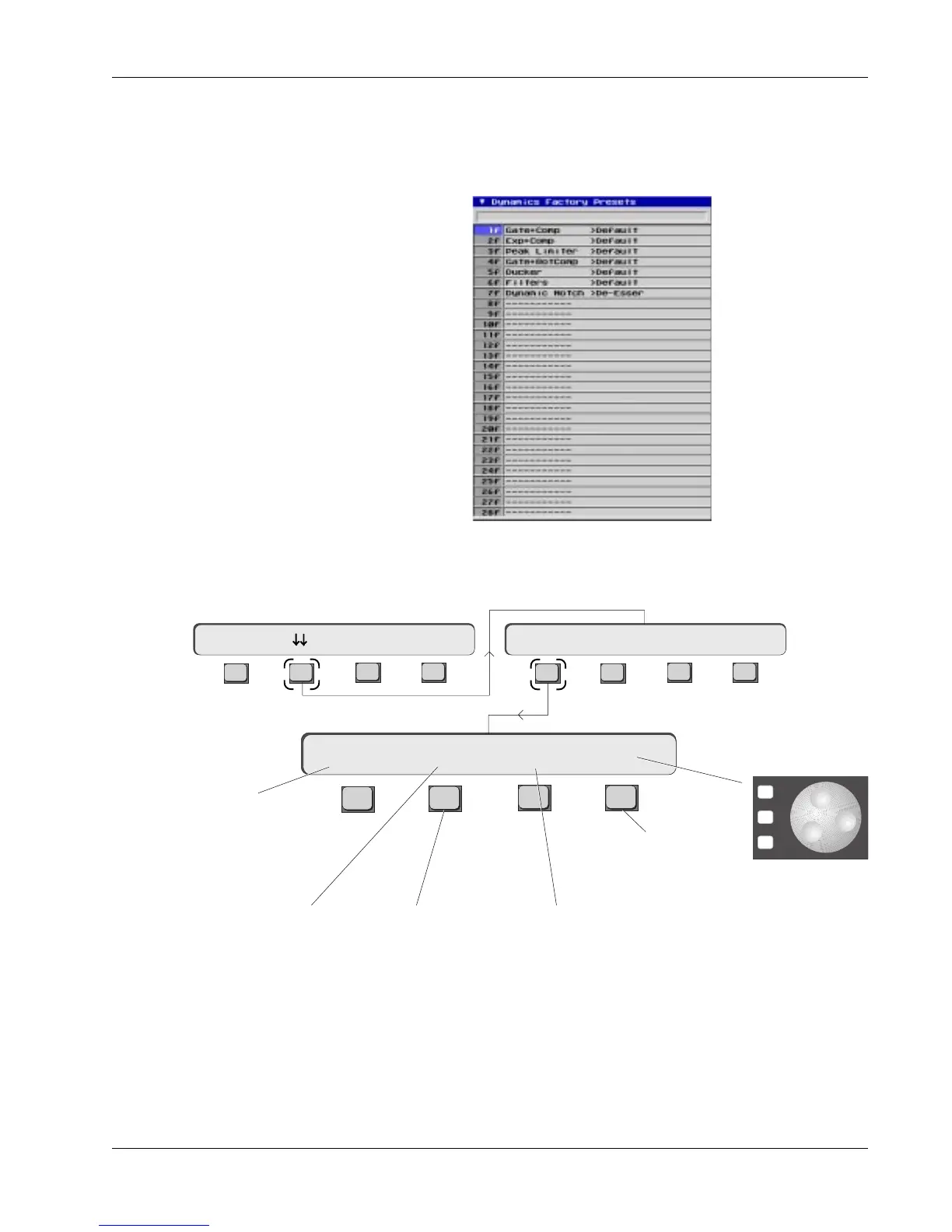
The Dynamics Factory Preset Library and menu are similar to the Snapshot list
and menu. The first factory preset is the default mode for the processors
(Gate/Comp). You can recall factory settings and put individual ES108A
processors in different modes, and store the settings into your console snap-
shots.
To get to the factory presets, from the Dynamics Access menu, press [F2]
(down arrows) and then [F1] (Preset):
Factory preset information is permanently located in the firmware. User
presets cannot be stored in the Factory Preset list, and trying to store in these
locations will generate an error message in the SmartDisplay.
Factory Preset Library (Modes)
Provided in ES108A firmware
Shows that preset
recall (RCL) is enabled
Recalls the
selected
factory
preset
Shows last
recalled
factory
preset
Toggles between
factory presets and
user presets
Shows to which channel
the dynamics preset will be
recalled, and also to which
dynamics processor in that
channel (Dyn1 or Dyn2)
F3F1 F2 F4
F3F1 F2 F4
Dynamics Access Menu
Preset Assign Calib31D1-> Gate Dpth -> >-
F3F1 F2 F4
31D1 1f RCL 2f
Preset Menu
*
ST
-
DIR
+
Bus
SpinKnob scrolls
through presets
on the screen.
DSC [+]/[–] keys
recall presets as
they are scrolled



 To Next Page