Section 6: Moving Faders
6 - 4 Euphonix CS3000/2000 Operation Manual
Moving Fader software provides preferences which allow the user to custom-
ize the way the system responds and performs. There are three (3) menus
containing four (4) moving fader preferences to review. The menus are:
1. Moving Fader menu
2. Touch/Release menu
3. Slaves menu
The preferences are:
1. Motors On/Off
2. Touch On/Off
3. Release On/Off
4. Slaves follow On/Off
F3F1 F2 F4
The top-level of the Moving Fader menu contains the Motors:ON/OFF prefer-
ence. This option allows you to globally turn all fader motors off, causing the
automation system to operate as a standard “VCA style” system. This is useful
for making trim moves on a fader which is following complex , previously
recorded automation moves.
Moving Fader
Options
Moving Faders Menu
Motors:ON Touch Slvs
SmartDisplay
Menus
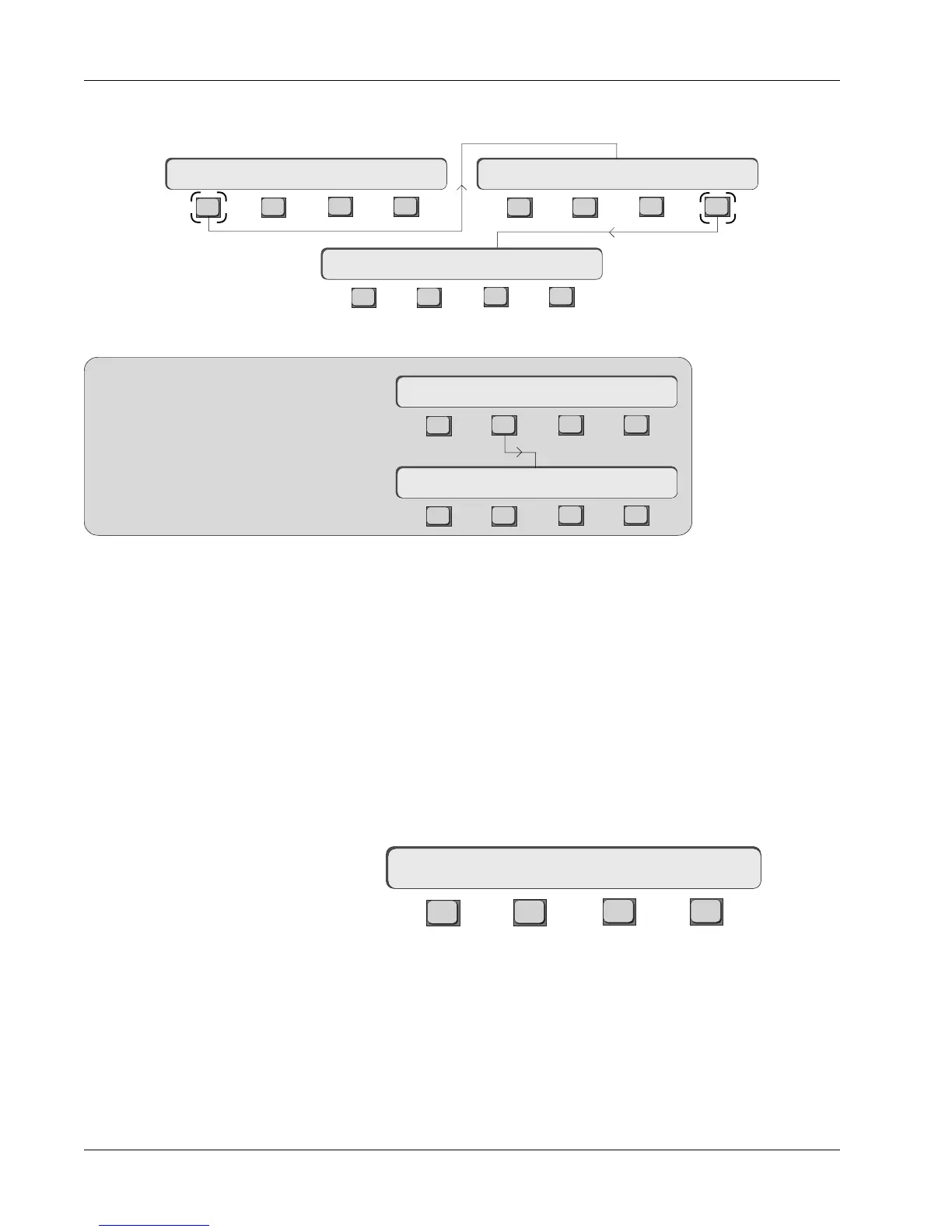
Notice that the Macros
menu has been replaced by
the Moving Faders menu at
position F4. The macros
menu has been relocated to
position F1 in the Console
menu as shown here.
SIDE NOTE:
F3F1 F2 F4
F3F1 F2 F4
Mstr Cnsl Meter MFdr
Macs Cnfg Diag Backup
Setup Menu
Console Menu
F3F1 F2 F4
F3F1 F2 F4
F3F1 F2 F4
Setup Snap System Grps Mstr Cnsl Meter MFdr
Moving Faders Menu
Motors:ON Touch Slvs
Let's get familiar with the Moving Fader SmartDisplay menus. [Esc] to the
Main menu, then press [F1] and then [F4] to access the Moving Faders menu:



 To Next Page