Section 9: Dynamics
Euphonix CS3000/2000 Operation Manual 9 - 31
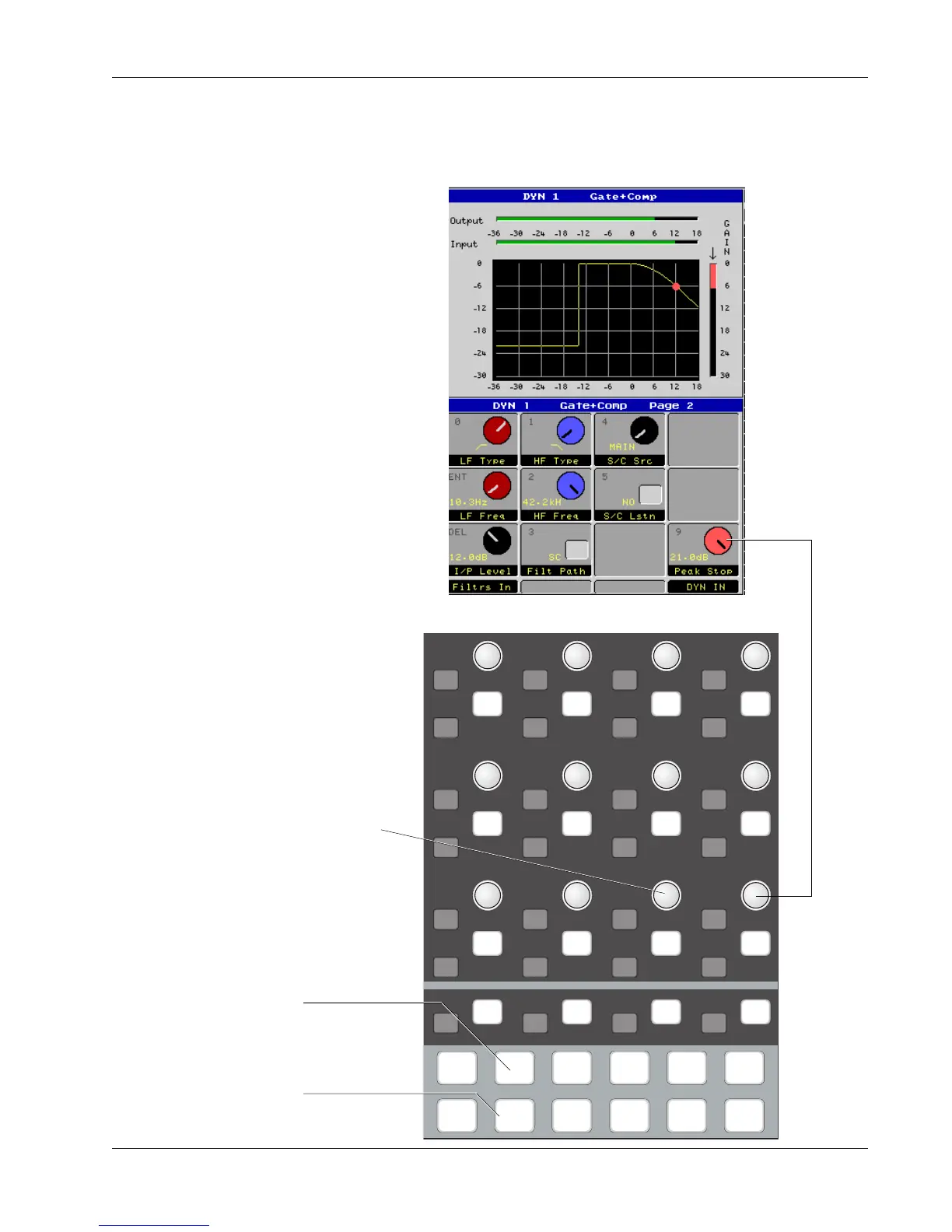
Dynamics Page 2
Pressing the Page 2 key at the bottom of the Assignable Rotary Controls will
bring up the second page (or screen) for dynamics adjustment. This screen
includes controls to change filter parameters, switching options such as Side
Chain Listen and Side Chain Source, and controls for the Peak Stop circuit.
i
dt
i
dt
i
dt
i
dt
i
dt
i
dt
i
dt
i
dt
i
dt
i
dt
i
dt
i
dt
i
dt
i
dt
i
dt
i
dt
i
dt
i
dt
i
dt
i
dt
i
dt
i
dt
i
dt
i
dt
i
dt
i
dt
i
dt
i
dt
DynEQ
Pg 1 Pg 2 Pg 3 Pg 4
Aux Pan
Assign
Bus
Master
Chan
List
This screen
switch maps
down to the
switch below
This screen
knob maps
down to the
knob below
Not used
Page 2 key illuminates to show
Page 2 (Gate/Compressor)
Dynamics key illuminates to
show control is available



 To Next Page