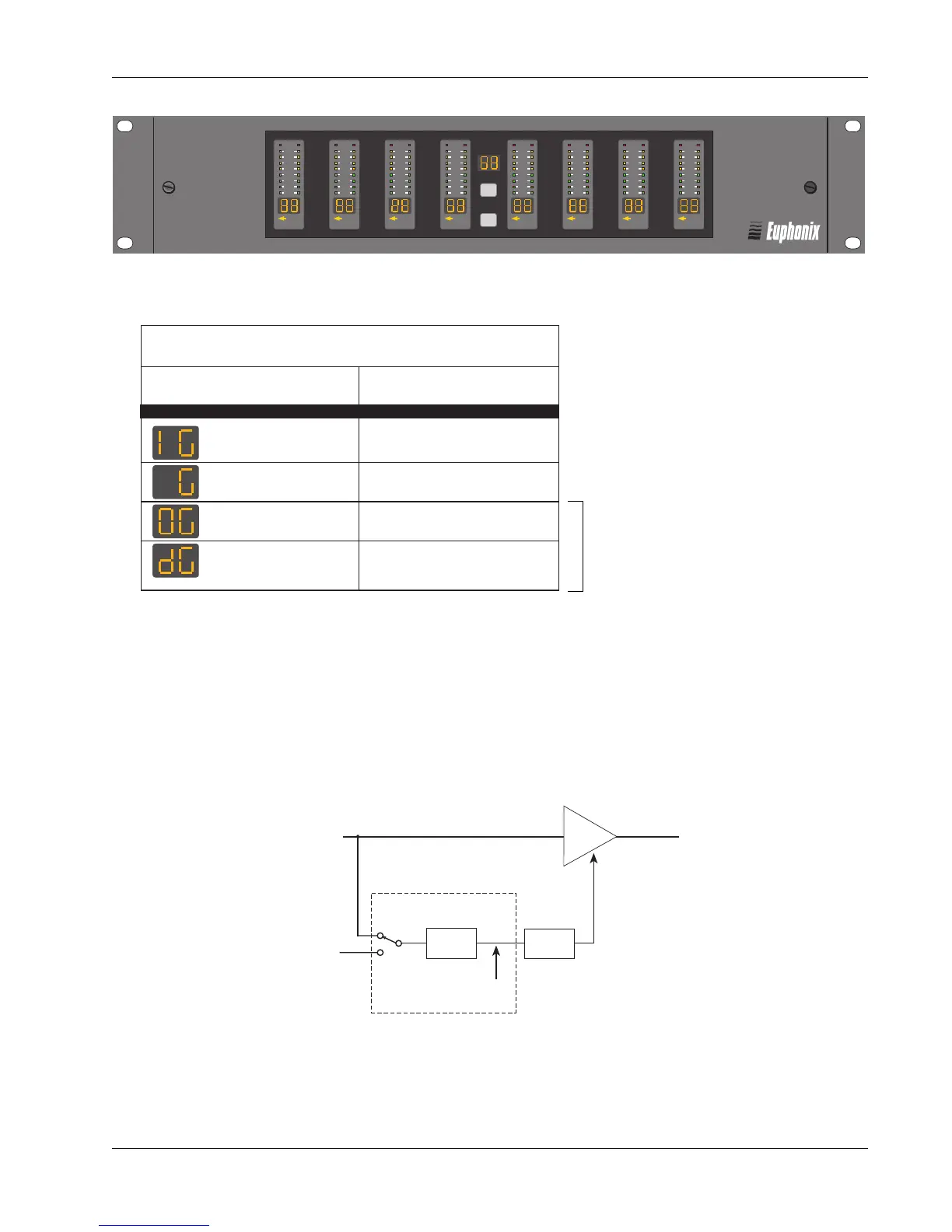
Section 9: Dynamics
Euphonix CS3000/2000 Operation Manual 9 - 5
The ES108A Front Panel
Dynamic Range
Dynamic Range
Processor/Emulator
Processor/Emulator
ES108
ES108
A
A
MIDI
Key Mon
2
4
6
9
12
15
21
30
MIDI
Key Mon
2
4
6
9
12
15
21
30
MIDI
Key Mon
2
4
6
9
12
15
21
30
MIDI
Key Mon
2
4
6
9
12
15
21
30
MIDI
Key Mon
2
4
6
9
12
15
21
30
MIDI
Key Mon
2
4
6
9
12
15
21
30
MIDI
Key Mon
2
4
6
9
12
15
21
30
MIDI
Key Mon
2
4
6
9
12
15
21
30
Input
Output
Detector
Signal
Filter
DSP
VCA
Ext.
Key
Input
These two modes are disabled when
MixView is running dynamics (so that
MixView graphics display meters
correctly). They are currently for
diagnostics only and cannot be ac-
cessed during normal operation.
ES108A Front Panel Metering
Left Meter Right Meter
Input Level Gain Reduction
Disabled Gain Reduction
Output Level Gain Reduction
Detector level Gain Reduction
(side chain)
The Top button in the middle of the panel cycles through the following Meter Display modes:
Input level disabled meter mode is offered so that the user can easily identify gain reduction activity on all
dynamics channels at a glance, without being distracted by input level metering.
Output level is calculated as input level offset by gain reduction. Detector level is the same as side chain
level, and is always displayed by horizontal position of GainBall on DSC screen.
Note that detector level is not necessarily the same as input level due to sidechain switching and filtering
options (see diagram below).
The bottom button cycles through LED modes:
Normal - operating mode
Vegas - all LEDs flash in random pattern
All On (press and hold) - all LEDs light at once



 To Next Page