Section 7: Automation
7 - 12 Euphonix CS3000/2000 Operation Manual
When you punch in on a fader, the move will be displayed in real-time in the
form of a white line along a time line. When the pass is completed and you
punch out, the white line changes to yellow. When you punch-in on a previ-
ously automated fader, the current fader position is drawn in white while the
previous fader move is now drawn in yellow. This allows you to anticipate
upcoming moves then match the fader’s position with the current automation
data before punching out.
Observe the shaded areas on the Fader and Pan graphs in the previous page’s
example screen. These shaded areas coincide with the mute events shown
just below the Fader display (this is more evident on MixView’s color display).
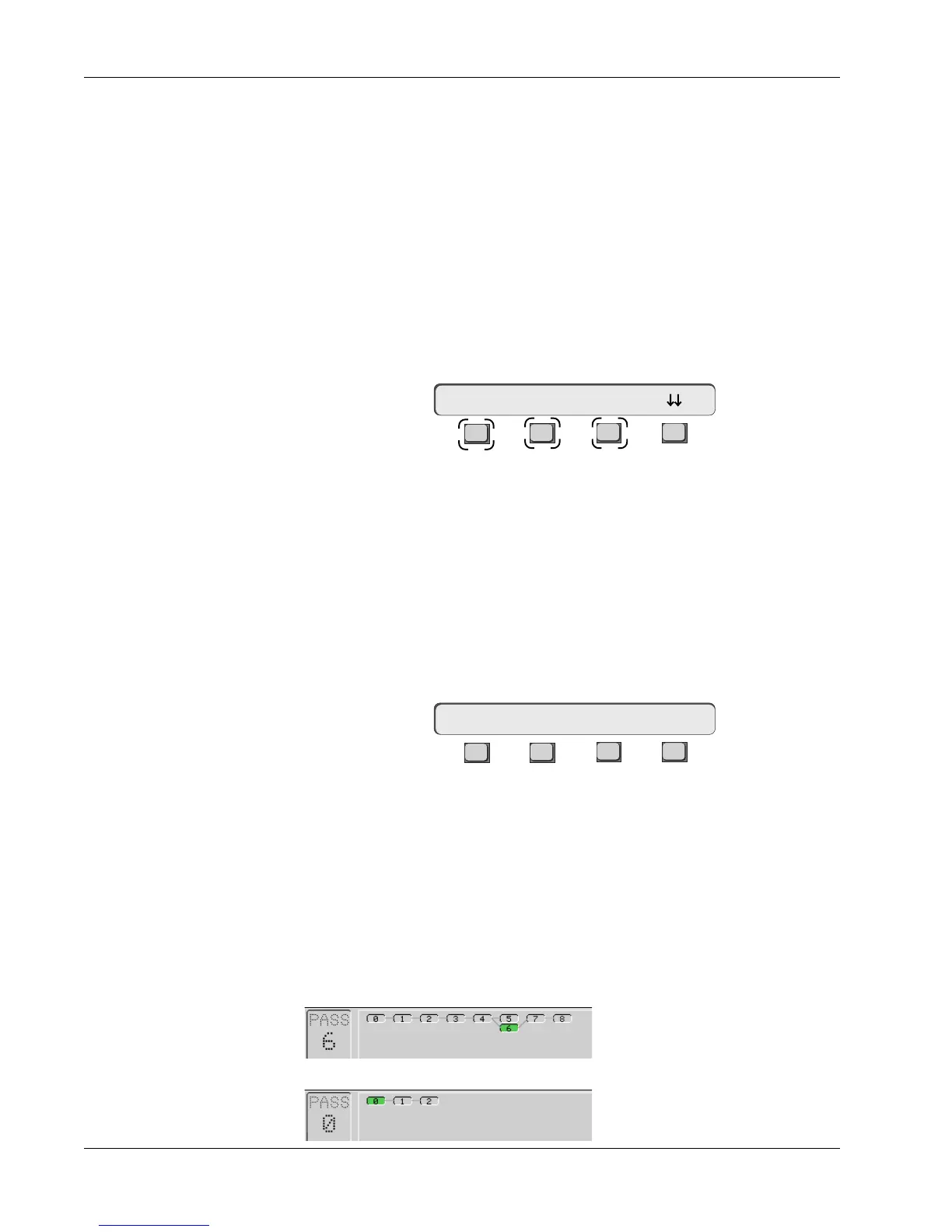
The following SmartDisplay menu is displayed with the Pass Control screen:
F3F1 F2 F4
[F1] can be used as a quick key to the “Save Mix” function. Press [F2] (Undo?)
and [F3] (Redo?) to decrement/increment a selected pass respectively within a
pass branch. The SpinKnob can be used to select a specific pass quickly by
sequencing through all passes numerically without regard to pass lineage
however, the [Enter] key is required to complete the operation once the
correct pass has been selected. There are 999 levels of pass undo in the
Euphonix Automation System.
From Pass Control menu 1, press [F4] (down arrows) to advance to the next
Pass Control menu:
F3F1 F2 F4
Caution: [F1] (Clr?) removes all passes after you respond to a SmartDisplay
confirmation message.
In the previous pass tree, the mix consists of passes 8, 7, 6, 4, 3, 2, 1 and 0.
Pass 5 is excluded because it is not within the lineage from 8 back to 0. It is a
branch created by an “Undo”. Pack consolidates all passes of a mix up to the
selected pass, into one pass and calls it pass 0. Branch passes are deleted
and passes beyond the currently selected pass are preserved and renumbered
consecutively.
After pack, pass 0 is created. Passes 7 and 8 are renumbered 1 and 2. Pass 5 is deleted.
After Pack Passes:
UF and LF (Faders)
Saving a Mix/
Undo/Redo
Pass Control
SmartDisplay
Menus
ON (Mute)
Packing Passes
Clearing Passes
Pass Control Menu 1
Pass 8 Undo? Redo?
Clr? Pack? Edit Util
Pass Control Menu 2
Pass 6 is selected. Pack is performed on passes 6 back to 0 excluding pass 5.
Before Pack Passes:



 To Next Page