Section 9: Dynamics
9 - 14 Euphonix CS3000/2000 Operation Manual
Push [F3] (Yes) to confirm and you should see the front displays of all of the
ES108As blink in succession and display their new console channel assign-
ments. On the DSC screen, the Dynamics Configuration/Assignment window
also displays the same information as a convenience.
Observe that the EQ•Dyn(1) LEDs in each lower fader block have lit up,
indicating that the dynamics have been assigned one per channel and are in
circuit. If you press one of the EQ•Dyn(1) attention keys you can access the
dynamics processor for that channel, and the gain curve appears on the DSC
screen.
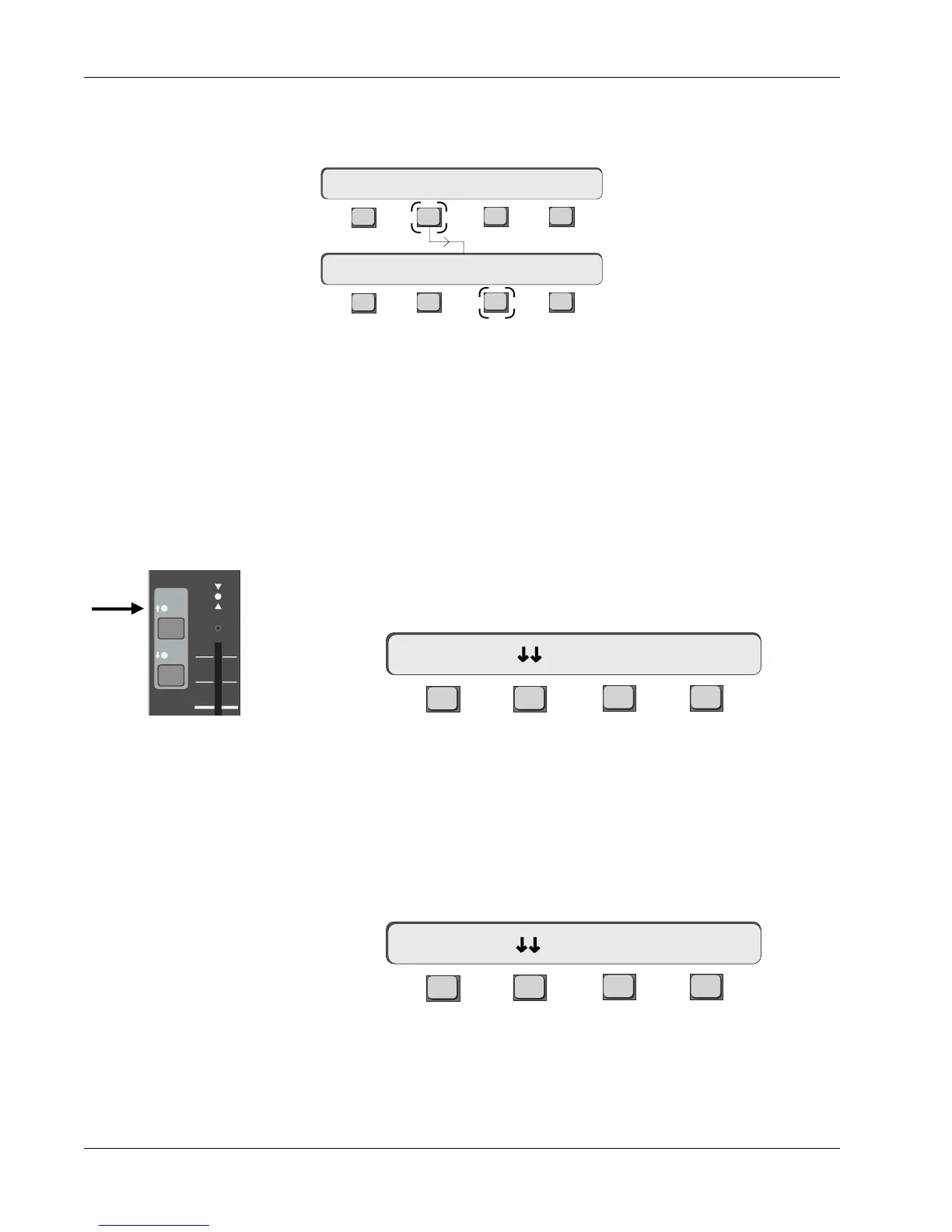
Press channel 5's EQ•Dyn(1) attention key. If you are still in Dyn mode, the
SmartDisplay will show the Dynamics Access menu:
F3F1 F2 F4
5D1 means that the Dyn1 processor in channel 5 has been selected and can be
accessed from both the SmartDisplay and the Assignable Rotary Control Set.
The gain curve and control knobs for this processor are shown on the screen
display.
If you press the unlit [EQ•Dyn](2) key, the console knows that there is no
second dynamics assigned to that channel. The following message appears in
the SmartDisplay:
F3F1 F2 F4
The DSC screen will also show the inactive Dyn 2 page with grayed out knobs,
and the Title Bar will read “No Dynamics”. Pressing [F4] in this SmartDisplay
menu will take you directly to the Dynamics Assign menu.
You can globally assign one dynamics processor per channel strip, which will
appear as Dyn 1 in each console channel. From the Dynamics Assign menu,
press [F2] (1/Ch):
Auto Assign 1 Dynamics
per Channel
5D1-> Comp On -> >-
5D2-> Assign?
EQ•Dyn
BUS
1
2
L
R
ovld
PAN BAL
Only the EQ•Dyn(1) LED is
lit, indicating one dynamics
processor assigned to
channel strip (and in circuit)
F3F1 F2 F4
F3F1 F2 F4
Clear 1/Ch 2/Ch Patch
Assign 1/Ch ? Yes [No]
Dynamics Assign Menu



 To Next Page