Section 1: Introduction
1 - 12 Euphonix CS3000/2000 Operation Manual
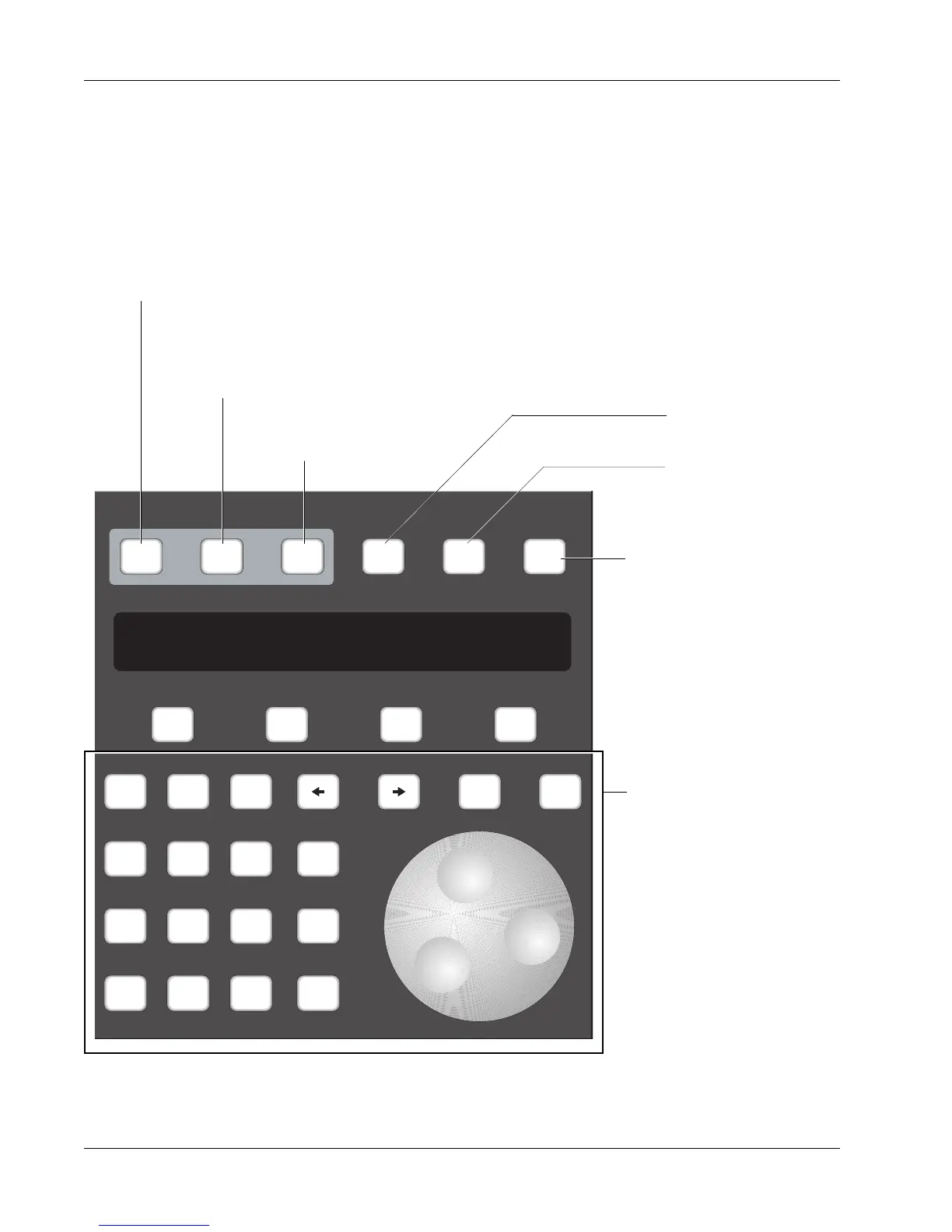
Master Control Panel
The Master Control Panel on the DSC is used in conjunction with the screen
display as the primary user interface for the console. The Function keys (F1,
F2, F3 and F4) below the SmartDisplay are used to access SmartDisplay
menus. The SpinKnob and +/– keys scroll through lists on the DSC screen.
Specific menu and key functions are detailed in the appropriate sections of
this manual.
Setup Snap System Grps
Mix
On
Pass
Rec
Pass
Ctrl
Grps Mtrs
F1 F2 F3 F4
789
456
123
0 Enter Del
*
ST
-
DIR
+
Bus
Clr Esc
Switches automation On/Off
Go to Pass menu
Shows when automation is ready to
record any action (replaces the REC
key on the Master Control Panel).
Selects Meter menu in
SmartDisplay
Selects Group menu in
SmartDisplay.
Panic Key - Allows you to
regain control of the desk in the
event of support computer
malfunction. Audio level & pan,
routing, EQ, and snapshot
functions will operate normally.
Numeric keypad, SpinKnob,
+/– keys, and other keys in
this area are used to navi-
gate through SmartDisplay
menus and perform menu-
specific functions.



 To Next Page