Section 3: SnapShot Recall
3 - 4 Euphonix CS3000/2000 Operation Manual
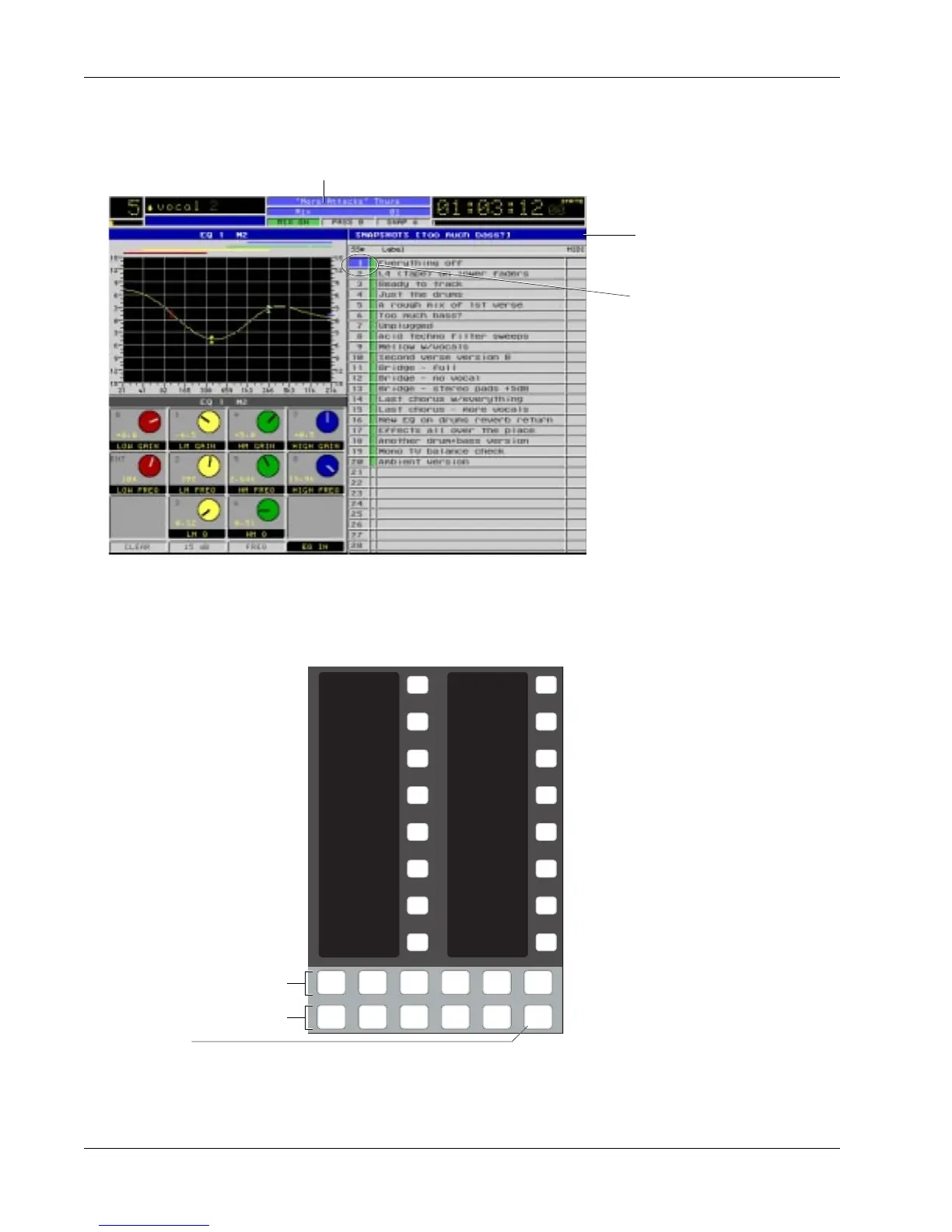
SnapShots are recalled via the DSC Assignable Keys or the Master Control
Panel. When you recall a SnapShot, the entire console is reset in less then one
SMPTE frame (1/30th of a second).
You have one-button recall of all 50
SnapShots from the DSC Assignable
keys located in the upper right of the
DSC. The SnapShot name will appear
in the 8-character display to the left
of the Assignable key. Using the Page
keys located below the bank of 16
Assignable keys, you can page
through the 50 SnapShots 16 at a
time. Press the [SnapShot] Mode
key. Now select any one of 4
SnapShot pages by pressing a Page
key. Now press the Assignable key to
the right of the desired SnapShot
number to instantly recall it.
Note that SnapShot selection using
the DSC SnapShot keys or the DSC [+]/[–] keys is a destructive process that
“clears” all console settings by loading another SnapShot. For non-destructive
SnapShot list scrolling, use the SpinKnob to highlight a stored SnapShot
location on the screen and press [F4].
Interactive Screen
Display
Assignable keys
(seen in SnapShot
mode)
Recalling (RCL) a
SnapShot
The list in the right half of the screen lists the SnapShots in the console. When
a new title is created and named (see Section 2), the current set of console
SnapShots is stored in the the new title.
1
2
3
4
5
6
7
8
9
10
11
12
13
14
15
16
Faders
Mon
Select
Snap
Shot
Preset Macro
Pg 1 Pg 2 Pg 3 Pg 4
Store
Mon
Cnfg
Studio
SnapShot
Mode key
Page keys
Mode keys
SnapShot selected in Smart-
Display ready for recall.
As you change the SnapShot
number, the highlight bar
will move up and down the
list. In this example,
SnapShot #1 shown high-
lighted here is the same
SnapShot that is currently
active as well.
Currently Active SnapShot
Currently Selected Title



 To Next Page