Section 4: Tutorial
Euphonix CS3000/2000 Operation Manual 4 - 13
Default EQ Values
SIDE NOTE:
Default values with
no routing selected
15
12
9
6
3
0
3
6
9
12
15
15
12
9
6
3
0
3
6
9
12
15
21 41 82 165 330 659 1.3K 2.6K 5.3K 11K 21K
EQ 1 (M1)
Refer to the Introduction section for more information on the mapping of these
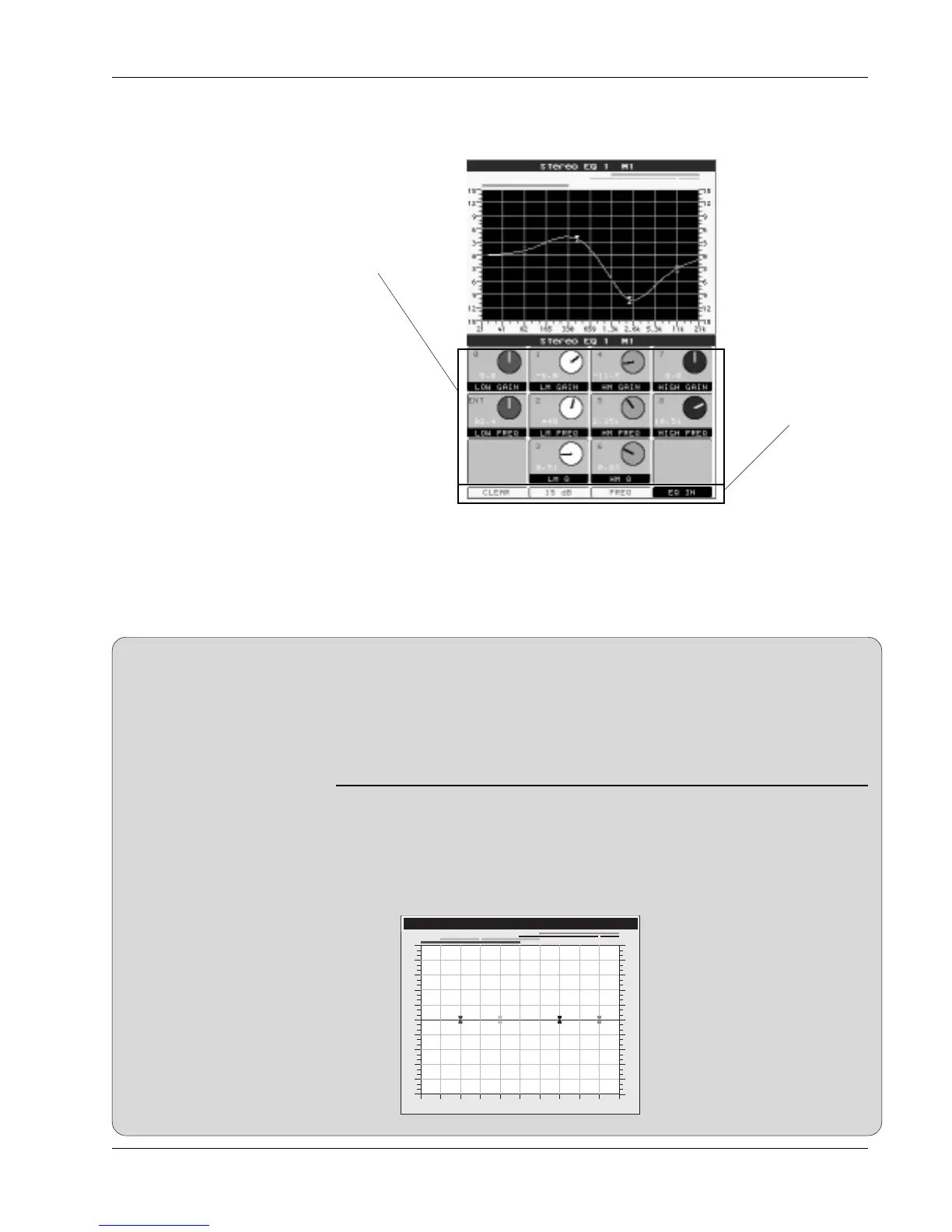
controls. As soon as an EQ attention key is pressed, that EQ curve is automati-
cally drawn on the screen display. As you make adjustments from the DSC
Rotary Controls, the EQ curve is updated in real-time on the screen. This gives
you a clear visual representation of the EQ response.
The EQ curve can be flattened either by pressing the assignable function key
corresponding to the Clear function in the DSC screen or the [Clr] key when in
the EQ SmartDisplay menu. This sets default values for frequency and Q as
well as setting all gains to 0. It is like centering the Gain, Q, and Frequency
knobs on a conventional console EQ. The list below shows the default values:
Band Frequency Note Q
High 10.5kHz E9 n/a
High Mid 2.64kHz E7 0.51
Lower Mid 330Hz E4 0.51
Low 82.4Hz E2 n/a
Once the EQ is accessed, the Assignable Rotary Control Set at the top of the
DSC is mapped to the EQ. The control assignments are shown on the screen
display along with the actual EQ graph:
Adjusting EQ with the
DSC
Controls mapped to
DSC Rotary Controls
These switches
are mapped to the
DSC Function keys
just below the
Rotary Control Set.



 To Next Page