Section 4: Tutorial
4 - 24 Euphonix CS3000/2000 Operation Manual
Add EQ
Sound!
I/O Metering for
Multitracking
Mono Insert Point
LF
L4
4 Band EQ
STEREO 1 BUS
L R
PAN
Line Input 4
BUS
Turn the faders on and bring up their levels. Assuming the Monitor section is
set up from Exercise 1, you should be able to do a monitor mix of your multi-
track program to ST1.
To add EQ to an input, press the desired channel’s [EQ•Dyn](1) attention key.
Source the EQ from L4 by pressing the [L4] Dedicated key. This will insert the
EQ into circuit.
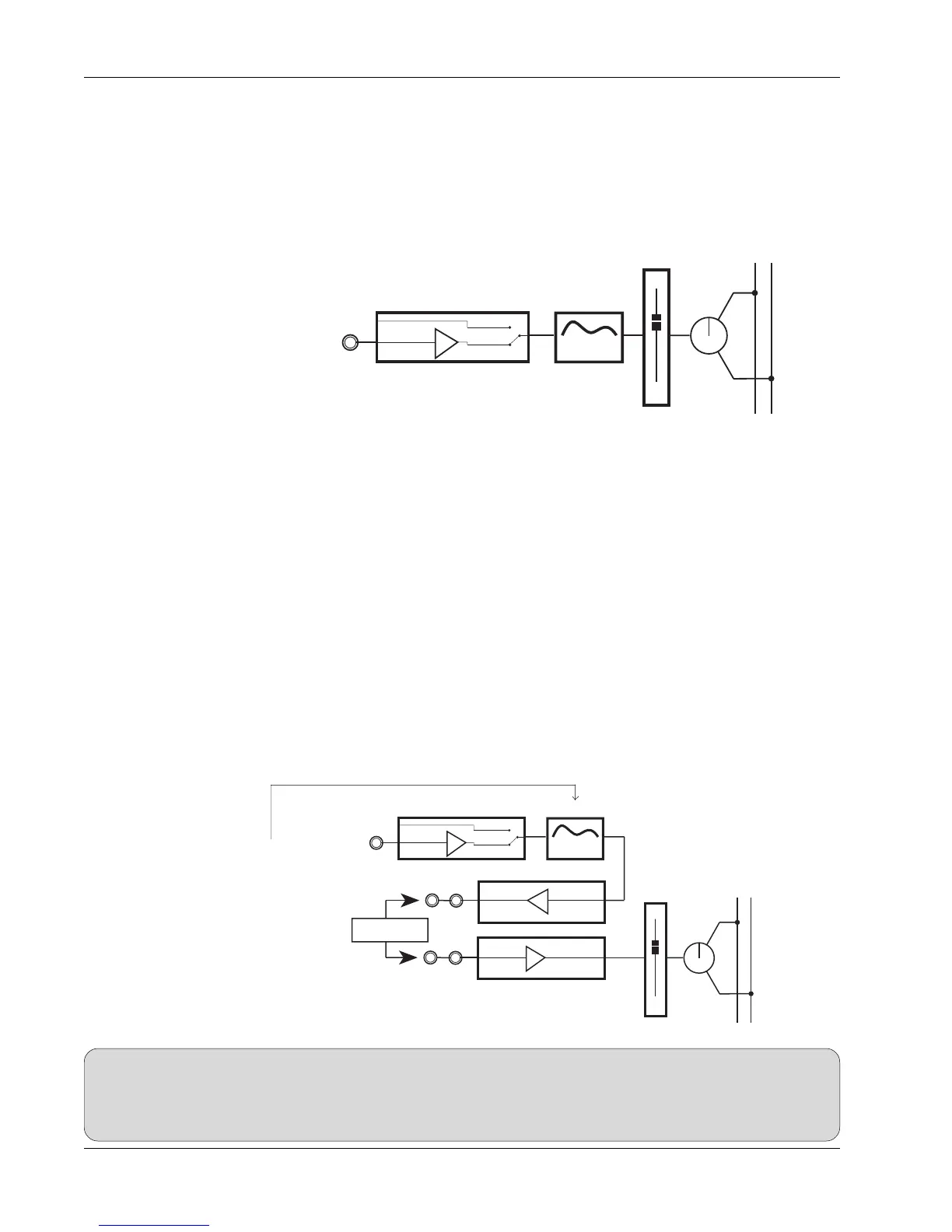
The signal flow now looks like:
Don’t forget to save your work to a SnapShot as the mix progresses, and
remember to save your title.
Go to the I/O Meter menu (from the Main menu or the DSC Mtrs key) and
select L4 for the right meter. Press [F2] to direct attention to the left meter and
select MT. These assignments meter multitrack bus out (MT) and L4 together
allowing you to see both the multitrack send and the return.
We will use Output 3 and Line Input 3 for our insert send/return. Source Out3
from L4 and source the lower fader from L3. Switch the insert in and out by
toggling the fader source between L3 and L4 (L3 in, L4 out). The insert send is
Out3’s patch point and the return is L3’s patch point. The ES108A Dynamics
processor, or other outboard processor, can be patched in at this time.
This is our signal path now. It is a mono path with pre-insert EQ:
SIDE NOTE:
Remember to de-assign inserts when not needed. There is no normalling of insert send/returns at the patchbay, so if no device is
patched or normalled into the insert send/return loop, the signal path will not be complete and no signal will reach the fader. In
systems outfitted with 2 dynamics processors per channel, the insert send/return pairs Out1/L1 and Out2/L2 are usually
normalled through the ES108A processors. The normalling is done at the patchbay.
L4
4 Band EQ
Line Input 4
BUS
LF
STEREO 1 BUS
L R
PAN
Line Input 3
Dynamics
Processor
L3
OUT3
Line Output 3
Pre-insert EQ



 To Next Page