Section 4: Tutorial
Euphonix CS3000/2000 Operation Manual 4 - 11
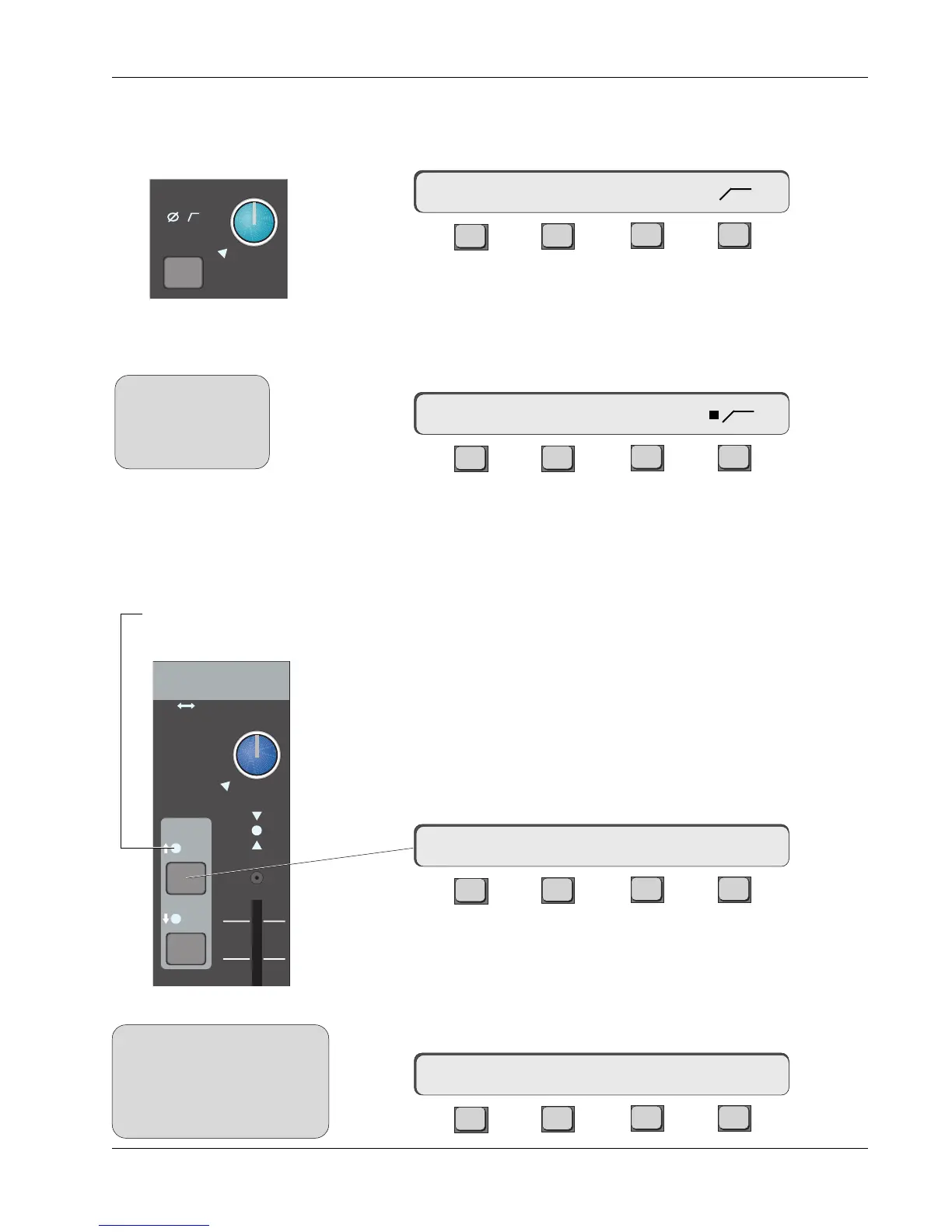
Each U.I.A. has phase reverse, high-pass filter (3dB down at 100Hz), and
phantom power control. Press the M1 block key to access the U.I.A. menu then
press [F4] (Cnfg) to access the U.I.A. Configure menu:
F3F1 F2 F4
[F2], [F3], & [F4] toggle the options on and off. If selected, the appropriate
indicator will light in the M1 block and a square indicator appears next to the
selected item in the SmartDisplay menu.
Press [F4] to turn on the filter and observe the SmartDisplay menu:
F3F1 F2 F4
Also observe the filter icon light in the M1 block of the selected channel. Press
[F4] again to toggle the filter off.
Each channel strip is equipped with two 4-band equalizers. Each EQ can be
assigned to any one of the 6 input sources. When assigned to the same source
“cascaded”, the EQs form a 8-band parametric EQ. Stereo linked, the two EQs
track each other, which is to say they’re both equal masters and can control
each other.
Let’s set up a stereo EQ in the lower fader signal path. With the DSC EQ key
lit, press the EQ•Dyn 1 attention key, located in channel 16’s lower fader
block. You will see that the SmartDisplay shows channel 16’s EQ1 parameters,
and the DSC screen now displays the EQ frequency response curve.
F3F1 F2 F4
The EQ is not yet in circuit, as shown by the open insert icon (–> >-) above F4.
In this case we want EQ1 to be inserted into the signal path just after M1
input. To do this, go to the DSC Source Dedicated Keys and press M1. The EQ1
indicator comes on in the channel fader block showing that the EQ is now in
circuit. Also the source M1 is shown in the DSC screen and SmartDisplay:
F3F1 F2 F4
M1
ovld
Pwr
Pad
Phase Reverse, Filter,
Phantom Power
Equalizers
16E1–> lmG 0.0dB –>M1>-
16E1–> lmG 0.0dB –>>-
16M1–> PWR Ø
SIDE NOTE:
Cnfg assignments do
not carry over between
stereo linked U.I.A.
inputs.
SIDE NOTE:
The EQ1 and EQ2 keys are located
in the lower fader block for
convenience. They are not
necessarily part of the lower fader
signal path.
16M1–> PWR Ø
Input
EQ•Dyn
1
2
L
R
M1 M2
L1 L2
L3 L4
ovld
PAN BAL
EQ LED illuminates when
assigned to an input



 To Next Page