Section 4: Tutorial
Euphonix CS3000/2000 Operation Manual 4 - 51
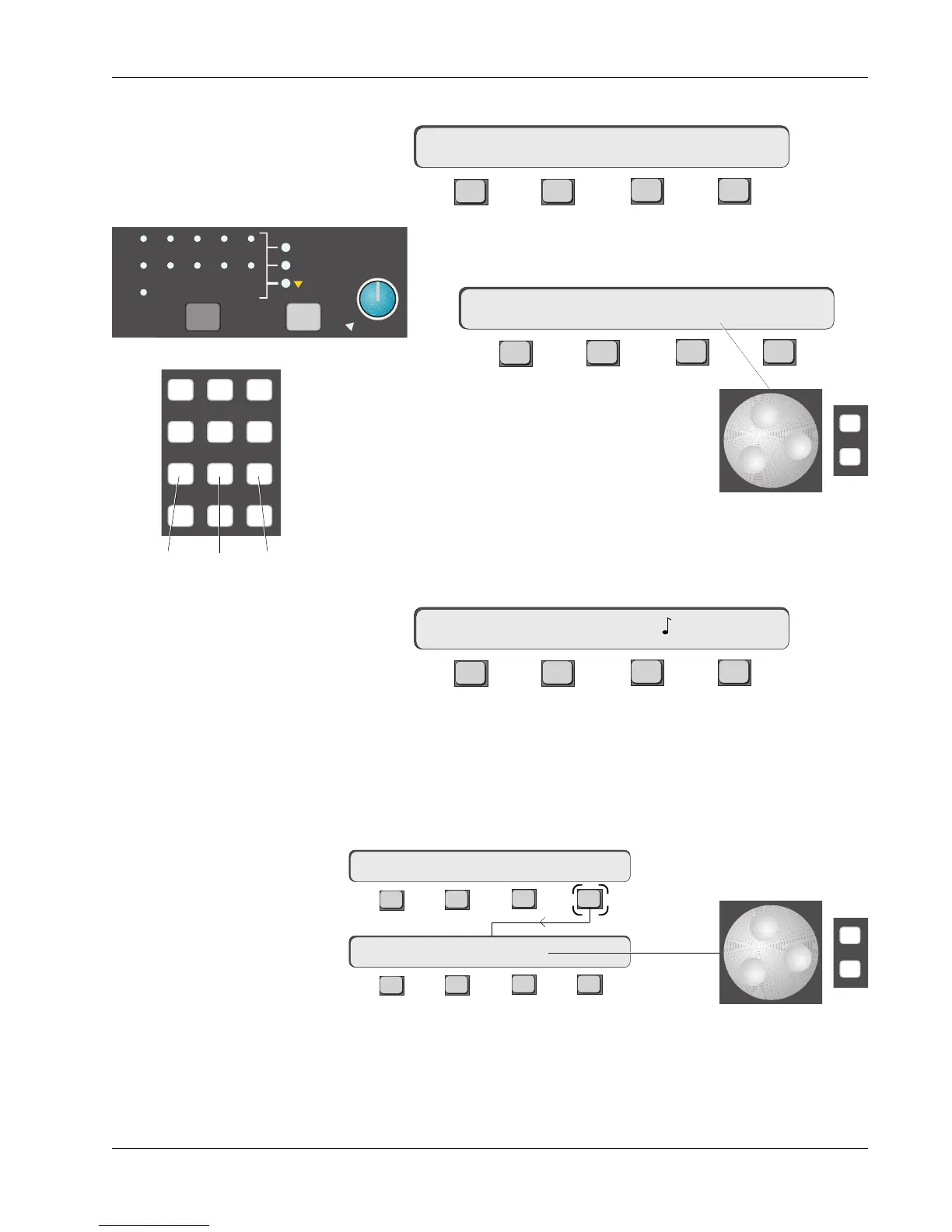
Pressing [F3] selects the Oscillator Frequency menu:
F3F1 F2 F4
F4 allows the oscillator to be swiched on or off, with indication
in the SmartDisplay and in the Talkback block:
F3F1 F2 F4
The SpinKnob selects the frequency. Note that keys 1,
2, and 3 on the DSC Numeric keypad select 100Hz,
1kHz and 10kHz respectively for fast tone selection.
The [+]/[–] keys can also be used to increase or decrease the frequency, 1/12th
octave step with each keypush.
If you hit [F3] the freqency reading changes from Hz to notes on an A440 scale.
F3F1 F2 F4
The SpinKnob now selects notes which are indicated in standard MIDI nota-
tion (middle C is C3). The SpinKnob and DSC [+]/[–] keys, only select frequen-
cies which match notes, hence they cannot be used to select the 100Hz, 1kHz
and 10kHz frequencies because these don’t match a note value.
From the Oscillator menu, press [F4] (LEVEL):
mTB–> OSC 100Hz OFF
mTB–> OSC 100Hz ON
mTB–> OSC B5 ON
TB MIC
A1
A2
A3
A4
A5
A6
A7
A8
ST1
ST2
BUS
Oscillator
Patch
789
456
123
0 Enter Del
100Hz 1kHz 10kHz
The SpinKnob selects the level and F4 toggles the oscillator on and off. Again,
the [+]/[–] keys can be also used to change the level. Range is ±20dB, where
0dB = +4dBu.
F3F1 F2 F4
F3F1 F2 F4
mTB–> OSC 0.0dB ON
mTB–> OSC FREQ LEVEL
-
DIR
+
Bus
Oscillator Menu
-
DIR
+
Bus



 To Next Page